7 IAM Role Mistakes That Expose Your Cloud Accounts
Misconfigured identity permissions allow attackers to move laterally without triggering network alerts, making access control the primary defense against silent cloud compromise.

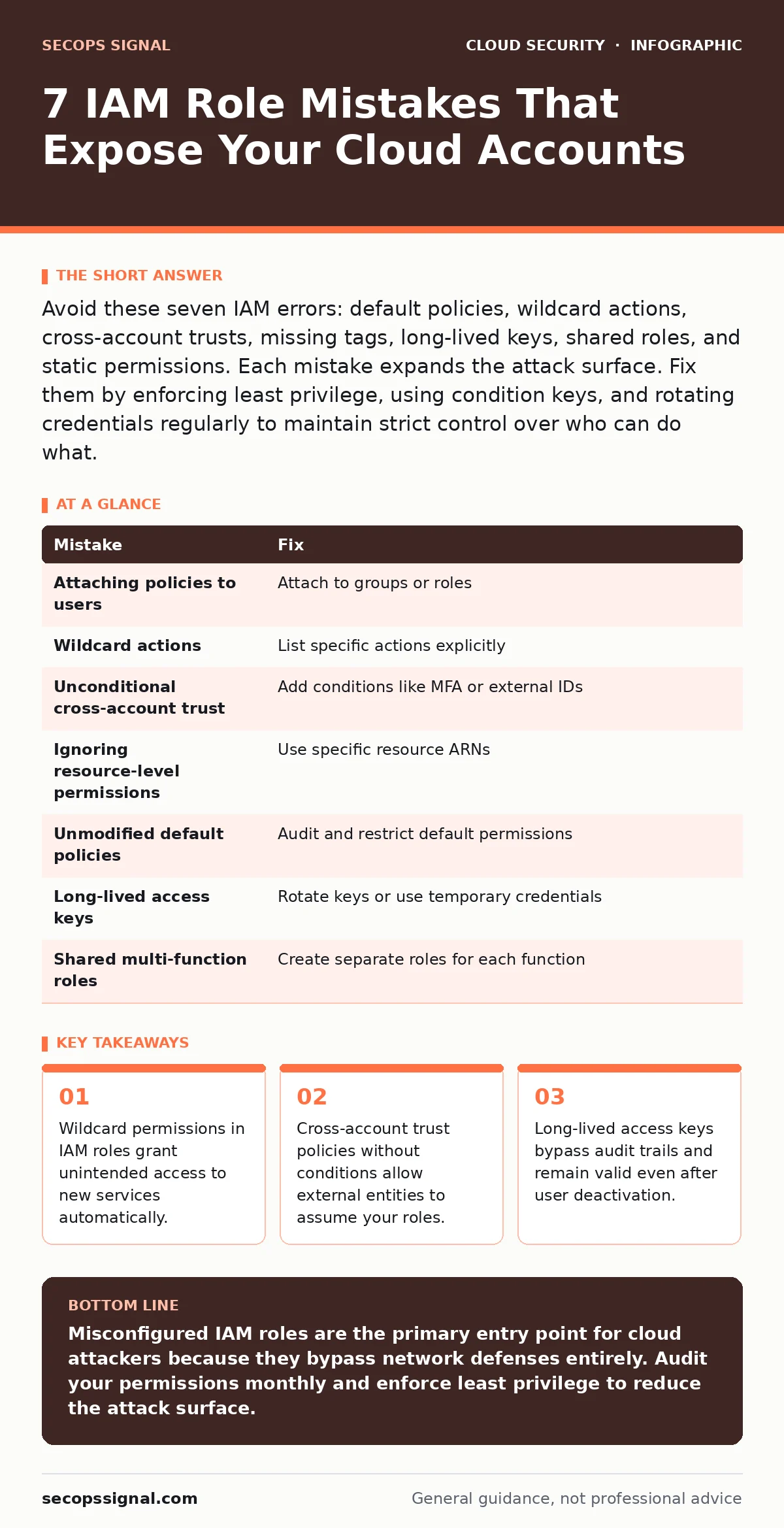
Avoid these seven IAM errors: default policies, wildcard actions, cross-account trusts, missing tags, long-lived keys, shared roles, and static permissions. Each mistake expands the attack surface. Fix them by enforcing least privilege, using condition keys, and rotating credentials regularly to maintain strict control over who can do what.
Mistake 1: Attaching Managed Policies Directly to Users
Administrators often attach broad managed policies directly to individual user accounts for convenience. This practice creates rigid permission sets that are difficult to modify without affecting all users who share that policy. When a user leaves, their permissions persist if the policy is not detached immediately. This violates the principle of least privilege because users retain access longer than necessary.
Why it hurts: Direct attachment couples identity to permission. You cannot revoke access for one person without impacting others. It also makes auditing difficult because you must check every user individually to understand their total power. If a policy is updated to include a dangerous action, every attached user gains that capability instantly.
The fix: Attach managed policies to groups or roles instead of users. Users join groups to inherit permissions. This centralizes permission management. Reviewing a single group is faster than reviewing ten users. This approach also supports the concept of just-in-time access, where permissions are granted only when needed for specific tasks.
Mistake 2: Using Wildcards in Action Statements
Developers frequently use "Action": "*" in IAM policies to avoid listing every specific API call. This wildcard grants permission to every action in the service, including destructive ones. As the cloud provider adds new features, the role automatically gains access to them. This silent expansion of power is a common vector for privilege escalation.
Why it hurts: You lose visibility into what the role can actually do. A role intended for reading logs might suddenly gain the ability to delete databases if the provider adds a delete action to that service. Attackers exploit this to perform actions you never intended to allow. The policy appears simple but hides massive risk.
The fix: List specific actions explicitly. Define exactly which API calls the role needs. If you must use wildcards, limit them to a prefix, such as "s3:Get*", rather than a full wildcard. Regularly review policies to ensure they still match actual usage. This practice aligns with infrastructure-as-code misconfigurations best practices by treating permissions as version-controlled assets.
Mistake 3: Trusting External Accounts Without Conditions
Cross-account access requires a trust policy that allows another AWS account to assume a role. Many administrators create this trust without specifying conditions. This allows any user in the external account to assume the role. If the external account is compromised, the attacker gains immediate access to your resources.
Why it hurts: The trust relationship becomes a backdoor. Compromise of a partner or vendor account leads directly to your environment. There is no additional verification step. The attacker does not need to guess passwords; they simply assume the role. This bypasses your internal security controls entirely.
The fix: Add conditions to the trust policy. Require specific external IDs, MFA, or IP ranges. These conditions act as extra locks on the door. Even if the external account is breached, the attacker cannot assume your role without meeting these additional criteria. This strengthens federated identity setups by ensuring only authorized entities can bridge the trust gap.
Mistake 4: Ignoring Resource-Level Permissions
Service-level permissions grant access to all resources within a service. For example, allowing "s3:ListBucket" on all buckets lets a user see every bucket name. This reveals sensitive data structures and potential targets. It also violates the principle of least privilege by granting visibility beyond what is necessary for the task.
Why it hurts: Reconnaissance becomes trivial for an attacker. They can map your entire environment without touching data. This information helps them plan further attacks. It also creates noise in logs, making it harder to detect genuine anomalies. You expose the architecture of your cloud to anyone with that permission.
The fix: Use resource ARNs to limit permissions to specific buckets, tables, or instances. Define exactly which resources the role can interact with. This restricts lateral movement. If a role is compromised, the attacker is confined to a small subset of resources. This technique complements cloud network segmentation by adding an identity-based layer of isolation.
Mistake 5: Leaving Default Policies Unmodified
Cloud services often create default IAM roles and policies during setup. These defaults are designed for ease of use, not security. They frequently include broad permissions to allow the service to function out of the box. Administrators often leave these defaults unchanged because they work initially.
Why it hurts: Default permissions are often over-permissive. They grant access to features you may not use or want. Attackers know these defaults and target them specifically. Changing defaults requires effort, so many environments remain in this vulnerable state for years. It is a low-hanging fruit for attackers.
The fix: Audit default roles immediately after deployment. Remove any permissions that are not strictly necessary. Replace default policies with custom ones that reflect your specific needs. Treat defaults as temporary scaffolding, not permanent structures. This diligence is part of broader cloud compliance efforts to maintain a secure baseline.
See also: Shadow IT Definition: How to Find Hidden Cloud Risks · Cloud Security Examples: How Security Groups Enforce Zero Trust
Mistake 6: Failing to Rotate Long-Lived Access Keys
Programmatic access often relies on long-lived access keys. These keys do not expire unless manually rotated. If a key is leaked, it remains valid indefinitely. Attackers can use stolen keys to access resources long after the original user has left the organization. This is a persistent risk that grows over time.
Why it hurts: You cannot revoke access instantly if you rely on static keys. The key might be used in scripts or applications that are no longer monitored. A single leak compromises the entire account. There is no automatic expiration to limit the damage window. This contradicts the security benefits of ephemeral infrastructure where credentials are short-lived.
The fix: Enforce key rotation policies. Set alerts for keys older than 90 days. Use temporary credentials via roles instead of long-lived keys where possible. Temporary credentials expire automatically, reducing the risk of long-term exposure. Monitor for unused keys and disable them promptly.
Mistake 7: Sharing Roles Across Multiple Functions
Teams often create a single role for multiple purposes to save time. For example, a role might handle both database backups and application logging. This mixes responsibilities and increases the complexity of the permission set. If the role is compromised, the attacker gains access to all functions it serves.
Why it hurts: The permission set must be broad enough to cover all functions. This violates least privilege. Auditing becomes difficult because you cannot determine which function triggered which action. It also increases the impact of a breach. Separating duties is a fundamental security control that is ignored here.
The fix: Create separate roles for distinct functions. Assign each role only the permissions it needs. This limits the blast radius of a compromise. It also simplifies auditing and maintenance. This approach supports bot management by ensuring automated processes have minimal, specific permissions rather than broad administrative access.
| Mistake | Fix |
|---|---|
| Attaching policies to users | Attach to groups or roles |
| Wildcard actions | List specific actions explicitly |
| Unconditional cross-account trust | Add conditions like MFA or external IDs |
| Ignoring resource-level permissions | Use specific resource ARNs |
| Unmodified default policies | Audit and restrict default permissions |
| Long-lived access keys | Rotate keys or use temporary credentials |
| Shared multi-function roles | Create separate roles for each function |
Key takeaways
- Wildcard permissions in IAM roles grant unintended access to new services automatically.
- Cross-account trust policies without conditions allow external entities to assume your roles.
- Long-lived access keys bypass audit trails and remain valid even after user deactivation.
Misconfigured IAM roles are the primary entry point for cloud attackers because they bypass network defenses entirely. Audit your permissions monthly and enforce least privilege to reduce the attack surface.
Frequently asked questions
How do I find unused IAM roles?
Use cloud provider tools to analyze access patterns. Look for roles that have not assumed any actions in the last 90 days. Disable these roles to reduce risk.
Can I use IAM roles for human users?
No, IAM roles are for applications and services. Human users should use user accounts with MFA. Roles are for temporary, programmatic access.
What is the difference between IAM policies and security groups?
IAM policies control who can access resources via API calls. Security groups control network traffic at the instance level. Both are needed for defense in depth.
How often should I review IAM permissions?
Review permissions at least quarterly. More frequent reviews are better for high-risk environments. Automated tools can help identify drift and anomalies.
How this guide was produced: written by the SecOps Signal editorial team with AI assistance, checked against the public references listed below, and reviewed when the facts change. See our editorial policy or report an error.