How Federated Identity Works: The Mechanics Behind the Magic
Federated identity shifts trust from password verification to cryptographic proof, allowing access without exposing credentials to the service provider.

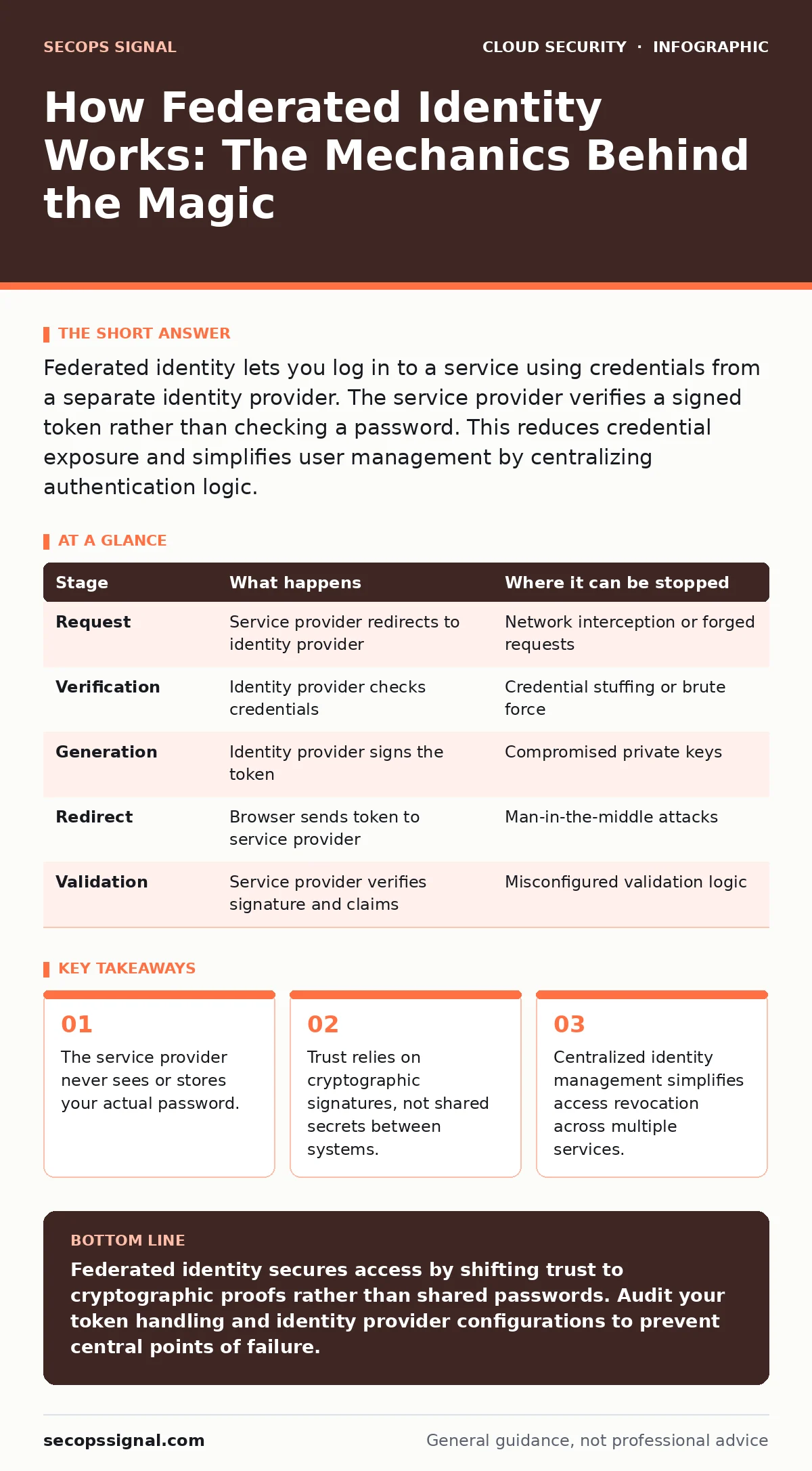
Federated identity lets you log in to a service using credentials from a separate identity provider. The service provider verifies a signed token rather than checking a password. This reduces credential exposure and simplifies user management by centralizing authentication logic.
The Trust Boundary Shift
Traditional authentication requires every service to store and verify user credentials. This creates a massive attack surface. If one service is breached, attackers gain valid usernames and passwords. They can attempt those same credentials on other services. Federated identity changes this model. It moves the responsibility of proving who you are to a single, trusted authority. This authority is called the identity provider. The services you want to access become service providers. They stop asking for passwords. Instead, they ask for proof that the identity provider knows you.
This shift reduces the number of places where credentials exist. It also changes the nature of the security risk. The identity provider becomes the most valuable target. If an attacker compromises it, they can impersonate users across all connected services. Understanding the mechanics of this handoff is necessary to secure it. You must know what data moves between systems and where it can be intercepted.
The Protocol Foundation
Federated identity relies on open standards to communicate between the identity provider and the service provider. These standards define how requests are made, how responses are formatted, and how security tokens are structured. The most common protocols are SAML, OAuth 2.0, and OpenID Connect. SAML uses XML-based assertions to convey authentication data. OAuth 2.0 focuses on authorization, granting limited access to resources. OpenID Connect sits on top of OAuth 2.0 to add an identity layer. It provides a standard way to verify user identity alongside authorization.
Choosing the right protocol depends on your infrastructure. Older enterprise systems often use SAML. Modern web and mobile applications prefer OpenID Connect. The protocol determines the shape of the data exchanged. It also dictates how errors are handled and how sessions are managed. Misunderstanding these differences can lead to misconfigured IAM roles or integration failures. You must ensure both sides of the connection speak the same language.
### Stage 1: The Authentication Request
The process begins when you attempt to access a protected resource. The service provider checks if you have an active session. If you do not, it redirects your browser to the identity provider. This redirect includes specific parameters. It tells the identity provider which service is asking for access and what permissions are required. This request is often signed to prevent tampering during transit. The identity provider validates the signature to ensure the request comes from a trusted partner.
This step establishes the context of the login. It defines the scope of access. The service provider declares what it needs to know about you. It might only need your email address. It might need your role within your organization. The identity provider uses this information to determine what data to include in the response. If the request is malformed or unsigned, the identity provider rejects it. This prevents unauthorized services from harvesting user data.
### Stage 2: Credential Verification
Once the identity provider receives the request, it checks if you are already logged in. If you are, it may proceed without further interaction. If you are not, it presents a login screen. You enter your username and password, or use a biometric factor. The identity provider verifies these credentials against its own database. It does not send your password to the service provider. It only confirms whether the credentials are valid. This verification happens entirely within the identity provider’s environment.
This stage is where multi-factor authentication typically occurs. The identity provider enforces its own security policies. It decides if a second factor is required. The service provider has no control over this decision. This separation is a key security benefit. The service provider cannot weaken the authentication process. It must accept the identity provider’s judgment. If the identity provider says you are authenticated, the service provider trusts that assertion.
### Stage 3: Token Generation
After successful verification, the identity provider creates a token. This token contains claims about your identity. Claims are statements such as your user ID, email, or roles. The identity provider signs this token with a private cryptographic key. This signature ensures the token has not been altered. It also proves the token came from the identity provider. The service provider holds the corresponding public key. It uses this key to verify the signature. If the signature is valid, the service provider trusts the claims inside.
The token is usually a JSON Web Token or an XML assertion. It is self-contained. The service provider does not need to call the identity provider again to validate it. This reduces latency and load on the identity provider. However, tokens have an expiration time. They are not permanent passes. When the token expires, you must go through the process again. This limits the window of opportunity if a token is stolen.
See also: User Access Provisioning Mistakes and How to Fix Them · 7 IAM Role Mistakes That Expose Your Cloud Accounts
### Stage 4: The Redirect and Assertion
The identity provider sends the token back to your browser. The browser redirects you to the service provider, carrying the token in the URL or body. The service provider receives this token and begins validation. It checks the signature, the expiration time, and the issuer. It ensures the token is intended for it. If any check fails, the login is denied. If all checks pass, the service provider creates a local session for you. You are now logged in.
This handoff is critical. The token must be transmitted securely over HTTPS. Intercepting the token allows an attacker to impersonate you. The service provider must also validate the audience claim. This ensures the token was not issued for a different service. Reusing tokens across unrelated services is a common mistake. It expands the blast radius of a compromised token. Always ensure tokens are scoped to the specific service.
| Stage | What happens | Where it can be stopped |
|---|---|---|
| Request | Service provider redirects to identity provider | Network interception or forged requests |
| Verification | Identity provider checks credentials | Credential stuffing or brute force |
| Generation | Identity provider signs the token | Compromised private keys |
| Redirect | Browser sends token to service provider | Man-in-the-middle attacks |
| Validation | Service provider verifies signature and claims | Misconfigured validation logic |
Limits and Hidden Risks
Federated identity is not a silver bullet. It centralizes risk. The identity provider becomes a single point of failure. If it goes down, no one can log in. If it is compromised, all connected services are at risk. You must secure the identity provider more rigorously than any other system. This includes strict access controls and monitoring.
Another risk is token leakage. Tokens are often passed in browser URLs or cookies. If a service provider logs these values, tokens can end up in log files. Attackers can scrape logs to find valid tokens. You must ensure tokens are not logged or cached. Additionally, relying on federated identity can lead to misconfigured IAM roles. Administrators may assume the identity provider handles all permissions. They forget to restrict what the service provider allows. This creates privilege escalation paths.
Integration with Cloud Security
Federated identity works best when combined with other security controls. It does not replace the need for cloud compliance checks. You must ensure your identity provider meets regulatory requirements. It also complements cloud network segmentation. Even with strong authentication, lateral movement is possible if networks are flat. Segmentation limits the damage of a compromised account.
Furthermore, federated identity helps manage secrets in source code. Developers often hardcode credentials. Federated identity allows applications to request temporary tokens instead. This reduces the risk of exposed secrets. It also supports ephemeral infrastructure. Short-lived resources can use federated tokens to access other services. This aligns with the principle of least privilege. However, you must watch for infrastructure-as-code misconfigurations. Incorrectly defined trust relationships can open backdoors. Regular cloud security posture management (CSPM) scans can detect these issues.
Key takeaways
- The service provider never sees or stores your actual password.
- Trust relies on cryptographic signatures, not shared secrets between systems.
- Centralized identity management simplifies access revocation across multiple services.
Federated identity secures access by shifting trust to cryptographic proofs rather than shared passwords. Audit your token handling and identity provider configurations to prevent central points of failure.
Frequently asked questions
Does federated identity protect against password leaks?
It limits the impact of a leak on the service provider side. The service provider never stores the password. However, if the identity provider is breached, passwords may still be exposed.
Can I use federated identity for internal applications?
Yes. It simplifies management by allowing employees to use one set of credentials for all internal tools. This reduces password fatigue and improves security hygiene.
What happens if the identity provider is down?
Users cannot authenticate. You should have a fallback plan, such as local break-glass accounts, for critical services. Ensure these accounts are tightly controlled and monitored.
Is federated identity secure for mobile apps?
Yes, if implemented correctly. Use public key verification and secure storage for tokens. Avoid storing long-lived tokens on the device. Use refresh tokens with strict rotation policies.
How this guide was produced: written by the SecOps Signal editorial team with AI assistance, checked against the public references listed below, and reviewed when the facts change. See our editorial policy or report an error.