7 Code Repository Mistakes That Leak Secrets
Version control systems preserve history forever, meaning deleted secrets remain accessible to attackers through commit logs unless you scrub the entire repository history.

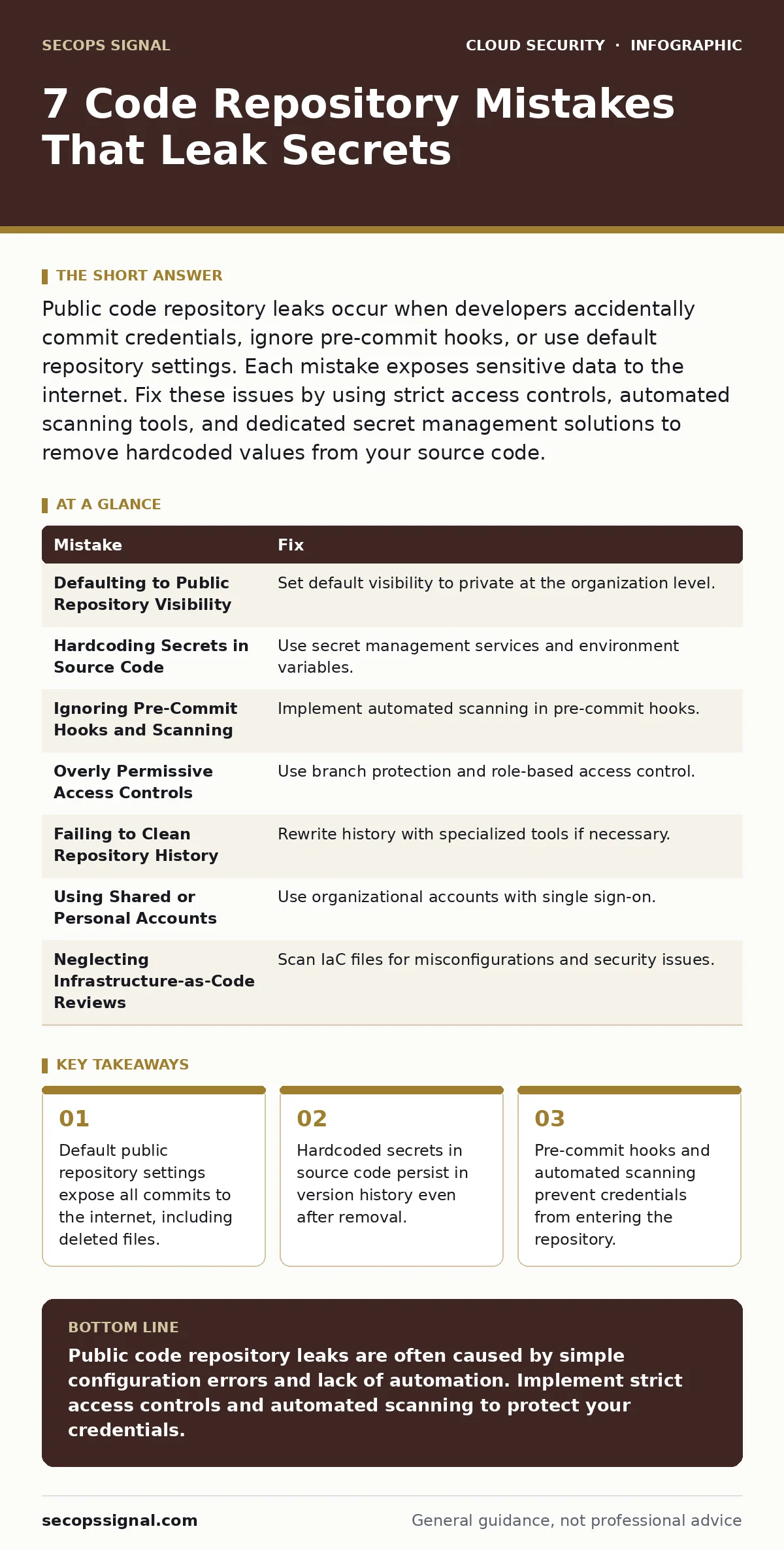
Public code repository leaks occur when developers accidentally commit credentials, ignore pre-commit hooks, or use default repository settings. Each mistake exposes sensitive data to the internet. Fix these issues by using strict access controls, automated scanning tools, and dedicated secret management solutions to remove hardcoded values from your source code.
Mistake 1: Defaulting to Public Repository Visibility
Public code repositories are visible to anyone on the internet by default in many platforms. This setting applies to the entire history of the project, not just the current code. You expose every file ever uploaded, including temporary notes and test configurations. Attackers scan these platforms continuously for keywords like "password" or "api_key". They do not need to hack your server to find your credentials. They simply search the public index.
Why it hurts:
Your internal configuration files become public records. Attackers can map your infrastructure, identify software versions, and find hardcoded secrets. This exposure happens immediately upon pushing code. You lose the ability to control who sees your technical details. The damage persists even if you delete the file later.
The fix:
Set your organization’s default repository visibility to private. Configure this at the account or team level, not per project. This ensures new projects start with restricted access. Review existing repositories to change any that remain public. Use organization policies to prevent users from creating public repositories without approval. This simple setting blocks the majority of accidental exposures.
Mistake 2: Hardcoding Secrets in Source Code
Developers often paste API keys, database passwords, or signing certificates directly into configuration files. This practice makes the code easy to run locally but breaks security principles. The secret becomes part of the application logic. It travels with the code to every environment, including production and public backups. You create a single point of failure for credential management. Rotating these keys requires redeploying the entire application.
Why it hurts:
If the code is exposed, the secret is exposed. Attackers can use these credentials to access your cloud storage, modify data, or pivot into your network. You cannot revoke a specific key without changing the code. This leads to long-lived credentials that attackers can exploit for years. See our guide on secrets in source code for deeper mitigation strategies.
The fix:
Store secrets in a dedicated secret management service or environment variables. Never commit configuration files containing sensitive data. Use a .env file for local development and add it to your ignore list. In production, inject secrets at runtime using a secure vault. This separates your code from your credentials. You can rotate keys without touching the application code.
Mistake 3: Ignoring Pre-Commit Hooks and Scanning
Many teams rely on manual code reviews to catch security issues. Humans miss patterns, especially in large pull requests. Pre-commit hooks are scripts that run before code is saved to the repository. They can scan for high-entropy strings that look like secrets. These tools provide immediate feedback to the developer. They stop the leak at the source, before the data leaves the local machine.
Why it hurts:
Without automated checks, secrets slip through human review. By the time a reviewer spots the issue, the code is already in the shared repository. The secret is now part of the version history. Manual remediation is slow and error-prone. You risk accumulating technical debt in the form of exposed credentials.
The fix:
Install pre-commit hooks that scan for secrets. Configure these hooks to fail the commit if a potential secret is detected. Integrate these tools into your continuous integration pipeline as a second layer of defense. Ensure the scanning rules are updated regularly to catch new credential formats. This automation reduces the burden on developers and improves accuracy.
Mistake 4: Overly Permissive Access Controls
Granting write access to entire teams simplifies development but increases risk. Any member with write access can push code to the main branch. This includes accidental commits of sensitive files. Without branch protection rules, anyone can force-push changes. This bypasses review processes and hides malicious or accidental introductions of secrets. You lose auditability and control over your codebase.
Why it hurts:
A single developer’s mistake compromises the entire project. Attackers who compromise a low-privilege account can escalate access if permissions are too broad. You cannot trace who introduced a specific secret if multiple people have unrestricted write access. This lack of accountability makes incident response difficult.
The fix:
Implement branch protection rules. Require pull requests and code reviews for all changes to the main branch. Disable force pushes to preserve history integrity. Grant write access only to maintainers who need it. Use role-based access control to limit what each user can do. This reduces the blast radius of a compromised account. Consider just-in-time access for temporary elevated privileges.
Mistake 5: Failing to Clean Repository History
Deleting a file from the current branch does not remove it from the repository history. The file remains in the commit log. Attackers can retrieve it using version control commands. Many teams believe deleting the file solves the problem. This misconception leaves the secret accessible for the life of the repository. Scrubbing history is a complex and risky operation.
Why it hurts:
The secret remains exposed indefinitely. Attackers can find it months or years after the initial deletion. You cannot trust that the data is gone. This persistent exposure undermines your security posture. It also complicates compliance audits, as you cannot prove the data was removed.
The fix:
Use specialized tools to rewrite repository history and remove sensitive files. These tools create a new history, which requires all developers to re-clone their repositories. This process is disruptive and should be used sparingly. For future prevention, rely on pre-commit hooks and secret scanning. Never assume deletion is sufficient for sensitive data.
See also: Shadow IT Definition: How to Find Hidden Cloud Risks · Cloud Security Examples: How Security Groups Enforce Zero Trust
Mistake 6: Using Shared or Personal Accounts
Developers sometimes use personal accounts for work repositories. This creates ambiguity about ownership and access. If the employee leaves, you may not realize their account still has access. Shared accounts make it impossible to track individual actions. You lose the ability to revoke access quickly. This practice violates the principle of least privilege.
Why it hurts:
You cannot audit who did what. If a leak occurs, you cannot identify the source. Revoking access for a departing employee is slow and risky. Attackers can exploit lingering access to maintain persistence. This lack of accountability increases your attack surface significantly.
The fix:
Use organizational accounts for all repository access. Integrate with your identity provider to enforce single sign-on. This allows you to revoke access instantly when an employee leaves. Monitor account activity for anomalies. Ensure that access is tied to specific roles, not individuals. This improves auditability and reduces risk. See our guide on federated identity for implementation details.
Mistake 7: Neglecting Infrastructure-as-Code Reviews
Infrastructure-as-code files define cloud resources. These files often contain configuration details, network settings, and access policies. Developers treat these files like regular code. They may not review them for security implications. Misconfigurations in these files can expose resources to the internet. This creates vulnerabilities that are hard to detect in runtime.
Why it hurts:
A single misconfiguration can open a database to the public internet. These errors are often subtle and easy to miss. They persist until someone manually fixes them. This creates a window of exposure for your data. See our guide on infrastructure-as-code misconfigurations for more details.
The fix:
Apply the same security reviews to infrastructure-as-code as to application code. Use automated tools to scan for misconfigurations. Enforce policies that block insecure configurations. This ensures your cloud environment is secure from the start. Regular audits help catch drift from the desired state.
| Mistake | Fix |
|---|---|
| Defaulting to Public Repository Visibility | Set default visibility to private at the organization level. |
| Hardcoding Secrets in Source Code | Use secret management services and environment variables. |
| Ignoring Pre-Commit Hooks and Scanning | Implement automated scanning in pre-commit hooks. |
| Overly Permissive Access Controls | Use branch protection and role-based access control. |
| Failing to Clean Repository History | Rewrite history with specialized tools if necessary. |
| Using Shared or Personal Accounts | Use organizational accounts with single sign-on. |
| Neglecting Infrastructure-as-Code Reviews | Scan IaC files for misconfigurations and security issues. |
Key takeaways
- Default public repository settings expose all commits to the internet, including deleted files.
- Hardcoded secrets in source code persist in version history even after removal.
- Pre-commit hooks and automated scanning prevent credentials from entering the repository.
Public code repository leaks are often caused by simple configuration errors and lack of automation. Implement strict access controls and automated scanning to protect your credentials.
Frequently asked questions
How do I find secrets in my existing repository?
Use automated secret scanning tools that analyze your entire repository history. These tools identify potential credentials and alert you to their location.
Can I recover from a public repository leak?
Yes, but you must rotate all exposed credentials immediately. Then, scrub the repository history to remove the sensitive data.
Do private repositories guarantee safety?
Private repositories restrict access but do not prevent insider threats or compromised accounts. You still need to scan for secrets and enforce access controls.
What is the best way to manage secrets?
Use a dedicated secret management service that integrates with your cloud provider. This allows you to store, rotate, and access secrets securely.
How this guide was produced: written by the SecOps Signal editorial team with AI assistance, checked against the public references listed below, and reviewed when the facts change. See our editorial policy or report an error.