User Access Provisioning Mistakes and How to Fix Them
Defaulting to broad permissions creates a persistent attack surface that grows silently as staff turnover increases and systems evolve.

Stop granting blanket admin rights and ignore manual approval requests. Automate access reviews, enforce least privilege, and ensure immediate deprovisioning. These steps reduce the window for credential exposure and limit the damage from data extortion attempts.
Mistake 1: Defaulting to Broad Administrative Rights
Many organizations grant new hires or contractors full administrative access to simplify onboarding. This approach assumes trust and convenience over security. It ignores the reality that most users do not need root-level or superuser access to perform their daily tasks.
Why it hurts:
Broad rights create a massive attack surface. If an account with administrative privileges is compromised via credential exposure, the attacker gains immediate control over the entire system. This eliminates the ability to contain the threat within a single application or user scope. It also makes forensic analysis nearly impossible because system logs become noisy and difficult to parse.
The fix:
Implement the principle of least privilege. This security concept dictates that users should only have the minimum access necessary to complete their specific job functions. Start with zero access and grant permissions incrementally based on verified need. Use role-based access control (RBAC) to group permissions by job title rather than assigning them individually.
Mistake 2: Manual Provisioning Without Automation
Relying on email requests, help desk tickets, or verbal approvals to grant access is a common failure point. Humans are slow and prone to error when processing repetitive tasks. This manual bottleneck often leads to delays in onboarding and inconsistent application of security policies.
Why it hurts:
Manual processes lack an immutable audit trail. It becomes difficult to prove who approved access, when it was granted, and why. This gap increases breach dwell time because investigators cannot quickly determine the scope of compromised accounts. Furthermore, manual entry errors often result in typos that grant unintended access to sensitive databases, compromising database security.
The fix:
Deploy identity and access management (IAM) automation. This system integrates with your human resources platform to trigger access grants automatically upon hire. The system checks pre-defined role templates and applies permissions without human intervention. This ensures consistency and creates a clear, searchable log of every access change.
Mistake 3: Neglecting Access Reviews
Organizations often grant access and never revisit it. Employees change roles, projects end, and responsibilities shift, but their digital permissions remain static. This phenomenon is known as privilege creep, where users accumulate more rights than they need over time.
Why it hurts:
Privilege creep turns former employees or role-changers into accidental high-value targets. An accountant who moved to marketing may still have access to financial data. This stale access is a primary vector for data extortion, where attackers exploit leftover permissions to encrypt or steal sensitive information. It also complicates compliance efforts, such as meeting SOC 2 requirements for regular access verification.
The fix:
Schedule quarterly automated access reviews. Supervisors must certify that each team member’s current permissions align with their current duties. The system should automatically revoke any access not explicitly re-certified. This process forces a regular audit of the identity landscape and removes unnecessary privileges.
Mistake 4: Ignoring Deprovisioning Timelines
When employees leave, their access is often not removed immediately. HR may process the termination, but IT may wait days or weeks to disable accounts. In some cases, access is only partially revoked, leaving email or cloud storage active.
Why it hurts:
Former employees become immediate insider threats. They retain access to proprietary data, customer lists, and financial records. This delay allows disgruntled staff or malicious actors to exfiltrate data before detection. It also leaves the organization vulnerable to tax identity theft if the former employee had access to payroll or tax filing systems.
The fix:
Integrate deprovisioning with the HR offboarding workflow. The moment HR marks an employee as terminated, the IAM system must disable all accounts instantly. This includes email, cloud storage, and application logins. Schedule a second review after thirty days to archive or delete data, ensuring no residual access remains.
Mistake 5: Using Shared Service Accounts
Teams often create generic accounts like "support" or "admin" to allow multiple people to access a system. This avoids the hassle of creating individual accounts for every team member. It simplifies password sharing but destroys accountability.
Why it hurts:
Shared accounts make it impossible to trace actions to a specific individual. If a mistake occurs or a breach happens, you cannot determine who performed the action. This lack of auditability hinders incident response and legal proceedings. It also encourages poor password hygiene, as the shared password is often written down or stored insecurely.
The fix:
Eliminate shared accounts entirely. Create individual accounts for every user, even contractors. If a system requires service-level access, use a managed service account with strict logging. Implement multi-factor authentication (MFA) for all accounts to add a layer of security beyond passwords.
See also: Neutralize Phishing Infrastructure: 3 Technical Controls That Work
Mistake 6: Overlooking Third-Party Access
Vendors and contractors often require access to internal systems to perform their work. Organizations frequently grant these external parties the same broad access as internal staff. This ignores the distinct risk profile of third-party users.
Why it hurts:
Third-party vendors are frequent entry points for attackers. Their security controls may be weaker, and their access is often less monitored. A breach at a vendor can lead to direct access to your core data. This extends your liability and complicates the distinction between data controllers and data processors in legal disputes.
The fix:
Treat third-party access as high-risk. Grant access only to specific applications and only for the duration of the contract. Use just-in-time access, which grants temporary privileges that expire automatically. Monitor third-party activity more closely than internal user activity to detect anomalies quickly.
Mistake 7: Failing to Mask Sensitive Data in Access Grants
When users need access to databases for testing or analysis, they are often given raw data. This includes real customer names, financial details, and other personally identifiable information. This practice assumes users will handle data responsibly.
Why it hurts:
Exposing raw data increases the impact of any internal breach. If a tester’s account is compromised, the attacker gains access to real, valuable data. This makes data extortion more lucrative and damaging. It also violates privacy regulations that require minimizing the exposure of personal information.
The fix:
Implement data masking techniques for non-production environments. This process replaces sensitive data with realistic but fake values. Users can still perform their tasks, such as testing software functionality, without accessing real personal information. This reduces the value of any data that might be stolen from these environments.
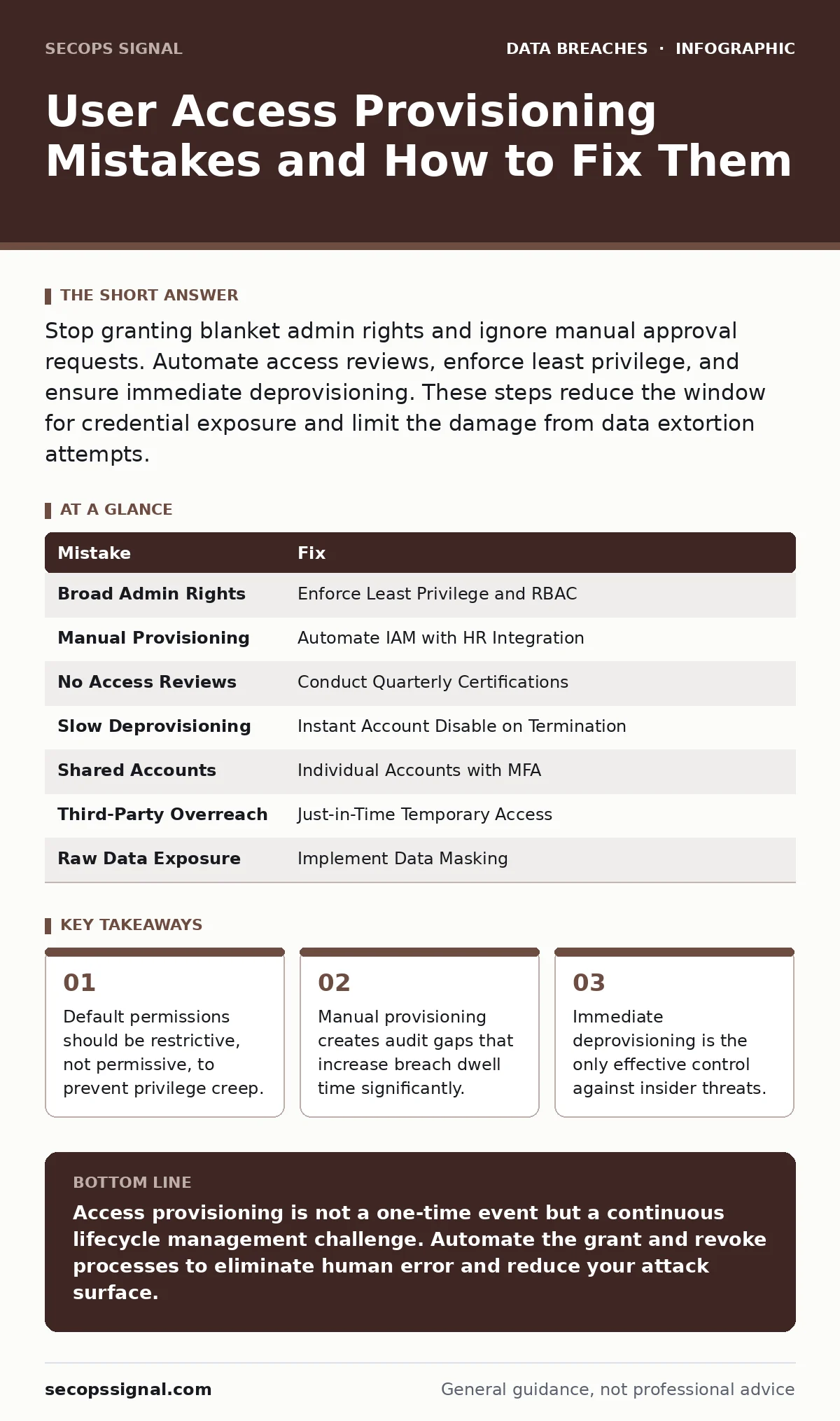
| Mistake | Fix |
|---|---|
| Broad Admin Rights | Enforce Least Privilege and RBAC |
| Manual Provisioning | Automate IAM with HR Integration |
| No Access Reviews | Conduct Quarterly Certifications |
| Slow Deprovisioning | Instant Account Disable on Termination |
| Shared Accounts | Individual Accounts with MFA |
| Third-Party Overreach | Just-in-Time Temporary Access |
| Raw Data Exposure | Implement Data Masking |
Key takeaways
- Default permissions should be restrictive, not permissive, to prevent privilege creep.
- Manual provisioning creates audit gaps that increase breach dwell time significantly.
- Immediate deprovisioning is the only effective control against insider threats.
Access provisioning is not a one-time event but a continuous lifecycle management challenge. Automate the grant and revoke processes to eliminate human error and reduce your attack surface.
Frequently asked questions
How often should access reviews happen?
Quarterly reviews are standard for most organizations, though high-risk roles may require monthly checks.
Can I use group accounts for software development?
No, individual accounts are required for audit trails. Use service accounts for automated scripts instead.
What is the difference between RBAC and ABAC?
RBAC assigns permissions based on job roles, while ABAC assigns permissions based on attributes like location or time.
How do I handle emergency access?
Use a break-glass account with strict logging and mandatory post-use review.
How this guide was produced: written by the SecOps Signal editorial team with AI assistance, checked against the public references listed below, and reviewed when the facts change. See our editorial policy or report an error.