Breach Dwell Time Explained: How to Shrink the Attack Window
Most breaches succeed because attackers operate silently for months, exploiting the gap between entry and detection to move laterally and exfiltrate data.

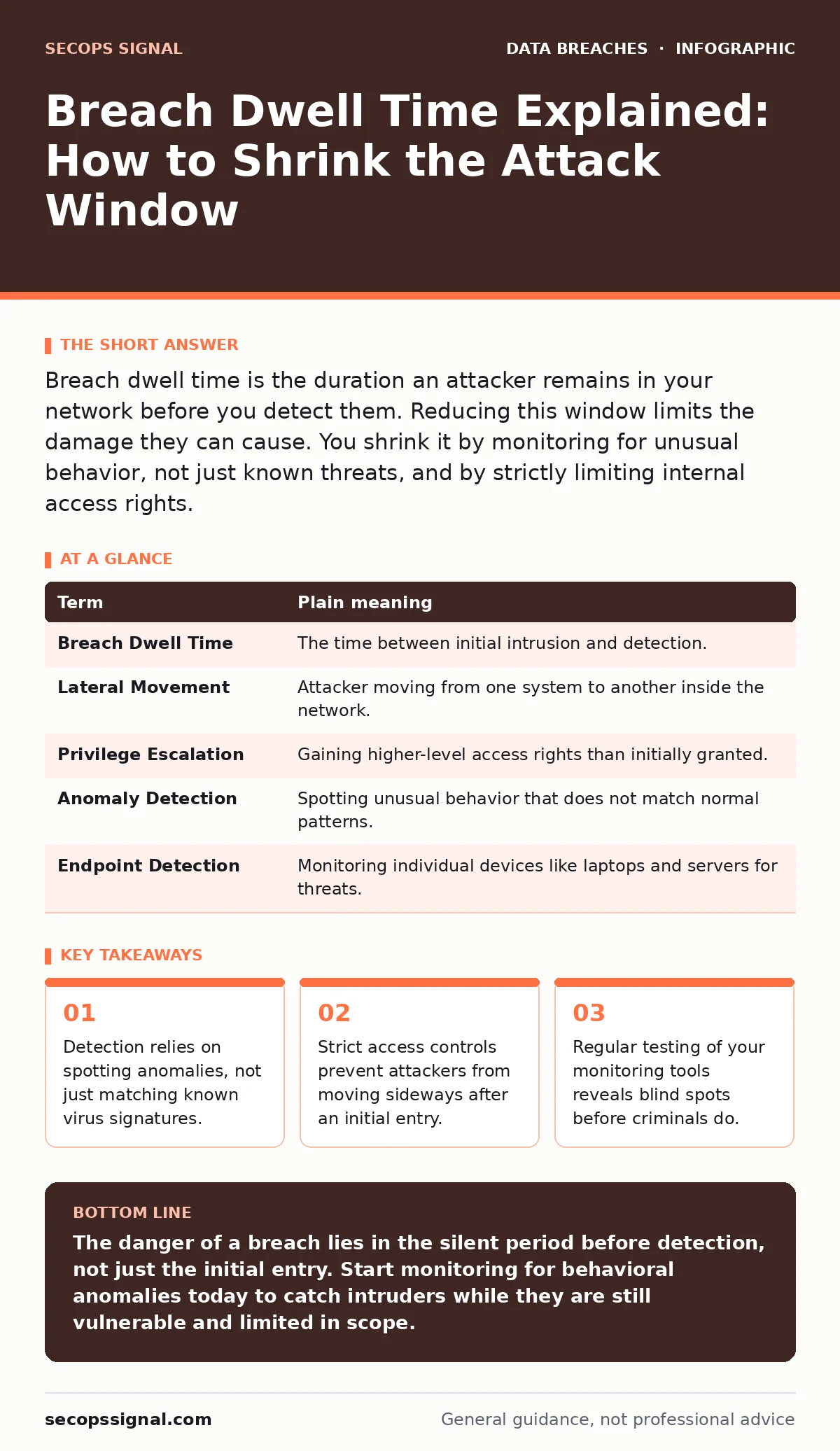
Breach dwell time is the duration an attacker remains in your network before you detect them. Reducing this window limits the damage they can cause. You shrink it by monitoring for unusual behavior, not just known threats, and by strictly limiting internal access rights.
The Quiet House Intruder
Imagine a burglar who picks your front lock but does not smash the safe. Instead, they slip inside quietly, sit in the dark, and watch. They wait for you to leave, then study your routines. They note which drawers you open and which files you read. Only after weeks of observation do they take what they want. This patience is the core of breach dwell time. It is the period between when an attacker enters your systems and when you realize they are there.
Most people think a breach is a single event, like a door kicking in. In reality, it is often a slow process of infiltration. The longer the intruder stays hidden, the more they learn about your defenses. They map your network, find weak spots, and prepare to strike when the impact will be highest. Your goal is not just to lock the door, but to hear the creak of the floorboard.
Defining the Hidden Interval
To understand how to fight this, you must define the terms clearly. Breach dwell time is not the same as response time. Response time begins only after you know there is a problem. Dwell time includes the silent period before that awareness. During this silence, the attacker is active. They may be copying files, changing logs, or waiting for a specific financial transaction to occur.
This interval is dangerous because it allows for lateral movement. This term describes how an attacker moves from one part of your network to another. If they enter through a low-level employee’s computer, they use that foothold to reach your main server. The longer they have to move laterally, the more control they gain over your entire digital environment.
| Term | Plain meaning |
|---|---|
| Breach Dwell Time | The time between initial intrusion and detection. |
| Lateral Movement | Attacker moving from one system to another inside the network. |
| Privilege Escalation | Gaining higher-level access rights than initially granted. |
| Anomaly Detection | Spotting unusual behavior that does not match normal patterns. |
| Endpoint Detection | Monitoring individual devices like laptops and servers for threats. |
Why Firewalls Are Not Enough
You might believe that a strong perimeter firewall stops all intruders. This is a common point of confusion. Firewalls are excellent at blocking known bad traffic from the outside. However, they often allow legitimate traffic to pass through. Attackers know this. They use legitimate tools and protocols to hide their presence.
Once inside, the attacker looks like normal user activity. They might use standard email protocols to send stolen data out. Your firewall sees this as routine business and lets it pass. This is why relying solely on perimeter defenses leaves you blind to internal threats. You need to monitor what happens after the entry, not just at the gate.
The Cost of Silent Observation
The primary cost of long dwell time is the depth of access gained. An attacker who stays for days might only steal a few files. An attacker who stays for months can install backdoors, disable security logs, and map your entire infrastructure. They become an insider with outside intentions.
This extended presence increases the complexity of remediation. You cannot just patch a hole and move on. You must verify that every system they touched is clean. If they compromised a database, you must consider the implications for database security and whether any data was altered, not just stolen. The cleanup is slower, more expensive, and more disruptive when the intruder has had time to embed themselves deeply.
Shrinking the Window with Anomalies
To reduce dwell time, you must shift from signature-based detection to behavior-based detection. Signature detection looks for known patterns of malware. If the attacker uses a new tool or a custom script, signature detection misses it. Behavior detection looks for things that are unusual for your environment.
Suppose your accounting server never communicates with the internet. If it suddenly tries to send data to an external address, that is an anomaly. It does not matter if the data looks clean. The action itself is suspicious. By establishing a baseline of normal activity, you can spot deviations quickly. This approach aligns with frameworks like SOC 2, which emphasize monitoring and change management to maintain trust and security.
See also: Medical Identity Theft Warning Signs and Response Steps · Tax Identity Theft Description: How Fraudsters Steal Your Refund
Limiting the Damage with Access Controls
Even if an attacker stays hidden for a while, you can limit what they can do. This is where data masking and strict access controls matter. If an attacker enters through a marketing laptop, they should not be able to access customer financial records. By enforcing the principle of least privilege, you ensure that each user and system has only the access they strictly need to perform their job.
This segmentation stops lateral movement. If the attacker cannot move from the marketing segment to the finance segment, their dwell time becomes less dangerous. They are trapped in a small room. You may still need to kick them out, but they cannot reach the vault. This strategy also protects against account takeover fraud, as compromising one account does not grant access to all accounts.
Try This Now
- Review your monitoring logs for the past month. Look for login attempts from unusual locations or at unusual times. Flag these as potential anomalies.
- Audit your user permissions. Identify any accounts that have more access than their job requires. Reduce these privileges immediately to limit lateral movement.
- Test your detection capabilities. Run a simulated attack in a safe environment to see if your tools alert you. If they do not, adjust your rules to catch similar behavior in the future.
The Ongoing Battle
Reducing breach dwell time is not a one-time fix. It is a continuous process of observation and adjustment. Attackers change their tactics, so your monitoring must evolve with them. Regularly review your security posture and update your detection rules.
Remember that no system is perfectly secure. The goal is to make the cost of an attack too high for the attacker to bother. By shrinking the time they have to operate, you turn a potential disaster into a manageable incident. This proactive stance is far more effective than reacting after significant damage has occurred.
Key takeaways
- Detection relies on spotting anomalies, not just matching known virus signatures.
- Strict access controls prevent attackers from moving sideways after an initial entry.
- Regular testing of your monitoring tools reveals blind spots before criminals do.
The danger of a breach lies in the silent period before detection, not just the initial entry. Start monitoring for behavioral anomalies today to catch intruders while they are still vulnerable and limited in scope.
Frequently asked questions
How long is a typical breach dwell time?
There is no single average, as it varies by industry and security maturity. However, many organizations take weeks or months to detect sophisticated intrusions, highlighting the need for better monitoring.
Can antivirus software reduce dwell time?
Antivirus helps with known threats but often misses fileless attacks or custom malware. It is a layer of defense, but it does not detect the subtle behavioral changes that indicate a human attacker is present.
What is the difference between detection and response?
Detection is realizing an attack is happening. Response is the actions you take to stop it. Dwell time measures the gap before detection, while response time measures the speed
How this guide was produced: written by the SecOps Signal editorial team with AI assistance, checked against the public references listed below, and reviewed when the facts change. See our editorial policy or report an error.