Credential Exposure: How Leaked Logins Compromise Your Business
Exposed credentials are often old and forgotten, yet they remain valid keys that attackers use to bypass modern perimeter defenses.

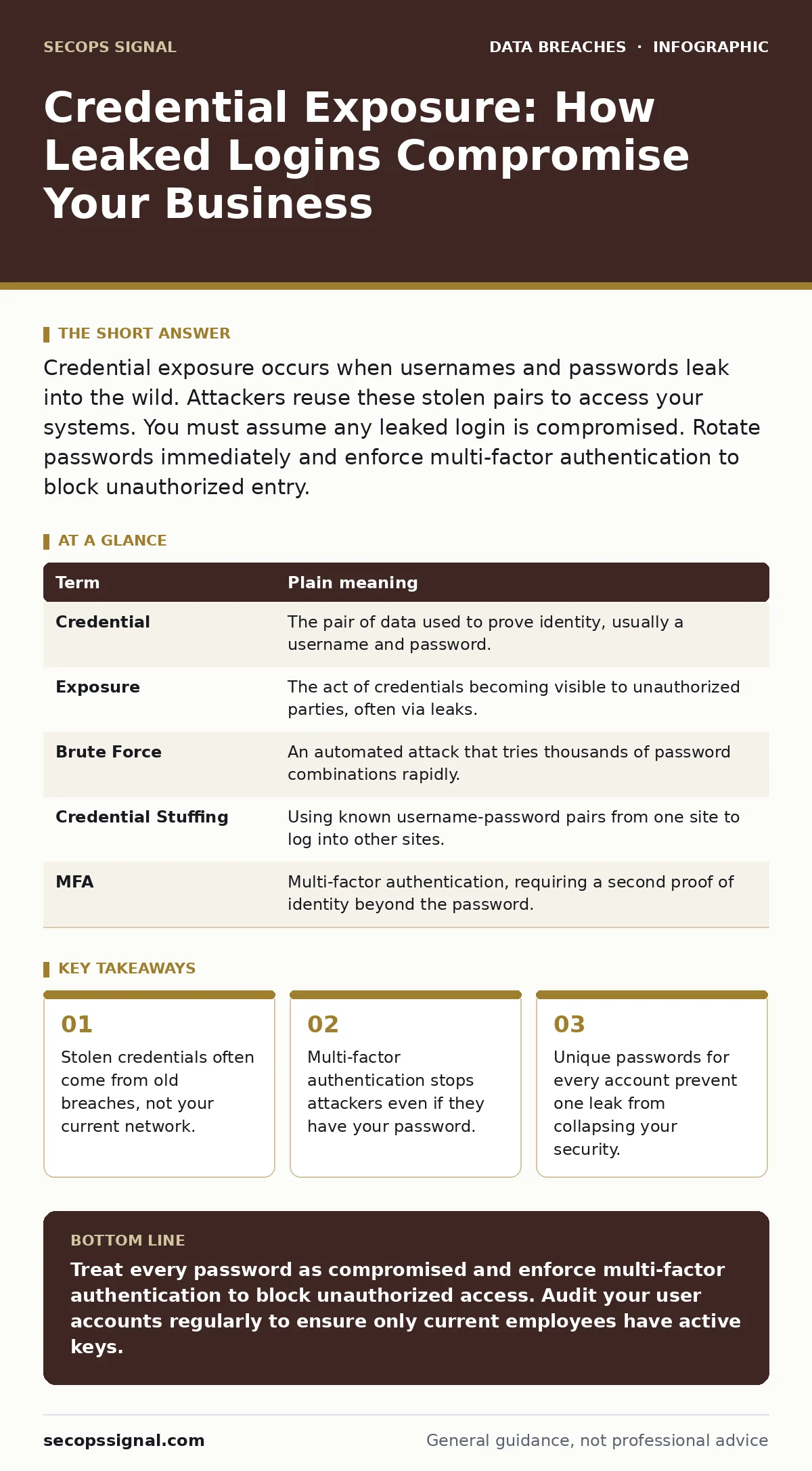
Credential exposure occurs when usernames and passwords leak into the wild. Attackers reuse these stolen pairs to access your systems. You must assume any leaked login is compromised. Rotate passwords immediately and enforce multi-factor authentication to block unauthorized entry.
The Master Key Analogy
Imagine your digital identity is a large house. Your username is the address, and your password is the physical key to the front door. If you lose that key, anyone who finds it can walk inside. Credential exposure is the event where that key is no longer in your pocket. It is in the hands of strangers. They do not need to break down the door. They simply turn the key and enter.
This analogy holds because digital systems rarely verify who is holding the key. They only check if the key fits. If an attacker has a copy, the system grants access. You cannot see them entering. You only notice when they start moving your furniture.
Defining the Terms
To understand the risk, you must separate the components of access. These terms appear in logs and alerts. Knowing them helps you spot the difference between a user error and an attack.
| Term | Plain meaning |
|---|---|
| Credential | The pair of data used to prove identity, usually a username and password. |
| Exposure | The act of credentials becoming visible to unauthorized parties, often via leaks. |
| Brute Force | An automated attack that tries thousands of password combinations rapidly. |
| Credential Stuffing | Using known username-password pairs from one site to log into other sites. |
| MFA | Multi-factor authentication, requiring a second proof of identity beyond the password. |
The Hidden Source of Leaks
Most people believe their credentials are stolen from their current company. This is a common point of confusion. In reality, the credentials often come from years ago. You may have used the same password for a forum, a shopping site, and your work email. When that old forum was breached, your password was published in a public database.
Attackers buy these databases. They run automated scripts to test your email against the stolen passwords. If the password still works on your work account, they get in. This is why credential stuffing is so effective. It relies on human habit, not technical hacking. You are not being targeted for your specific data. You are targeted because you are lazy with your keys.
Why Passwords Alone Fail
A password is a single secret. If that secret is known, access is granted. This is a binary state. There is no middle ground. Modern attackers do not guess passwords randomly. They use lists of the most common passwords found in previous breaches.
If your password is on that list, an attacker can try it in seconds. This is faster than you can react. The system sees a valid username and a valid password. It has no way to know the person typing it is not you. This is why database security alone is not enough. If the database is protected but the users have weak credentials, the protection is bypassed at the door.
The Role of Second Factors
Multi-factor authentication changes the analogy. It adds a second lock. Now, having the key is not enough. You also need a code sent to your phone. Even if the attacker has your password, they cannot enter without the code.
This stops credential stuffing attacks instantly. The attacker has the key, but they do not have your phone. They cannot generate the code. This is the single most effective step you can take. It does not make you immune to all attacks, but it blocks the majority of automated credential exposure incidents.
See also: User Access Provisioning Mistakes and How to Fix Them
Managing Access Rights
When a credential is exposed, the damage depends on what that account can do. If it is a standard user account, the attacker can only read emails. If it is an administrator account, they can change all other passwords. This is why user access provisioning matters. You must grant only the minimum access needed for a job.
If an employee leaves or changes roles, their access must be revoked immediately. Old accounts that are no longer used are prime targets. Attackers know these accounts are less likely to be monitored. They look for dormant keys to open the door.
Immediate Action Steps
You can reduce your risk today. Do not wait for a breach to act. Follow these steps to secure your keys.
- Enable multi-factor authentication on every account that supports it. This is non-negotiable for email and financial systems.
- Use a password manager to generate unique, complex passwords for every site. This ensures that one leak does not compromise your other accounts.
- Monitor for exposed credentials using reputable breach monitoring services. If your email appears in a leak, change that password immediately.
The Cost of Inaction
Ignoring credential exposure leads to deeper problems. Once inside, attackers look for sensitive data. They may encrypt your files and demand payment, leading to data extortion. They may steal customer information, leading to tax identity theft claims against your clients. The time between the initial login and the discovery of the breach is known as breach dwell time. The longer this time is, the more damage is done.
You must treat every password as if it is already known. This mindset shifts your security from reactive to proactive. It forces you to build layers of defense. It makes your system resilient to the inevitable loss of keys.
Key takeaways
- Stolen credentials often come from old breaches, not your current network.
- Multi-factor authentication stops attackers even if they have your password.
- Unique passwords for every account prevent one leak from collapsing your security.
Treat every password as compromised and enforce multi-factor authentication to block unauthorized access. Audit your user accounts regularly to ensure only current employees have active keys.
Frequently asked questions
How do I know if my credentials have been exposed?
Use a breach monitoring service that checks public databases for your email addresses. If a match is found, change that password immediately.
Is two-factor authentication enough to stop all attacks?
No. It stops automated credential stuffing, but it does not protect against social engineering or malware that steals session tokens.
Should I change passwords if I only used them once?
Yes. If the username and password pair appeared in any public breach, it is valid for attackers to try elsewhere.
What is the difference between a breach and exposure?
A breach is the event of unauthorized access. Exposure is the state of credentials being visible to attackers, often before they are used.
How this guide was produced: written by the SecOps Signal editorial team with AI assistance, checked against the public references listed below, and reviewed when the facts change. See our editorial policy or report an error.