Password Reuse Risks: How Credential Stuffing Compromises Your Business
Reusing a single password turns every minor data breach into a direct entry point for attackers to access your most sensitive business systems and financial records.

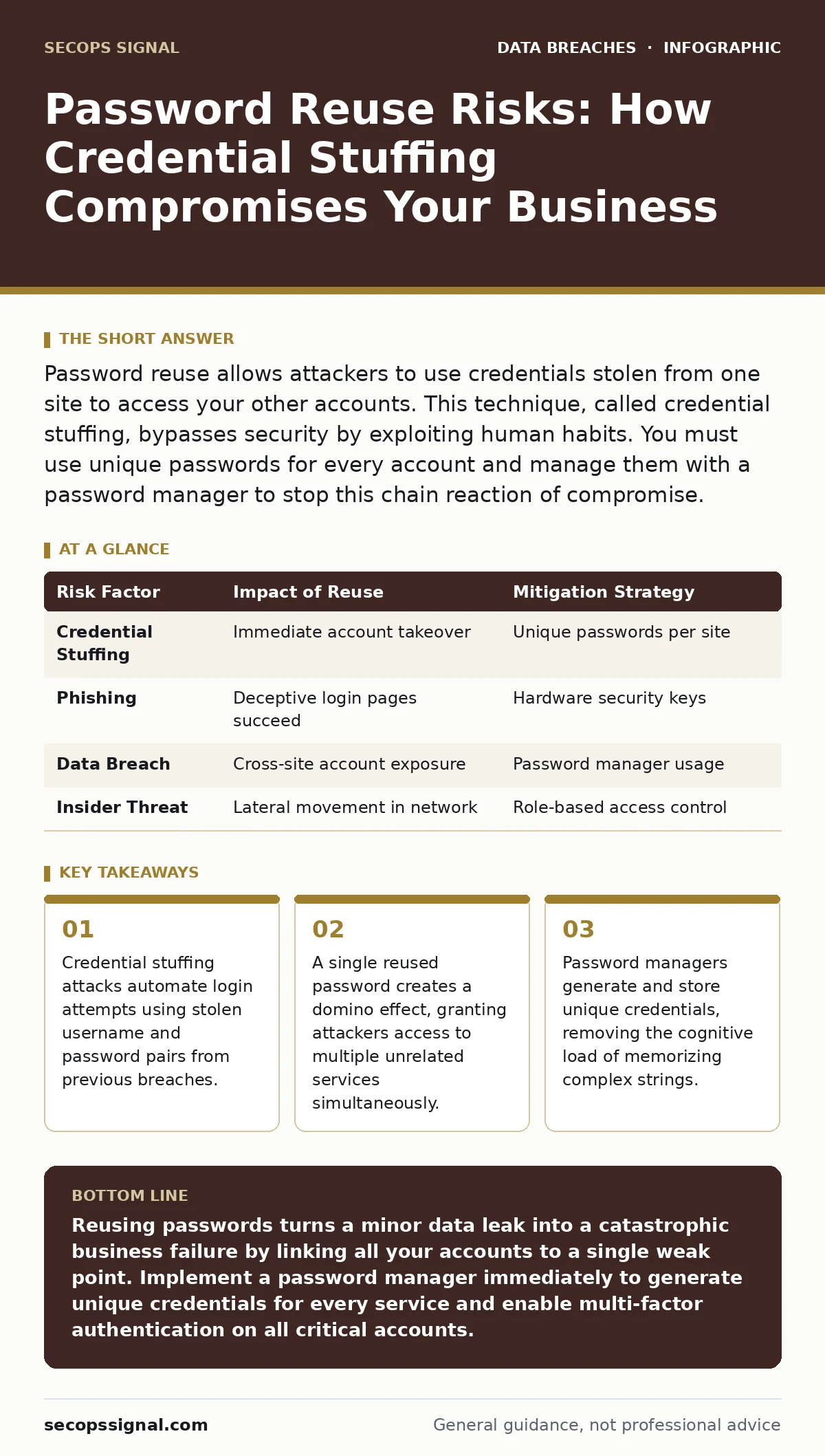
Password reuse allows attackers to use credentials stolen from one site to access your other accounts. This technique, called credential stuffing, bypasses security by exploiting human habits. You must use unique passwords for every account and manage them with a password manager to stop this chain reaction of compromise.
What happens when you reuse a password across different sites?
Reusing a password creates a single point of failure that compromises every account sharing that credential. When an attacker obtains your password from one breached service, they immediately test it against popular email, banking, and social media platforms. This automated process is known as credential stuffing. The attacker does not need to crack your password again. They simply reuse the known valid combination. Your security posture collapses across multiple digital identities because the defense mechanism is identical everywhere.
How do attackers find out if I have reused my password?
Attackers use lists of compromised credentials from previous data breaches to test access on other platforms. These lists contain billions of username and password pairs harvested from the dark web or public leak databases. Automated scripts submit these combinations to login pages at high speed. If the login succeeds, the attacker knows you reused that password. They do not guess your password. They verify existing credentials. This method is efficient because it relies on human convenience rather than technical weakness in the encryption.
Why do password managers prevent credential stuffing attacks?
Password managers generate unique, complex passwords for every website you visit. This ensures that a breach on one site never reveals credentials for another. The manager stores these encrypted strings in a secure vault. You only need to remember one master password. The software auto-fills the unique credentials during login. This breaks the link between accounts. Even if one service suffers a data breach, the attacker gains zero access to your other services. The isolation of credentials stops the chain reaction.
Does two-factor authentication stop password reuse attacks?
Two-factor authentication adds a second layer of verification, but it does not fix the root problem of credential reuse. If an attacker has your password, they may still bypass two-factor authentication through phishing or session hijacking. Some two-factor methods, like SMS codes, are vulnerable to SIM swapping. Stronger methods, such as hardware security keys or authenticator apps, provide better protection. However, relying on two-factor authentication alone while reusing passwords leaves you exposed to account takeover. You need both unique passwords and strong verification.
What is the risk of using the same password for email and banking?
Using the same password for email and banking links your communication hub to your financial assets. Email accounts often serve as the reset mechanism for other services. If an attacker accesses your email, they can reset passwords for your bank, tax software, and business tools. This creates a centralized control point for the attacker. They do not need to breach the bank directly. They simply intercept the password reset link. This amplifies the impact of a single compromised credential into total identity theft.
See also: Database Security: What It Is and How It Protects Your Data
How does password reuse affect business liability and data controllers?
Businesses that allow password reuse increase their liability as data controllers. A data controller is responsible for determining how personal data is processed. If an employee reuses passwords and causes a breach, the business faces regulatory fines and reputational damage. Attackers often target employees with weak security habits to gain internal network access. This insider threat vector is difficult to detect. The breach dwell time increases because attackers move laterally using stolen credentials. Unique passwords limit the scope of any single compromise.
Can a password manager be hacked or compromised?
Password managers store your credentials in an encrypted database protected by your master password. If the master password is strong and unique, the data remains secure even if the provider’s server is breached. The encryption is zero-knowledge, meaning the provider cannot see your passwords. The risk lies in the user’s master password. If you reuse your master password, the entire vault is exposed. You must treat the master password as the key to your digital life. It should never be written down or shared.
| Risk Factor | Impact of Reuse | Mitigation Strategy |
|---|---|---|
| Credential Stuffing | Immediate account takeover | Unique passwords per site |
| Phishing | Deceptive login pages succeed | Hardware security keys |
| Data Breach | Cross-site account exposure | Password manager usage |
| Insider Threat | Lateral movement in network | Role-based access control |
What is the hidden cost of managing unique passwords?
The hidden cost of unique passwords is cognitive load and time. Humans are not designed to memorize hundreds of complex strings. This leads to password fatigue, where users choose simpler passwords or write them down. Writing passwords on sticky notes creates a physical security risk. Using a password manager eliminates this cost. It automates the creation and entry of credentials. The initial setup requires time, but the long-term benefit is reduced risk and faster login times. The trade-off is relying on a third-party tool for credential storage.
How do you recover access if you lose your password manager?
Recovery depends on the backup method you established during setup. Most password managers offer a recovery key or a set of recovery codes. You must store these in a secure, offline location. If you lose access to your device and your recovery key, your data may be permanently locked. This is a trade-off for security. The provider cannot reset your master password. You must plan for this scenario before you start using the tool. Keep a physical copy of your recovery key in a safe place.
What is the difference between a password and a passkey?
A password is a secret string known only to the user. A passkey is a cryptographic key pair stored on your device. Passkeys eliminate the need to type a password. They use biometrics or device PINs to unlock the key. This prevents phishing because the key is bound to the specific website. Passkeys are not transferred to the server. They are generated locally. This makes them resistant to credential stuffing. You cannot reuse a passkey because it is unique to each site and device combination.
Key takeaways
- Credential stuffing attacks automate login attempts using stolen username and password pairs from previous breaches.
- A single reused password creates a domino effect, granting attackers access to multiple unrelated services simultaneously.
- Password managers generate and store unique credentials, removing the cognitive load of memorizing complex strings.
Reusing passwords turns a minor data leak into a catastrophic business failure by linking all your accounts to a single weak point. Implement a password manager immediately to generate unique credentials for every service and enable multi-factor authentication on all critical accounts.
Frequently asked questions
How often should I change my passwords?
You do not need to change passwords regularly if they are unique and complex. Frequent changes lead to weaker passwords and increased reuse. Focus on uniqueness and length rather than rotation schedules. Change passwords only if you suspect a breach.
Are password managers safe for small businesses?
Yes, password managers are safe and recommended for businesses. They centralize credential management and enforce strong security policies. Choose a provider that offers zero-knowledge encryption and team administration features. This ensures that employees cannot share credentials insecurely.
What should I do if I find my password in a breach?
Change the password immediately on the affected site and any other site where you used it. Enable two-factor authentication on the account. Check your email for suspicious activity. Use a password manager to generate a new, unique password for that site.
Can I use a password manager on multiple devices?
Yes, most password managers sync across devices via encrypted cloud storage. This allows you to access your credentials on your phone, laptop, and desktop. Ensure that each device is protected with a strong lock screen or PIN to prevent unauthorized access to the vault.
How this guide was produced: written by the SecOps Signal editorial team with AI assistance, checked against the public references listed below, and reviewed when the facts change. See our editorial policy or report an error.