Email Attachment Scanning Best Practices for Secure Operations
Static file analysis fails to detect dormant threats, making behavioral sandboxing and execution control the primary defense against modern payload delivery.

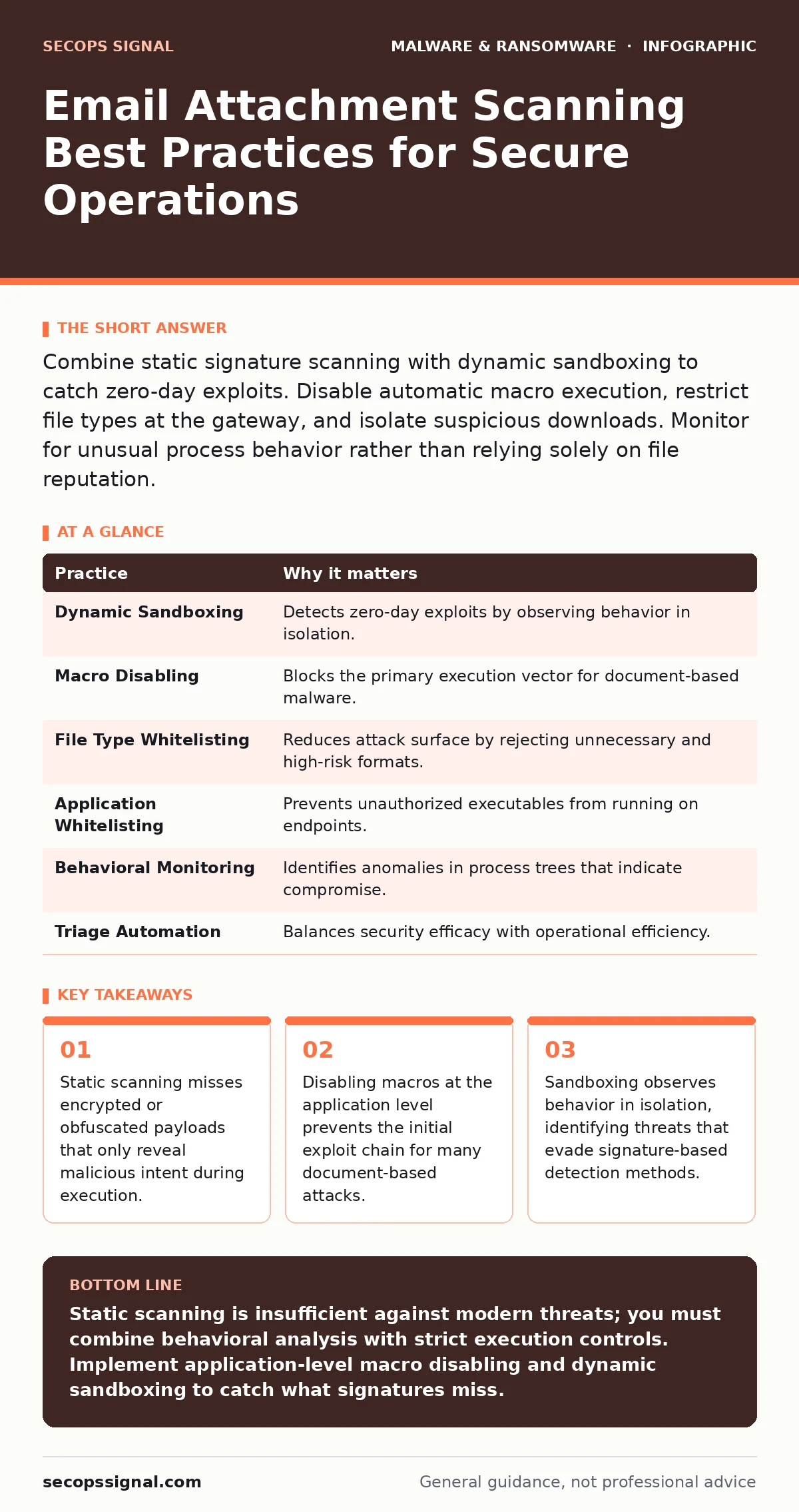
Combine static signature scanning with dynamic sandboxing to catch zero-day exploits. Disable automatic macro execution, restrict file types at the gateway, and isolate suspicious downloads. Monitor for unusual process behavior rather than relying solely on file reputation.
The Limits of Static Signature Analysis
Static scanning examines a file against a database of known malicious patterns. It compares the digital fingerprint of an attachment to a list of identified threats. This method is fast and computationally cheap, but it fails against new or modified code. Attackers frequently alter the byte sequence of a payload to change its hash, rendering signature checks useless.
You must accept that static scanning only identifies what has already been discovered. It provides no protection against zero-day exploits, which are vulnerabilities unknown to the vendor. Relying exclusively on signatures creates a false sense of security. You need a layer that evaluates intent, not just identity.
Use Dynamic Sandboxing for Unknown Files
Dynamic sandboxing executes the attachment in an isolated, virtual environment. This allows you to observe the file’s behavior without risking your production systems. The sandbox records system calls, network connections, and registry modifications. If the file attempts to contact a command-and-control server, the sandbox flags it as malicious.
This approach catches polymorphic malware, which changes its code structure with each infection. It also identifies fileless attacks that reside only in memory. However, sandboxes can be evaded by malware that detects virtualization artifacts. To counter this, ensure your sandbox environment mimics a real user’s context closely.
Application-Level Control Over Macros
Many email-borne threats rely on VBA macros to execute code. These scripts run within the host application, such as a word processor, granting them high-level permissions. Static scanners often miss malicious macros because the script is embedded in a legitimate document format. The document itself may have a clean signature.
You must disable macros at the application level, not just the email gateway. Modern office suites allow you to block all macros by default. This setting prevents the execution of any embedded script, regardless of its content. Users can still open the document for reading, but the interactive elements remain inert.
This measure stops the initial exploitation step for a vast number of campaigns. It forces attackers to use more complex social engineering or exploit kits. By removing the easy path, you raise the barrier to entry for casual threat actors. See our guide on macro malware for deeper technical details on script obfuscation techniques.
Restricting File Types at the Gateway
Not all files are necessary for business operations. Allowing every file extension increases your attack surface unnecessarily. Attackers often use uncommon extensions to bypass filters that focus on common document types. A seemingly harmless image or archive may contain executable code.
Define a whitelist of acceptable file types for your organization. Block archives, executables, and scripts at the email gateway. If a user needs to receive a specific blocked type, require manual approval or a separate secure transfer method. This reduces the volume of dangerous payloads reaching the endpoint.
You must balance security with operational friction. Blocking too many types can hinder legitimate workflows. Focus on high-risk extensions that serve no purpose in standard communication. Regularly review the whitelist to ensure it aligns with current business needs.
Isolation of User-Initiated Downloads
Even if an attachment passes initial checks, user behavior introduces risk. Clicking a link or downloading a file from an untrusted source can bypass perimeter defenses. The endpoint becomes the primary battleground once the file leaves the controlled email environment.
Implement application whitelisting to restrict which programs can run. This ensures that only approved software executes on the system. If a downloaded file is not on the whitelist, it cannot run. This prevents unauthorized executables from launching, even if they bypass email filters.
This strategy relies on maintaining an accurate inventory of approved software. It requires regular updates as new legitimate applications are deployed. It does not protect against exploits that compromise already-whitelisted applications. You must combine this with regular patching to close known vulnerabilities.
Behavioral Monitoring for Process Anomalies
Traditional antivirus focuses on the file, but advanced threats focus on the process. Once a payload executes, it interacts with the operating system. These interactions leave traces in the form of system calls and memory modifications. Behavioral monitoring detects these anomalies in real time.
You should monitor for unusual parent-child process relationships. For example, a web browser spawning a command prompt is highly suspicious. This indicates that a script or exploit within the browser is attempting to execute commands. Detecting this pattern allows you to terminate the threat before it spreads.
This method requires a baseline of normal activity for your environment. Without a baseline, you will generate excessive false positives. Tuning the detection rules takes time and expertise. Consider integrating with managed detection and response (MDR) services if internal resources are limited.
See also: Email Filtering Explained: How Gatekeepers Stop Digital Threats · Spot Phishing Infrastructure: Early Signs and Hidden Indicators
The Hidden Cost of False Positives
Security tools are imperfect. They will occasionally flag legitimate files as malicious. This is a false positive. Each false positive requires investigation and remediation. If your team ignores alerts to avoid this work, you miss real threats. If you investigate every alert, you burn operational resources.
You must establish a clear triage process for security alerts. Prioritize based on severity and potential impact. Automate the response for low-risk, high-confidence alerts. Reserve manual investigation for complex cases. This balance prevents alert fatigue while maintaining a strong security posture.
False positives also impact user trust. If users are frequently blocked from sending or opening legitimate files, they may bypass security controls. This creates a culture of resistance to security policies. Communicate the reason for blocks clearly to maintain cooperation.
| Practice | Why it matters |
|---|---|
| Dynamic Sandboxing | Detects zero-day exploits by observing behavior in isolation. |
| Macro Disabling | Blocks the primary execution vector for document-based malware. |
| File Type Whitelisting | Reduces attack surface by rejecting unnecessary and high-risk formats. |
| Application Whitelisting | Prevents unauthorized executables from running on endpoints. |
| Behavioral Monitoring | Identifies anomalies in process trees that indicate compromise. |
| Triage Automation | Balances security efficacy with operational efficiency. |
Integrating with Broader Security Controls
Email attachment scanning does not exist in a vacuum. It must work with other security layers. For instance, malvertising can deliver payloads through compromised websites, bypassing email filters entirely. Similarly, fake software updates can trick users into installing malicious code.
You must ensure that your email security integrates with your endpoint protection. Alerts from the email gateway should inform endpoint monitoring. This creates a feedback loop that improves detection accuracy over time. Isolated tools create gaps that attackers exploit.
Regularly test your defenses with simulated attacks. These tests reveal weaknesses in your configuration and user awareness. They also validate that your incident response plans are effective. See our guide on trojanized software for insights on how legitimate-looking applications can hide malicious intent.
Maintaining Resilience Through Backups
No scanning solution is perfect. Some threats will inevitably bypass your defenses. When this happens, your ability to recover depends on your backup strategy. Offline backups provide a copy of data that is isolated from the network. This prevents ransomware from encrypting the backup itself.
You must verify the integrity of your backups regularly. Restoration tests ensure that the data is usable when needed. Without verification, a backup is merely a hope. See our guide on offline backups for technical details on air-gapping storage media.
Ransomware backups should be immutable, meaning they cannot be altered or deleted for a set period. This protects against attackers who gain administrative access. Combined with robust scanning, this strategy minimizes the impact of a successful breach.
Key takeaways
- Static scanning misses encrypted or obfuscated payloads that only reveal malicious intent during execution.
- Disabling macros at the application level prevents the initial exploit chain for many document-based attacks.
- Sandboxing observes behavior in isolation, identifying threats that evade signature-based detection methods.
Static scanning is insufficient against modern threats; you must combine behavioral analysis with strict execution controls. Implement application-level macro disabling and dynamic sandboxing to catch what signatures miss.
Frequently asked questions
How do I balance security with user productivity?
Use automated triage for low-risk alerts and provide clear communication when files are blocked. This reduces friction while maintaining safety.
Can sandboxing detect fileless malware?
Yes, if the sandbox monitors memory and process behavior. Fileless attacks leave traces in the operating system that behavioral analysis can catch.
What is the difference between static and dynamic scanning?
Static scanning compares file signatures to a database. Dynamic scanning executes the file in a safe environment to observe its behavior.
Should I allow users to override security blocks?
No. Allowing overrides creates a bypass that attackers can exploit. Require a formal process for reviewing blocked items.
How this guide was produced: written by the SecOps Signal editorial team with AI assistance, checked against the public references listed below, and reviewed when the facts change. See our editorial policy or report an error.