Spot Phishing Infrastructure: Early Signs and Hidden Indicators
Most attackers reuse network components across campaigns, allowing you to trace a single suspicious link back to a broader operation before damage occurs.

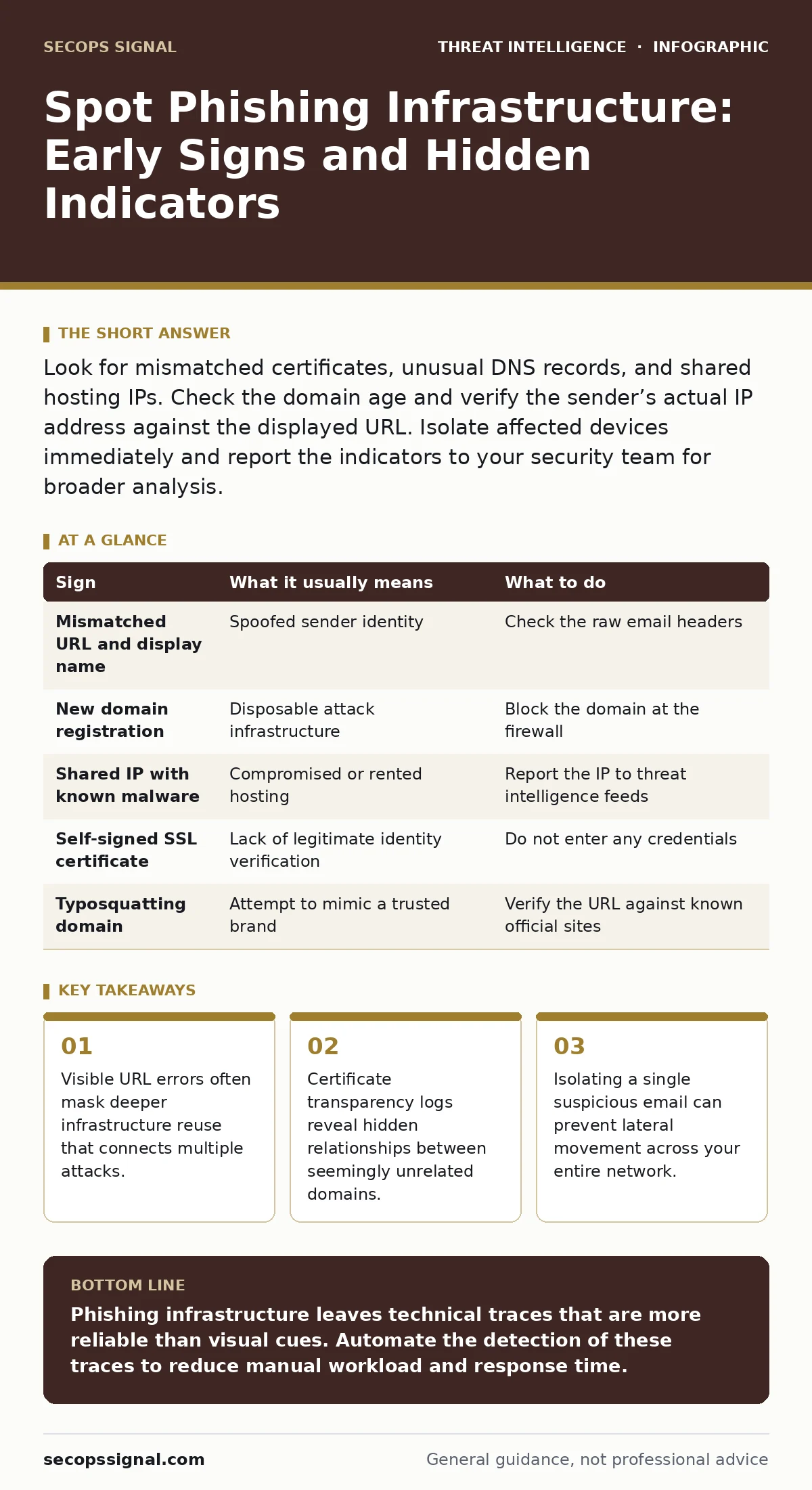
Look for mismatched certificates, unusual DNS records, and shared hosting IPs. Check the domain age and verify the sender’s actual IP address against the displayed URL. Isolate affected devices immediately and report the indicators to your security team for broader analysis.
The Visible Layer
You notice the first signs when you hover over a link or inspect the sender address. Attackers often misspell domain names or use lookalike characters to mimic trusted brands. This technique relies on your brain filling in the missing letters. Check the domain extension carefully. A legitimate financial institution rarely uses a generic top-level domain that differs from its official site.
Verify the sender address against the display name. The display name is what you see, while the sender address is the actual email origin. Attackers often set the display name to a colleague or executive. The sender address will usually contain random strings or unrelated domains. Mismatched headers are a primary indicator of spoofing.
Hidden Infrastructure Signals
The harder signs require looking beyond the email content. Attackers often rent cheap virtual private servers for short periods. These servers may host multiple unrelated malicious sites. If you see a security warning for a different brand on the same IP address, note the connection. This shared hosting pattern is a strong signal of disposable infrastructure.
Examine the digital certificate presented by the website. Legitimate organizations use certificates issued by trusted authorities. Phishing sites often use self-signed certificates or those from lesser-known issuers. Certificate transparency logs are public records of issued certificates. Searching these logs can reveal if the attacker registered other domains recently.
| Sign | What it usually means | What to do |
|---|---|---|
| Mismatched URL and display name | Spoofed sender identity | Check the raw email headers |
| New domain registration | Disposable attack infrastructure | Block the domain at the firewall |
| Shared IP with known malware | Compromised or rented hosting | Report the IP to threat intelligence feeds |
| Self-signed SSL certificate | Lack of legitimate identity verification | Do not enter any credentials |
| Typosquatting domain | Attempt to mimic a trusted brand | Verify the URL against known official sites |
Certificate Transparency Analysis
Certificate transparency logs provide a historical view of domain registrations. Attackers must register a domain before they can obtain a certificate. Even if they use a self-signed certificate, the domain registration itself is public. You can search for domains registered by the same entity or on the same day. This reveals the scale of the operation.
This method works because attackers often register dozens of domains at once. They use a few and discard the rest. Finding the unused domains helps you predict future attacks. It also helps you identify the attacker’s preferred registrars. This data feeds into your broader threat intelligence strategy.
DNS and Network Anomalies
Domain Name System records map domain names to IP addresses. Attackers often change these records frequently to evade blocks. This technique is known as domain fluxing. If you notice a domain resolving to different IP addresses over a short period, it is suspicious. Legitimate sites have stable DNS records.
Check for unusual DNS record types. Some attackers use TXT records to hide command and control traffic. These records are meant for email verification but can carry data. Your security information and event management system can flag high volumes of DNS queries to new domains. This is a key indicator of attack behavior.
Immediate Containment Steps
When you spot these signs, do not click or reply. Forward the email to your security team. Include the full headers, not just the body. Headers contain the routing path and authentication results. This data is critical for digital forensics and incident response. It helps trace the origin of the message.
Isolate any device that may have interacted with the link. Disconnect it from the network to prevent data exfiltration. Do not shut it down, as this destroys volatile memory evidence. Run a scan using your existing endpoint protection tools. Look for indicators of attack such as new processes or network connections.
See also: Email Filtering Explained: How Gatekeepers Stop Digital Threats · Email Attachment Scanning Best Practices for Secure Operations
Long-Term Detection Strategies
Integrate these checks into your automated monitoring. Use a security information and event management system to correlate email alerts with DNS logs. Create rules that flag emails with new domains or mismatched certificates. The MITRE ATT&CK framework provides a standard language for documenting these techniques. It helps you map your defenses to known adversary tactics.
Consider using Sigma rules for your detection engines. These are open-source detection rules that can be converted to your specific platform. They help standardize your search for phishing indicators. Regularly update your blocklists with newly identified malicious domains and IPs. This reduces the window of exposure for your users.
The Cost of Speed
Attackers prioritize speed over perfection. They send thousands of emails hoping for a few clicks. This volume creates noise. Your defenses must filter this noise without blocking legitimate traffic. Overly aggressive blocking can disrupt business operations. Balance security with usability by using risk-based authentication.
Key takeaways
- Visible URL errors often mask deeper infrastructure reuse that connects multiple attacks.
- Certificate transparency logs reveal hidden relationships between seemingly unrelated domains.
- Isolating a single suspicious email can prevent lateral movement across your entire network.
Phishing infrastructure leaves technical traces that are more reliable than visual cues. Automate the detection of these traces to reduce manual workload and response time.
Frequently asked questions
How do I check if an email header is forged?
Look for the SPF, DKIM, and DMARC results in the headers. A failure in any of these checks indicates the sender could not be verified.
What is domain fluxing?
It is a technique where attackers rapidly change the IP address associated with a domain to evade blacklists and detection systems.
Can I use free tools to check certificate transparency?
Yes, several public services allow you to search certificate transparency logs by domain name or public key.
How often should I update my blocklists?
Update them continuously. New phishing domains are registered every minute. Automated feeds provide the most current data.
How this guide was produced: written by the SecOps Signal editorial team with AI assistance, checked against the public references listed below, and reviewed when the facts change. See our editorial policy or report an error.