Macro Malware Myths: Why Your Security Assumptions Fail
Macro malware bypasses traditional antivirus by executing code through trusted office applications, rendering many standard perimeter defenses ineffective.

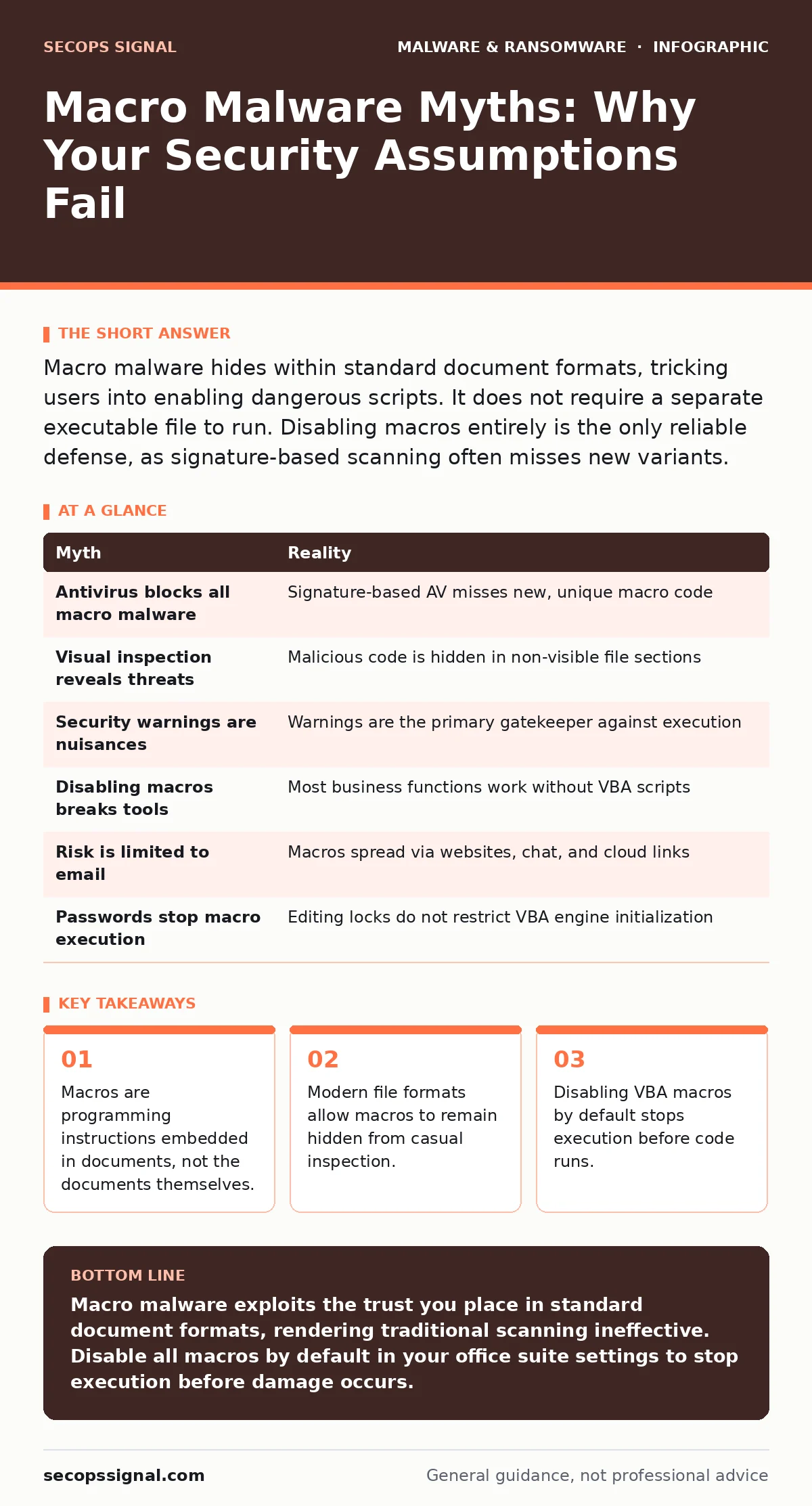
Macro malware hides within standard document formats, tricking users into enabling dangerous scripts. It does not require a separate executable file to run. Disabling macros entirely is the only reliable defense, as signature-based scanning often misses new variants.
Myth: Antivirus Software Blocks All Macro Malware
Reality: Traditional signature-based antivirus engines struggle with macro malware because the malicious code is often unique to each campaign. The malware is embedded in the script itself, not in a known binary file. When a new variant arrives, it lacks a signature in the threat database. The antivirus software sees a standard document format and allows it through. This gap is why email attachment scanning often fails to catch these threats before they reach your inbox. You rely on the scanner to recognize patterns, but attackers rewrite the macro code for every target.
The document appears benign because the container file matches expected formats. The scanner checks for known file headers and basic structure. It does not always execute the code in a sandbox to see what happens next. If the execution is too slow or complex, the scanner lets it pass. You are left with a clean bill of health for a file that contains destructive instructions.
Myth: I Can Tell a Macro Is Unsafe by Looking at the File
Reality: Visual inspection is useless against modern macro malware. The malicious code lives in a separate section of the file that does not display in the document view. You see the text, images, and formatting you were promised. You do not see the Visual Basic for Applications script running in the background. Even if you check the file properties, the metadata often looks normal. The file extension remains .docx or .xlsx, which reinforces the illusion of safety.
Attackers know you look for double extensions like .doc.exe. They no longer use that crude trick. Instead, they use the legitimate macro-enabled extensions like .docm or .xlsm. If your system hides file extensions, you cannot distinguish between a safe document and a macro-enabled one. The file icon looks identical to the rest of your folder. You must change your system settings to show all extensions to even have a chance at spotting the discrepancy.
Myth: The Security Warning Is Just a Nuisance
Reality: The yellow bar warning you about macros is the primary defense mechanism. It appears because the application has detected executable code within the document. Dismissing this warning is equivalent to handing over administrative privileges to an unknown script. The warning exists because macros can access your file system, network, and installed applications. Without that warning, the code would run immediately upon opening.
Many users disable the warning by selecting "Enable Content" out of habit or frustration. This action executes the code before you have read the document. Once executed, the macro can download additional payloads or encrypt files. The warning is not a suggestion; it is a gatekeeper. You must treat every macro warning as a hostile attempt unless you personally wrote the macro yourself.
Myth: Disabling Macros Breaks Legitimate Business Tools
Reality: Most business documents do not require macros to function. Formatting, data entry, and standard calculations work without VBA scripts. The belief that disabling macros cripples productivity stems from a few legacy applications that rely on automation. In most modern workflows, these dependencies are rare. You can disable macros globally in your office suite settings. This prevents any external document from running code without your explicit, per-file consent.
If a critical internal tool requires macros, you can mark its folder as a trusted location. This allows macros to run only from that specific directory. All other documents remain restricted. This approach balances security with functionality. You do not need to disable macros everywhere to protect yourself. You need to restrict them by default and enable them only where absolutely necessary.
Myth: I Only Risk Infection from Email Attachments
Reality: Macro malware travels through any channel that supports document sharing. You might receive a malicious file through a chat application, a cloud storage link, or a website download. The threat is not the email; it is the document format. Attackers use malvertising to serve infected documents through legitimate ad networks. You click a banner, download a "free" template, and the macro executes when you open it.
Imagine you download a resume template from a job board. The template contains a macro that steals credentials. You never received an email. The infection vector was the website itself. This bypasses email filters entirely. You must treat any downloaded document with the same suspicion as an email attachment. The source does not determine the safety of the code inside.
Myth: My Password-Protected Document Is Safe
Reality: Password protection in office documents often only restricts editing, not execution. A macro can still run even if the document is locked against changes. The password might prevent you from modifying the text, but it does not stop the VBA engine from initializing. Attackers know this distinction. They lock the document to make it appear secure and professional. You feel safe because you had to enter a password.
The macro runs in the background while you view the protected content. It can harvest the password you just typed or exfiltrate data from your clipboard. The protection layer gives you a false sense of security. You should never assume that a password barrier stops automated scripts. The script has its own permissions that are separate from the document editing rights.
| Myth | Reality |
|---|---|
| Antivirus blocks all macro malware | Signature-based AV misses new, unique macro code |
| Visual inspection reveals threats | Malicious code is hidden in non-visible file sections |
| Security warnings are nuisances | Warnings are the primary gatekeeper against execution |
| Disabling macros breaks tools | Most business functions work without VBA scripts |
| Risk is limited to email | Macros spread via websites, chat, and cloud links |
| Passwords stop macro execution | Editing locks do not restrict VBA engine initialization |
Myth: I Am Not a Target Because I Lack Data
Reality: Attackers use macro malware to gain initial access to any network. Your organization may not hold sensitive data, but it provides a foothold. Once inside, the malware can scan for other systems. It can move laterally to reach more valuable targets. Your network becomes a bridge to larger organizations you interact with. This is why trojanized software and macro attacks target small entities. You are not the end goal; you are the entry point.
The malware might encrypt your files for ransom or install a backdoor for long-term access. The goal is persistence and expansion. Your perceived lack of value is irrelevant to the attacker's strategy. They cast a wide net, hoping for any bite. You must assume you are a target regardless of your industry or size.
Key takeaways
- Macros are programming instructions embedded in documents, not the documents themselves.
- Modern file formats allow macros to remain hidden from casual inspection.
- Disabling VBA macros by default stops execution before code runs.
- Social engineering targets trust, not technical ignorance, to trigger macro execution.
Macro malware exploits the trust you place in standard document formats, rendering traditional scanning ineffective. Disable all macros by default in your office suite settings to stop execution before damage occurs.
Frequently asked questions
How do I disable macros in Microsoft Office?
Go to File > Options > Trust Center > Trust Center Settings > Macro Settings. Select "Disable all macros without notification" or "Disable all macros with notification" to prevent automatic execution.
Can I safely open a macro-enabled file?
Only if you downloaded it from a known, trusted source and personally verified the need for the macro. Never enable macros in unsolicited documents or those from unknown senders.
Does deleting the email remove the threat?
Deleting the email removes the notification, but if you opened the attachment, the macro may have already executed. You must scan your system for indicators of compromise and check for unauthorized processes.
Are PDFs safe from macro malware?
PDFs can contain JavaScript that acts like macros. While less common, they can execute code if your PDF reader allows JavaScript. Keep your PDF reader updated and disable JavaScript in its settings if possible.
How this guide was produced: written by the SecOps Signal editorial team with AI assistance, checked against the public references listed below, and reviewed when the facts change. See our editorial policy or report an error.