Email Filtering Explained: How Gatekeepers Stop Digital Threats
Email filters act as silent gatekeepers, blocking malicious content before it reaches your inbox, reducing the volume of threats you must manually inspect daily.

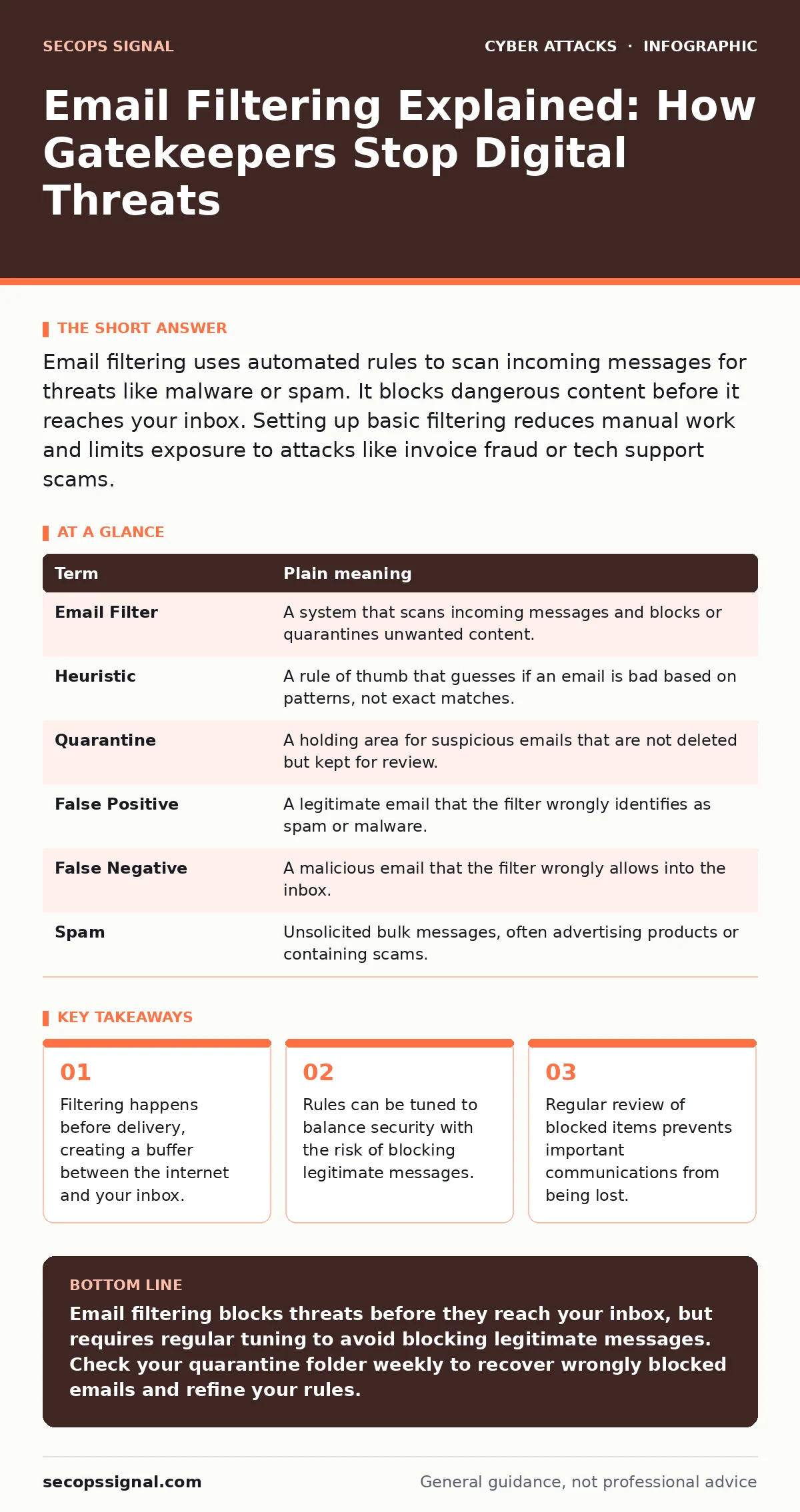
Email filtering uses automated rules to scan incoming messages for threats like malware or spam. It blocks dangerous content before it reaches your inbox. Setting up basic filtering reduces manual work and limits exposure to attacks like invoice fraud or tech support scams.
The Post Office Metaphor
Imagine your email system as a busy post office. Thousands of letters arrive daily from unknown senders, some containing gifts, others containing threats. A mail clerk stands at the entrance, checking each envelope before it enters the secure building. This clerk does not read every letter in detail, but looks for obvious red flags like torn envelopes, strange odors, or return addresses from known dangerous areas.
In cybersecurity, this clerk is the email filter. It sits between the public internet and your private inbox. Its job is to stop malicious content before it lands on your screen. Without this layer, every user would need to inspect every message manually, a task that is impossible at scale. The filter handles the bulk of the danger, allowing you to focus on legitimate communication.
How the Filter Decides
The filter uses a combination of methods to judge an email. It checks the sender’s identity, scans the content for suspicious keywords, and analyzes links for hidden dangers. It also looks at the reputation of the sending server. If a server has sent many spam messages in the past, the filter treats new messages from it with suspicion.
This process relies on heuristics, which are educated guesses based on patterns rather than exact matches. For example, an email promising a large financial reward from an unknown sender triggers a heuristic rule. The filter flags this as likely spam. Heuristics allow the system to catch new types of attacks that do not yet have a specific signature. However, heuristics can also create false positives, where legitimate emails are wrongly blocked.
| Term | Plain meaning |
|---|---|
| Email Filter | A system that scans incoming messages and blocks or quarantines unwanted content. |
| Heuristic | A rule of thumb that guesses if an email is bad based on patterns, not exact matches. |
| Quarantine | A holding area for suspicious emails that are not deleted but kept for review. |
| False Positive | A legitimate email that the filter wrongly identifies as spam or malware. |
| False Negative | A malicious email that the filter wrongly allows into the inbox. |
| Spam | Unsolicited bulk messages, often advertising products or containing scams. |
The Cost of Blocking
Every filter has a trade-off. The more aggressive the filtering, the more likely it is to block important messages. This is known as a false positive. Imagine the mail clerk becoming so cautious that he throws away letters from your bank because they contain account numbers. You feel safe, but you miss critical updates.
Conversely, a loose filter lets more through, increasing the chance of a false negative. This is a malicious message that slips past. For example, a carefully crafted invoice fraud email might look completely normal to the filter. The filter sees a valid sender and no obvious malware, so it allows delivery. The recipient must then spot the trick manually.
Balancing this requires understanding your business needs. If you receive many attachments from clients, strict attachment blocking might disrupt work. If you rely on quick communication, aggressive spam filtering might delay replies. There is no perfect setting, only a balance that fits your workflow.
Beyond Simple Spam
Email filters do more than remove junk mail. They protect against drive-by downloads, which are malicious scripts that install software just by visiting a link. They also help stop romance scams by filtering messages that match known scam patterns. The filter looks for indicators of compromise, such as links to newly registered domains.
Modern filters also integrate with conditional access policies. These policies check if the user logging in is on a trusted device or network. If the filter sees a login from a strange location, it can block the email or require extra verification. This adds another layer of defense, ensuring that even if a password is stolen, the attacker cannot easily access your data.
First Practical Steps
You do not need to be an expert to improve your filtering. Start by enabling basic spam protection provided by your email service. Most providers offer this by default. Next, configure a quarantine folder. This allows you to review blocked messages without exposing your team to risk. Finally, train your filter by marking missed spam as junk and recovering wrongly blocked emails.
- Enable built-in spam and malware filtering in your email settings.
- Set up a quarantine folder to hold suspicious messages for review.
- Regularly mark missed threats as spam to improve future accuracy.
See also: Email Attachment Scanning Best Practices for Secure Operations · Spot Phishing Infrastructure: Early Signs and Hidden Indicators
Review and Adjust
Filtering is not a one-time setup. Attackers change their tactics, so your filters must adapt. Review your blocked items weekly. Look for patterns in what is being blocked and what is getting through. If you notice a specific type of legitimate email being blocked, create a rule to allow it.
This process helps you refine your security posture. It also educates your team on what to look for. When users see why certain emails were blocked, they become better at spotting threats that slip through. This human layer is vital, as no filter is perfect. Combine technical controls with user awareness for the best defense.
Final Thoughts
Email filtering reduces the noise and danger in your inbox. It acts as a first line of defense, stopping most threats before they reach you. By understanding how it works, you can adjust it to fit your needs. Remember to balance security with usability. Regular review ensures that you stay protected without losing important communications.
Key takeaways
- Filtering happens before delivery, creating a buffer between the internet and your inbox.
- Rules can be tuned to balance security with the risk of blocking legitimate messages.
- Regular review of blocked items prevents important communications from being lost.
Email filtering blocks threats before they reach your inbox, but requires regular tuning to avoid blocking legitimate messages. Check your quarantine folder weekly to recover wrongly blocked emails and refine your rules.
Frequently asked questions
Does email filtering stop all viruses?
No, filters catch most known threats, but new or custom malware can sometimes slip through. Always scan attachments manually if they seem suspicious.
Why are my important emails going to spam?
This is a false positive. The filter mistakes legitimate content for spam. Mark the email as "Not Spam" to train the filter for next time.
Can I trust emails from known contacts?
Be cautious. Attackers can compromise a friend’s account. If the request seems unusual, verify it through a different channel like a phone call.
How often should I update my filter settings?
Review them monthly. Check for new threat patterns and adjust rules if you notice changes in your email traffic or blocked items.
How this guide was produced: written by the SecOps Signal editorial team with AI assistance, checked against the public references listed below, and reviewed when the facts change. See our editorial policy or report an error.