Fake Software Updates Explained: How to Spot Counterfeit Patches
Attackers mimic legitimate update prompts to bypass your caution, turning routine maintenance into a direct entry point for malicious code on your device.

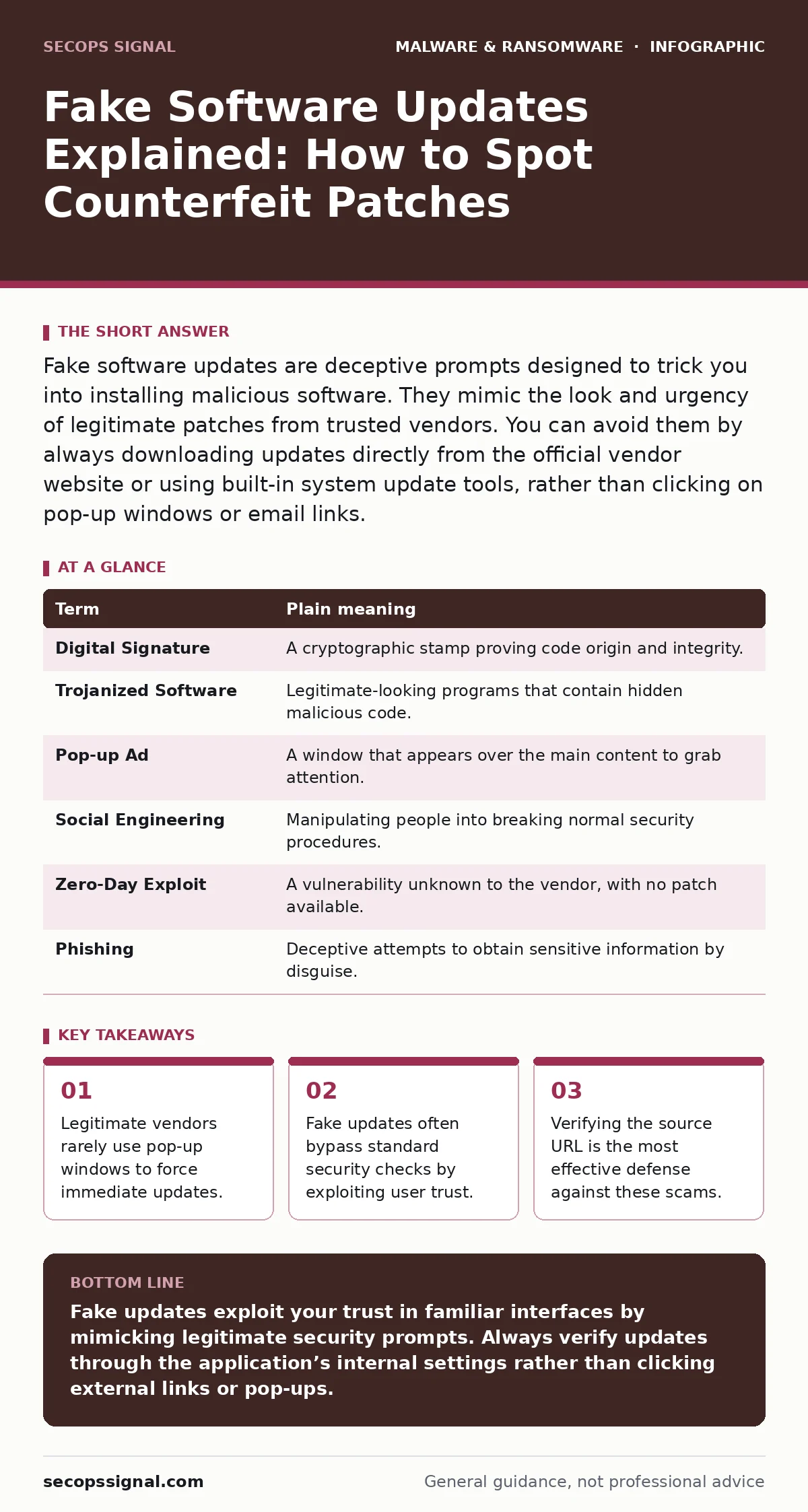
Fake software updates are deceptive prompts designed to trick you into installing malicious software. They mimic the look and urgency of legitimate patches from trusted vendors. You can avoid them by always downloading updates directly from the official vendor website or using built-in system update tools, rather than clicking on pop-up windows or email links.
The Broken Seal Analogy
Imagine you order a sealed package from a trusted supplier. The box arrives with a tamper-evident seal intact. You trust the contents because the seal guarantees that no one opened it in transit. Now imagine a thief replaces that seal with a perfect copy after swapping the contents. You see the seal, assume safety, and open the box. The deception works because you rely on the appearance of the seal rather than verifying the sender’s identity directly.
Software updates work similarly. Your operating system or application provider sends a digital signature, which acts as the tamper-evident seal. This signature proves the code comes from the original developer and has not been altered. When you see an update prompt, you are essentially checking for that seal. If the seal is forged, the package contains something dangerous.
How Forged Updates Enter Your System
Attackers create fake update notifications that look identical to real ones. These notifications appear as pop-up windows, browser alerts, or email messages. They often use urgent language to pressure you into acting quickly. The goal is to make you skip verification steps. When you click the fake button, you download a file that looks like a patch but is actually a trojanized software. This malicious program hides its true purpose inside legitimate-looking code.
The danger lies in the user’s permission. Modern operating systems require explicit consent to install new software. By tricking you into clicking "Install," the attacker gains the authority to run their code. This bypasses many automated defenses that look for unsolicited network connections. You are handing the attacker the keys to your digital house.
The Hidden Cost of Trust
Most users assume that if a window looks like it belongs to their system, it is safe. This assumption is the primary vulnerability. Attackers study the exact design of legitimate update screens. They copy fonts, colors, and even error messages. The psychological pressure is the real attack vector. You are not being hacked by a code exploit; you are being manipulated by a design exploit.
This method is particularly effective because it targets human behavior rather than software weaknesses. It does not matter how strong your firewall is if you voluntarily install the backdoor. The trade-off here is convenience versus verification. Legitimate updates are designed to be seamless. Fake updates exploit that seamlessness by appearing equally easy to install.
Recognizing the Disguise
Legitimate software updates usually happen in the background or through a dedicated system settings menu. They do not typically interrupt your work with a full-screen pop-up demanding immediate attention. If a browser window claims your media player is outdated and asks for a quick fix, it is almost certainly a scam. Real vendors update their own applications directly. They do not rely on third-party websites or random ads to distribute patches.
Check the address bar. A legitimate update prompt will not appear on a page with a different domain name than the software vendor. If you are reading a news article and a window pops up about your security software, close the tab. Do not interact with the window. The domain in the address bar is the only reliable indicator of the source.
| Term | Plain meaning |
|---|---|
| Digital Signature | A cryptographic stamp proving code origin and integrity. |
| Trojanized Software | Legitimate-looking programs that contain hidden malicious code. |
| Pop-up Ad | A window that appears over the main content to grab attention. |
| Social Engineering | Manipulating people into breaking normal security procedures. |
| Zero-Day Exploit | A vulnerability unknown to the vendor, with no patch available. |
| Phishing | Deceptive attempts to obtain sensitive information by disguise. |
Building Verification Habits
You must change how you interact with update prompts. Stop clicking buttons inside web browsers or email messages that claim to offer updates. Instead, open the application itself. Look for an "About" or "Check for Updates" menu item. This ensures the request originates from the installed program, not an external script. This habit breaks the chain of deception.
This approach takes a few extra seconds but eliminates the risk of installing macro malware or other threats disguised as patches. It shifts the control from the attacker’s script to your manual verification. You are no longer reacting to a prompt; you are initiating the check. This small change in behavior provides a significant layer of protection against sophisticated scams.
See also: Romance Scams: How Fraudsters Bypass Trust and What to Do · Invoice Fraud Response: Stop Payments and Secure Accounts
What to Do If You Clicked
If you realize you have downloaded or installed a fake update, disconnect your device from the internet immediately. This prevents the malicious software from communicating with the attacker’s server. Do not try to "fix" the issue by running the same installer again or searching for a cure online. These actions can trigger further malicious activities.
Run a full system scan using your installed security software. If you suspect the infection is deep, consider restoring your system from offline backups. These backups contain a clean version of your data and system files. This process ensures that no hidden components remain active. It is a more drastic step, but it is necessary when trust has been breached.
Simple Safety Steps
- Ignore browser pop-ups. Treat any update request inside a web page as fake. Close the tab or window immediately.
- Update from within the app. Open the software directly and use its internal menu to check for patches. This verifies the source.
- Verify the sender. If you receive an email about an update, do not click links. Go to the vendor’s official website manually.
These steps create a friction point for attackers. They rely on speed and impulse. By slowing down and verifying, you remove their advantage. This discipline is the most effective defense against fake software updates. It requires no special tools, only a change in routine.
Key takeaways
- Legitimate vendors rarely use pop-up windows to force immediate updates.
- Fake updates often bypass standard security checks by exploiting user trust.
- Verifying the source URL is the most effective defense against these scams.
Fake updates exploit your trust in familiar interfaces by mimicking legitimate security prompts. Always verify updates through the application’s internal settings rather than clicking external links or pop-ups.
Frequently asked questions
Can antivirus software detect fake update prompts?
Antivirus software may block the downloaded file, but it often cannot stop the initial pop-up or the user from clicking it. The deception happens before the file is analyzed.
Do legitimate vendors ever send email notifications for updates?
Some vendors send notifications, but they rarely include direct download links. They usually instruct you to open the application to check for updates.
Is it safe to disable automatic updates?
Disabling automatic updates leaves you vulnerable to known security flaws. It is safer to keep them on but remain vigilant about manual prompts that appear outside the system settings.
How do attackers know which updates to fake?
They monitor public security advisories and news. When a major vulnerability is disclosed, they create fake patches for that specific software to exploit the heightened user awareness.
How this guide was produced: written by the SecOps Signal editorial team with AI assistance, checked against the public references listed below, and reviewed when the facts change. See our editorial policy or report an error.