Clone Phishing Prevention Checklist: Stop Impersonation Attacks
Attackers copy legitimate email headers and logos to bypass visual checks, making technical validation the only reliable defense against these deceptive messages.

Clone phishing prevention requires verifying sender domains via SPF records, training staff to spot subtle URL changes, and enforcing multi-factor authentication. This checklist groups technical controls, user habits, and recovery steps to stop credential theft before it happens. Use it to audit your current email security posture.
Understanding the Clone Phishing Mechanism
Clone phishing differs from standard spam because it replicates a specific, recent legitimate email. Attackers take a genuine message you recently received, copy its subject line, body text, and attachments, then swap the link or attachment for a malicious one. The sender address often looks identical, differing only by a single character or a look-alike domain.
This technique exploits trust. You expect the message because you recognize the context. The attacker relies on your assumption that a familiar conversation cannot be dangerous. This bypasses the natural skepticism you apply to unsolicited requests.
Imagine receiving an invoice from a vendor you trust. The email looks identical to the last one, except the payment link points to a fraudulent site. You click it, enter your credentials, and the attacker gains access. This is the core risk of clone phishing.
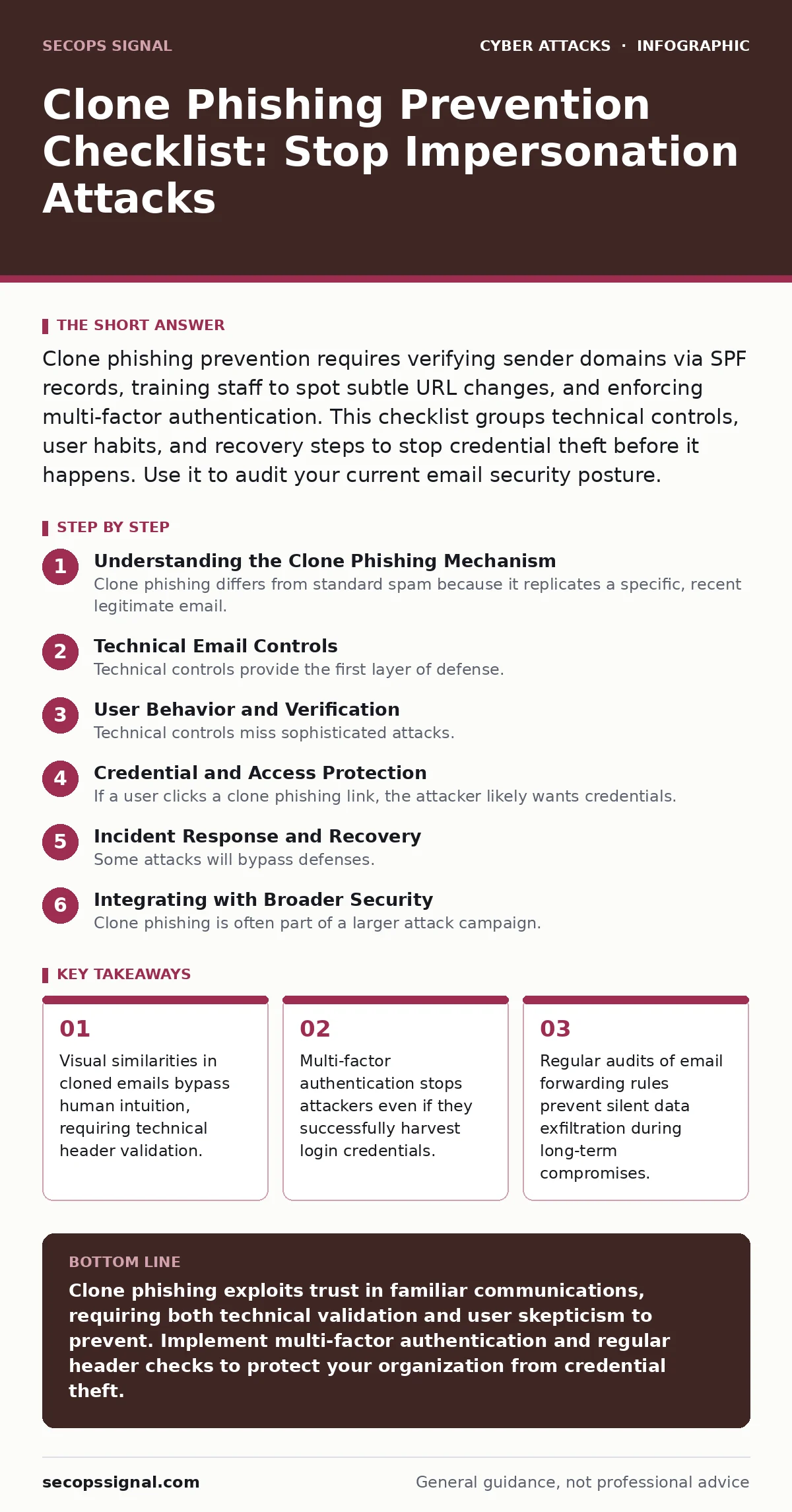
Technical Email Controls
Technical controls provide the first layer of defense. They operate silently in the background, filtering malicious content before it reaches the inbox. You must configure these settings correctly to ensure they catch cloned messages.
- Enforce SPF records: These records list authorized servers for sending email, preventing attackers from spoofing your domain name.
- Implement DKIM signatures: These digital signatures verify that the email content has not been altered in transit, ensuring message integrity.
- Configure DMARC policies: This protocol tells receiving servers how to handle emails that fail SPF or DKIM checks, blocking forged messages.
- Enable sender ID verification: This checks the return path address against the claimed sender, adding another layer of authentication.
- Block executable attachments: Prevent .exe, .scr, or .bat files from entering the network, as they often carry malware payloads.
These settings reduce the volume of phishing attempts. They do not stop all attacks, but they filter out the most obvious forgeries. You must review these records regularly to ensure they remain accurate.
User Behavior and Verification
Technical controls miss sophisticated attacks. Human verification is the second layer. You must train users to look beyond the display name and subject line. The goal is to break the pattern of automatic trust.
- Check the sender address: Look at the full email address, not just the display name, for subtle typos or extra characters.
- Hover before clicking: Hover over links to reveal the actual URL, checking for mismatched domains or suspicious subdirectories.
- Verify out-of-band: Contact the sender through a known phone number or separate chat channel to confirm urgent requests.
- Look for urgency cues: Be skeptical of messages demanding immediate action, as attackers use pressure to bypass critical thinking.
- Check for generic greetings: Legitimate colleagues usually use your name, while mass-phishing emails often use "Dear Customer" or "Team".
Training should focus on real examples. Use simulated phishing tests to reinforce these habits. Users who practice spotting typosquatting domains become more resilient over time. This reduces the success rate of social engineering.
Credential and Access Protection
If a user clicks a clone phishing link, the attacker likely wants credentials. You must limit the damage of stolen passwords. Relying on passwords alone is insufficient because they can be guessed or stolen.
- Enforce multi-factor authentication: Require a second form of verification, such as a hardware token or authenticator app, for all accounts.
- Use single sign-on: Centralize authentication to reduce the number of passwords users must manage and remember.
- Implement conditional access: Restrict login attempts based on location, device health, or risk level to block suspicious access.
- Monitor for credential stuffing: Watch for multiple failed login attempts from unusual locations, which indicate automated attacks.
- Disable password reuse: Ensure systems do not allow users to reuse old passwords, reducing the impact of data breaches.
Multi-factor authentication is the most effective countermeasure. Even if an attacker steals a password, they cannot access the account without the second factor. This stops the attack chain before data loss occurs.
Incident Response and Recovery
Some attacks will bypass defenses. You must have a plan to respond quickly. Speed is critical in limiting the scope of the compromise.
- Isolate affected devices: Disconnect compromised machines from the network to prevent lateral movement of malware.
- Reset credentials immediately: Force password resets for any account that may have been accessed or exposed.
- Review forwarding rules: Check for new email forwarding rules that attackers may have added to exfiltrate data silently.
- Audit active sessions: Terminate all active sessions for compromised accounts to log out the attacker.
- Document the incident: Record what happened, how it was detected, and what steps were taken for future analysis.
Recovery is not just about fixing the immediate problem. It involves learning from the incident to improve defenses. Analyze why the attack succeeded and update your controls accordingly.
See also: Email Attachment Scanning Best Practices for Secure Operations · Spot Phishing Infrastructure: Early Signs and Hidden Indicators
Integrating with Broader Security
Clone phishing is often part of a larger attack campaign. Attackers may combine it with other tactics to maximize impact. You must consider how it fits into your overall security strategy.
For example, attackers might use watering hole attacks to compromise a vendor site, then use that access to send clone phishing emails to your customers. They might also use API abuse to access data directly, bypassing email controls entirely. Understanding these connections helps you prioritize defenses.
Key takeaways
- Visual similarities in cloned emails bypass human intuition, requiring technical header validation.
- Multi-factor authentication stops attackers even if they successfully harvest login credentials.
- Regular audits of email forwarding rules prevent silent data exfiltration during long-term compromises.
Clone phishing exploits trust in familiar communications, requiring both technical validation and user skepticism to prevent. Implement multi-factor authentication and regular header checks to protect your organization from credential theft.
Frequently asked questions
How do I spot a cloned email?
Look for subtle differences in the sender's email address, hover over links to check URLs, and verify urgent requests through a separate communication channel.
Can multi-factor authentication stop clone phishing?
Yes, if the attacker steals credentials but lacks the second factor, they cannot access the account. This blocks the primary goal of most phishing attacks.
Why do SPF and DKIM matter?
They verify the sender's identity and message integrity, helping email servers reject forged messages before they reach the user's inbox.
What should I do if I click a phishing link?
Change your password immediately, enable multi-factor authentication if not already active, and report the incident to your IT security team.
How this guide was produced: written by the SecOps Signal editorial team with AI assistance, checked against the public references listed below, and reviewed when the facts change. See our editorial policy or report an error.