Ransomware Backups: Definition, Purpose, and Recovery Strategy
Ransomware backups are isolated storage systems designed to survive encryption attacks, allowing you to restore data without paying criminals or losing business continuity.

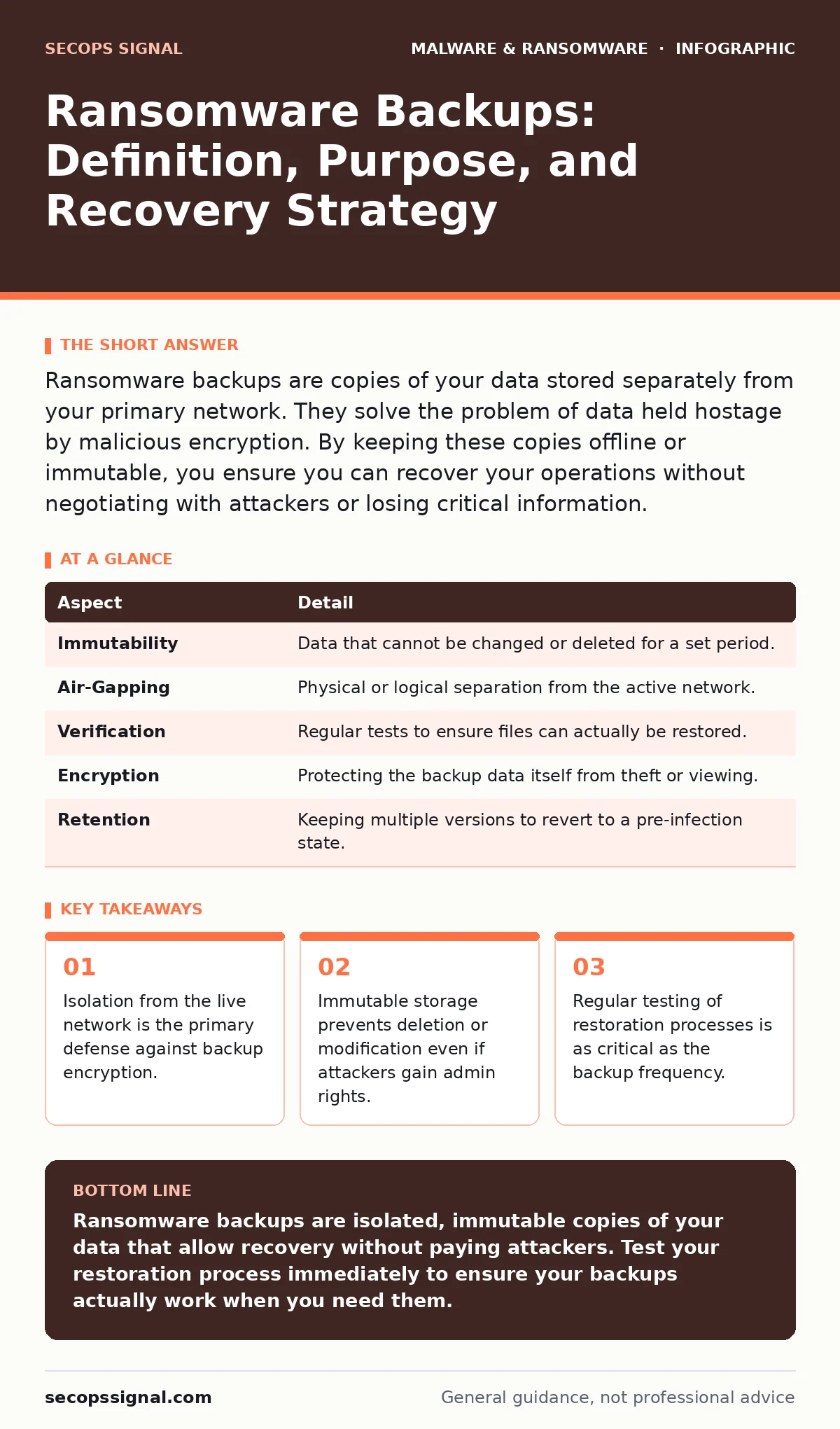
Ransomware backups are copies of your data stored separately from your primary network. They solve the problem of data held hostage by malicious encryption. By keeping these copies offline or immutable, you ensure you can recover your operations without negotiating with attackers or losing critical information.
The Air-Gapped Safety Net
Imagine a vault door that only opens from the outside, never from the inside. This is the core concept behind ransomware backups. Unlike standard copies of your files, which sit on the same network as your daily operations, these backups exist in a separate physical or logical space. If a thief breaks into your office, they can lock the doors, but they cannot reach the safe in the parking lot.
This separation is not just about distance; it is about connectivity. Standard backups often sync in real-time. If your main server is infected, that infection can spread instantly to the backup server. Ransomware backups break this chain. They do not talk to your live systems continuously. They receive data in batches, or they are stored on media that cannot be altered once written.
The purpose is simple: survival. When encryption software locks your primary data, you need a clean source to restore from. Without this isolated copy, you face a choice between paying an uncertain ransom or rebuilding from scratch. The backup removes the ransom from the equation.
Core Components of Protection
A ransomware backup strategy relies on three specific mechanisms working together. None of them work well in isolation. You need the right storage, the right access controls, and the right verification process.
| Aspect | Detail |
|---|---|
| Immutability | Data that cannot be changed or deleted for a set period. |
| Air-Gapping | Physical or logical separation from the active network. |
| Verification | Regular tests to ensure files can actually be restored. |
| Encryption | Protecting the backup data itself from theft or viewing. |
| Retention | Keeping multiple versions to revert to a pre-infection state. |
Immutability is the technical term for write-once, read-many storage. Once a file is saved, the system prevents any changes, including deletion, for a defined window. This stops attackers from wiping your backups even if they steal your passwords.
Air-gapping refers to disconnection. This can be a physical tape drive removed from the building, or a cloud storage bucket that requires a separate login and network path to access. The goal is to create a barrier that malware cannot cross automatically.
Where It Fits in Your Defense
Backups are not a substitute for prevention. They are the last line of defense. Think of your security layers like a house. You have locks on the doors, alarms on the windows, and a security system. Backups are the fireproof safe where you keep the deeds to the house. If the house burns down, the safe survives.
You should still use other controls to stop the fire from starting. For instance, email attachment scanning helps block the initial malicious file before it enters your network. This is a first-line control. If that fails, you might use managed detection and response (MDR) to spot unusual behavior, like a process trying to encrypt many files at once.
However, even the best detection can miss a threat. Attackers use packers and crypters to hide their tools, making them look like normal software. They might also use trojanized software to gain initial access. When these advanced techniques bypass your scanners and monitors, your backups are the only thing standing between you and total loss.
The Hidden Cost of Convenience
Many organizations make a critical error: they treat cloud storage as a backup. It is not. If your cloud drive syncs with your desktop, and ransomware encrypts your desktop, the cloud will sync the encrypted version. You have just backed up the problem, not the solution.
This is why offline backups are distinct from standard cloud saves. An offline backup is not connected to your live system during normal operation. It might be a drive that is only plugged in once a week, or a cloud service that requires a manual approval to download data. This delay is the feature, not a bug. It gives you time to notice an attack and stop it before it reaches the backup.
The trade-off is convenience. Restoring from an offline source takes longer. You cannot click "undo" instantly. You must locate the media, mount it, and copy the files. This friction is necessary. It prevents automated malware from wiping your recovery options in seconds.
What People Usually Get Wrong
The most common mistake is assuming that having a backup is enough. It is not. You must test the restoration process. A backup is useless if you cannot read it. Formats change, passwords get lost, and hardware fails. If you have never restored a file, you do not have a backup; you have a hope.
Another error is neglecting the 3-2-1 rule. This rule suggests keeping three copies of your data, on two different media types, with one copy offsite. Many businesses keep three copies on the same network. That is not redundancy; it is a single point of failure. If the network goes down, all three copies are gone.
Some also ignore the need for bootkits protection. A bootkit infects the very first code that runs when a computer starts. If your backup server is infected with a bootkit, the malware can load before your operating system, giving it control over your backup processes. Ensuring your backup systems are hardened against low-level attacks is part of a complete strategy.
Integrating with Other Controls
Your backup strategy must align with your broader security posture. For example, if you use fake software updates as a test for your users, you are training them to recognize illegitimate prompts. This reduces the chance of an initial infection. However, training is not perfect. Humans make mistakes.
When human error occurs, technical controls take over. Macro malware often relies on users enabling macros in documents. Blocking macros by default reduces this risk. But again, attackers find other ways in. They might exploit a vulnerability in a web browser or a remote desktop protocol.
This is why depth matters. You need layers. If the perimeter is breached, internal segmentation limits the spread. If segmentation fails, detection alerts you. If detection is too late, your backups save you. Each layer addresses the failure of the previous one.
Maintaining Your Safety Net
A backup is a living system. It requires maintenance. You must update your contact information for your backup provider. You must rotate your credentials. You must verify that new devices are included in the backup scope.
As your business grows, your data changes. New servers, new applications, and new users need to be added to your backup policy. If you add a new database and forget to include it in your backup, you have created a blind spot. Attackers look for these blind spots.
Regular audits are necessary. Check who has access to your backups. Are there unused accounts? Are there administrators with too much power? Least privilege applies to backups just as it does to your main network. Only those who need to restore data should have access to the backup system.
The Final Barrier
Ransomware backups are not about stopping an attack. They are about surviving it. They provide the leverage to refuse a ransom. They allow you to walk away from a negotiation and rebuild your operations on your own terms.
This changes the dynamic. Attackers count on panic. They count on the belief that you have no other option. When you have a verified, immutable, and isolated backup, you remove their power. You shift from victim to responder.
The cost of maintaining these backups is high. It requires money, time, and discipline. But the cost of not having them is existential. You cannot put a price on the continuity of your business. The backup is the insurance policy you hope you never need, but must have ready.
Key takeaways
- Isolation from the live network is the primary defense against backup encryption.
- Immutable storage prevents deletion or modification even if attackers gain admin rights.
- Regular testing of restoration processes is as critical as the backup frequency.
- Backups serve as the final line of defense when prevention controls fail.
Ransomware backups are isolated, immutable copies of your data that allow recovery without paying attackers. Test your restoration process immediately to ensure your backups actually work when you need them.
Frequently asked questions
Can ransomware encrypt my cloud backups?
Yes, if your cloud storage is synced in real-time and accessible via the same credentials as your infected devices. Use immutable storage or air-gapped solutions to prevent this.
How often should I back up my data?
Daily backups are standard for most businesses. For high-transaction data, hourly or continuous backups may be necessary, but they must still be immutable to be effective against ransomware.
Is an external hard drive enough?
Only if it is disconnected from your computer after each backup. If it remains plugged in, ransomware can encrypt it just like your internal drive.
Do I need a separate backup for each device?
You should back up all critical data. Centralized backup servers are more efficient, but they must be segmented and protected with the same rigor as individual devices.
How this guide was produced: written by the SecOps Signal editorial team with AI assistance, checked against the public references listed below, and reviewed when the facts change. See our editorial policy or report an error.