Detect QR Code Phishing: Log Analysis and Blind Spots
Scanning a code bypasses URL inspection, allowing attackers to redirect users to credential theft sites before security filters can react.
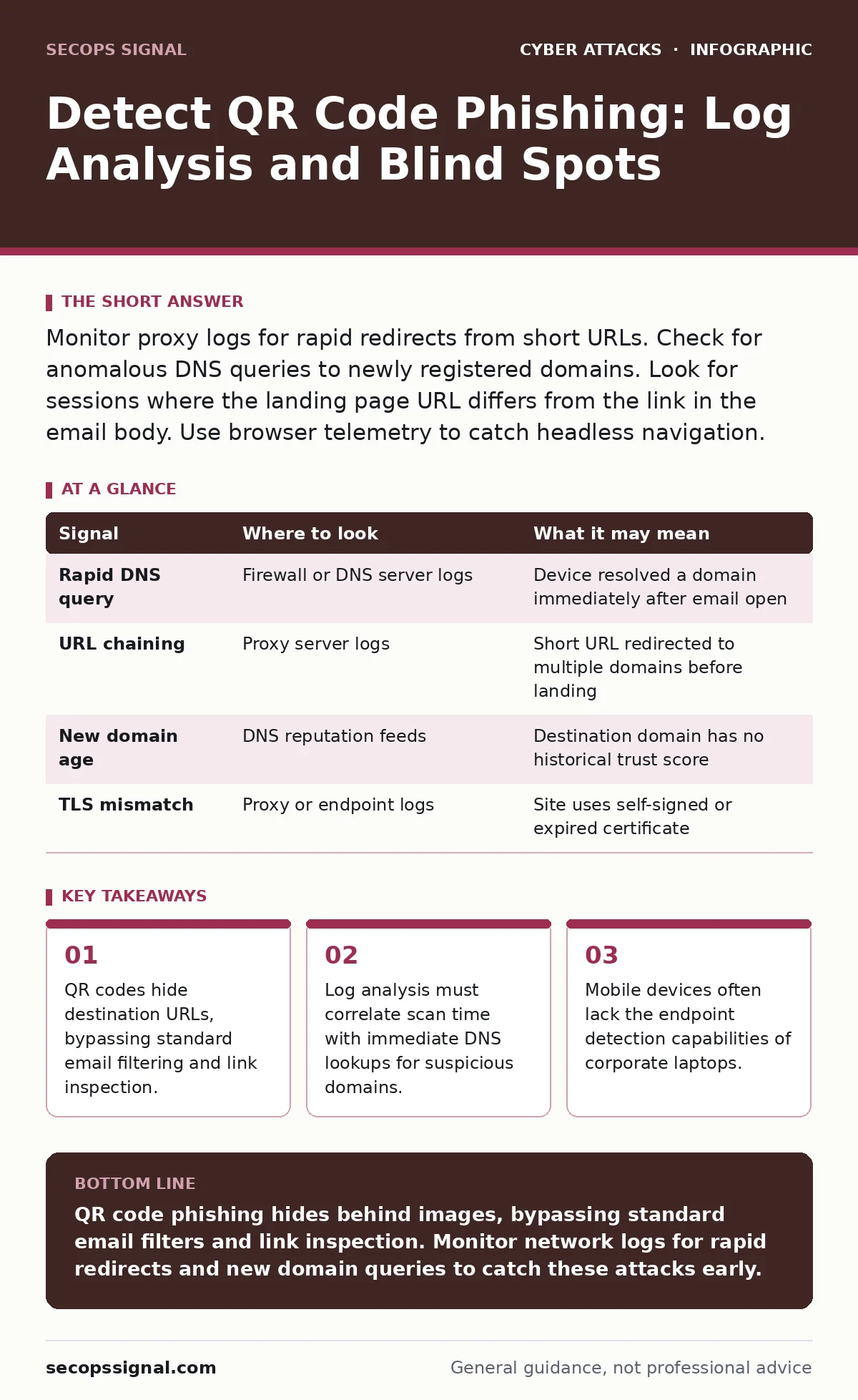
Monitor proxy logs for rapid redirects from short URLs. Check for anomalous DNS queries to newly registered domains. Look for sessions where the landing page URL differs from the link in the email body. Use browser telemetry to catch headless navigation.
The Bypass Mechanism
A QR code is simply a visual representation of a URL. When you scan it, your device fetches that address. The danger lies in the opacity. You cannot see the destination before scanning. Attackers exploit this by placing a QR code in an email or physical document. The code points to a legitimate-looking short URL. That short URL then redirects to a malicious site. This redirect happens in milliseconds. Your email filtering system sees the short URL, not the final destination. It allows the email through. By the time you scan the code, the trap is set.
This method defeats traditional perimeter defenses. Most security tools inspect links within email bodies. They do not inspect images. The QR code is an image. It contains no text for the filter to parse. This creates a blind spot in your detection strategy. You must look beyond the email gateway to find evidence of an attack.
Network Traffic Anomalies
The first place to look is your network logs. When a user scans a QR code, their device makes a DNS request. This request resolves the domain name to an IP address. Attackers often use domains that were registered very recently. These are called newly registered domains or NRDs. They have no history of legitimate use.
Look for DNS queries that occur immediately after an email is opened. If a user opens an invoice email and their phone immediately queries a domain with no reputation, that is a signal. The timing is the key. Normal browsing has varied timing. Phishing scans are often immediate.
Check your proxy logs for HTTP redirects. A single QR code scan might trigger a chain of redirects. One domain points to another, which points to the final phishing page. This is called URL chaining. It is designed to obscure the final destination. Your logs should show the full chain. If your proxy only logs the first hop, you are missing the context.
| Signal | Where to look | What it may mean |
|---|---|---|
| Rapid DNS query | Firewall or DNS server logs | Device resolved a domain immediately after email open |
| URL chaining | Proxy server logs | Short URL redirected to multiple domains before landing |
| New domain age | DNS reputation feeds | Destination domain has no historical trust score |
| TLS mismatch | Proxy or endpoint logs | Site uses self-signed or expired certificate |
Endpoint and Browser Telemetry
Network logs show traffic, but they do not show what happens on the screen. You need endpoint detection and response or EDR tools. These tools monitor process creation and network connections on the device itself. When a QR code is scanned, a browser or camera app initiates a connection.
Look for browser processes that launch without user interaction. Some malware uses headless browsers to load the phishing page in the background. This happens without opening a visible window. The user may not know they have been exposed. The EDR tool will see the browser process connect to a suspicious IP.
Also check for clipboard activity. Some advanced phishing sites automatically copy a malicious script or credential to the clipboard. If your endpoint logs show unexpected clipboard writes after a browser launch, investigate. This is a sign of drive-by download attempts or credential harvesting scripts.
Identity and Access Logs
The goal of QR code phishing is often credential theft. Attackers want your username and password. They create a fake login page that looks like your corporate portal. When you enter your details, they capture them. This leads to account takeover.
Monitor your identity provider logs for failed login attempts. A sudden spike in failures from a specific location is a red flag. Even more telling is a successful login from an unusual location. If an employee usually logs in from the office, and suddenly logs in from a different country, that is suspicious.
Check for changes to account settings. After stealing credentials, attackers often add their own email address or phone number to the account. This allows them to reset the password later. Look for events that modify recovery options. These events are rare in normal operations. They are almost always malicious.
This connects to the broader issue of credential stuffing. Attackers use stolen credentials to try to access other accounts. If you see repeated logins with valid passwords but failed MFA challenges, they are likely using stolen data. See our guide on credential stuffing for more on mitigating this risk.
Mobile Device Management
Mobile devices are the primary vector for QR code phishing. People scan codes with their phones. Corporate laptops are less likely to have QR scanners installed. This means your mobile device management or MDM solution is critical.
MDM tools can enforce app whitelisting. They ensure only approved browsers and camera apps are used. If a user scans a code with an unapproved app, the MDM can block it. This reduces the attack surface.
Also, check for jailbroken or rooted devices. These devices have bypassed security controls. They are more vulnerable to malware. If an MDM detects a compromised device, it should isolate it from the corporate network. This prevents lateral movement.
See also: Implement SIEM: A Step-by-Step Plan for Small Teams · Detect Citrix NetScaler Vulnerabilities: Logs, Tools, and Hidden Blind Spots
Common Blind Spots
There are places where evidence hides. One major blind spot is out-of-band communication. If the QR code is on a physical flyer or a poster, there is no email log to check. You must rely on network and endpoint logs.
Another blind spot is the use of legitimate QR code generators. Attackers use free online tools to create codes. These tools are widely available. They leave no malware signature. The code itself is clean. The danger is the URL it contains.
Finally, consider the human element. Users may not report a scan if nothing seemed to happen. They may not realize they entered credentials on a fake page. They assume the site was legitimate because the QR code looked professional. This lack of reporting delays detection.
This relates to invoice fraud. Attackers often use QR codes to redirect payments to their own accounts. They send an email with a QR code for payment. The code points to a site with different bank details. See our guide on invoice fraud for detection strategies.
Tooling and Configuration
You need specific tools to detect these attacks. Start with a secure web gateway or SWG. This tool inspects all web traffic. Configure it to log full URL chains. Do not let it truncate redirects.
Next, use a DNS security service. This service blocks queries to known malicious domains. It also flags newly registered domains. Tune the sensitivity to catch suspicious NRDs without blocking legitimate traffic.
Finally, implement conditional access policies. These policies require additional verification for risky logins. If a login comes from a new device or location, require multi-factor authentication. This stops attackers even if they have stolen credentials. See our guide on conditional access policies for implementation details.
These tools work together. The SWG blocks the bad traffic. The DNS service stops the resolution. The conditional access policy stops the login. No single tool is enough. You need layers of defense.
Key takeaways
- QR codes hide destination URLs, bypassing standard email filtering and link inspection.
- Log analysis must correlate scan time with immediate DNS lookups for suspicious domains.
- Mobile devices often lack the endpoint detection capabilities of corporate laptops.
QR code phishing hides behind images, bypassing standard email filters and link inspection. Monitor network logs for rapid redirects and new domain queries to catch these attacks early.
Frequently asked questions
Can I block all QR codes on my network?
You cannot block the image format itself, as it is standard data. You can block the URLs that the codes point to using DNS filtering and secure web gateways.
How do I know if a QR code is malicious?
You cannot know before scanning. Use tools that inspect the destination URL after the scan. Look for redirects to new or suspicious domains.
Do I need different tools for mobile devices?
Yes, mobile devices require mobile device management and endpoint detection tools. Standard desktop security software may not cover mobile QR scanning apps.
What if the QR code is on a physical document?
There is no email log to check. You must rely on network logs showing DNS queries and proxy logs showing web traffic from that time period.
How this guide was produced: written by the SecOps Signal editorial team with AI assistance, checked against the public references listed below, and reviewed when the facts change. See our editorial policy or report an error.