Drive-By Download Warning Signs and Immediate Response Steps
Most drive-by downloads occur without any user interaction, making network anomalies and unexpected process behavior the only reliable indicators of compromise before data is lost.

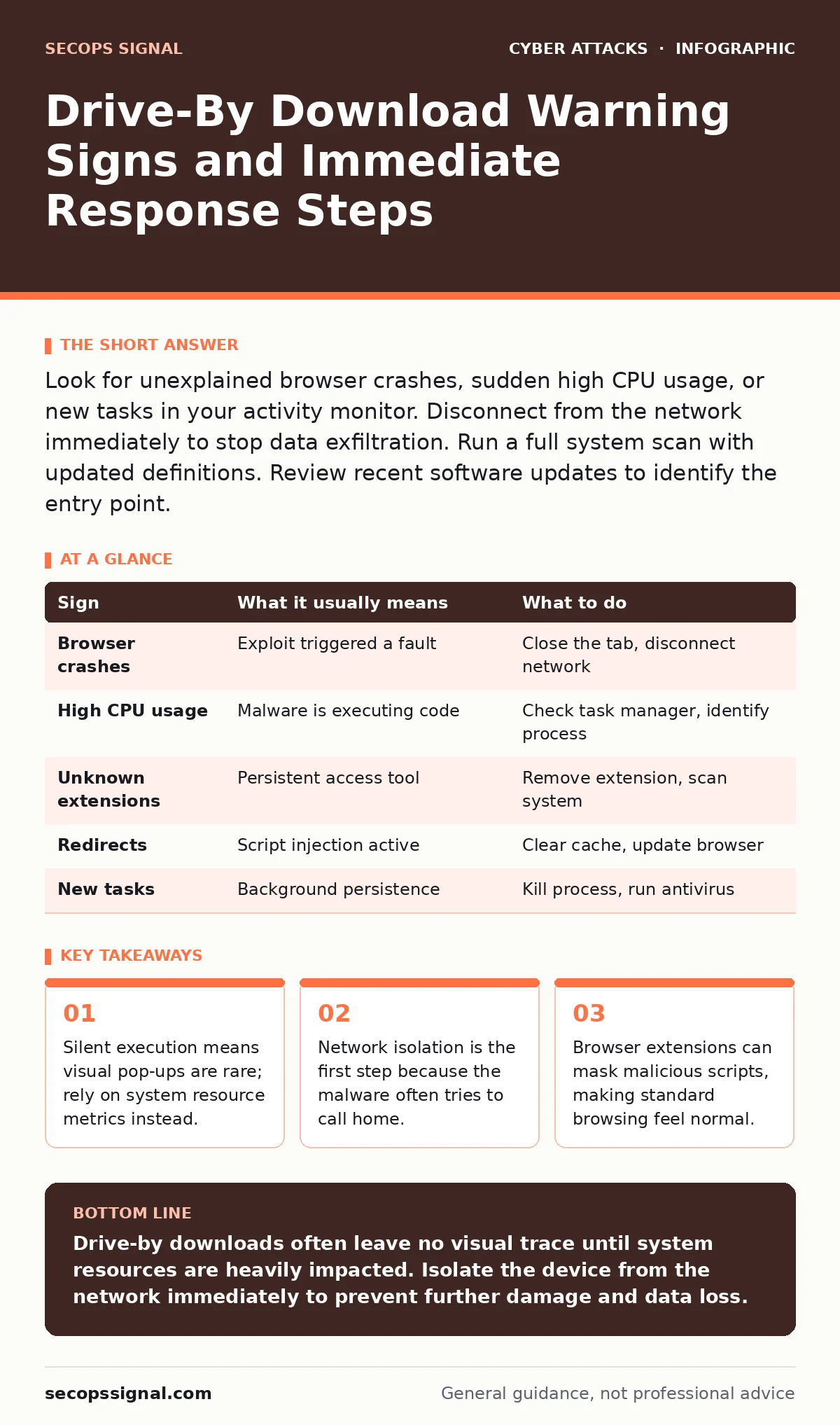
Look for unexplained browser crashes, sudden high CPU usage, or new tasks in your activity monitor. Disconnect from the network immediately to stop data exfiltration. Run a full system scan with updated definitions. Review recent software updates to identify the entry point.
The Silent Entry Mechanism
Drive-by downloads exploit vulnerabilities in web browsers, plugins, or operating systems. Unlike traditional malware distribution, this method requires no user action beyond visiting a compromised page. The malicious code executes automatically in the background. You do not need to click a link or download a file. The attack happens the moment the browser renders the page. This passive nature makes it difficult to detect through standard user awareness.
The exploit targets known weaknesses in software that has not been patched. Attackers scan for these vulnerabilities across the web. When they find a target, they inject malicious JavaScript or other executable code into the page. Your device processes this code as if it were legitimate content. This bypasses the usual security prompts that warn about unsafe downloads.
Immediate Visual Indicators
Some signs appear quickly but are often dismissed as technical glitches. A browser tab that crashes repeatedly is a common early warning. If a specific site causes your browser to freeze or close unexpectedly, treat it as suspicious. Unusual pop-up windows that cannot be closed are another red flag. These may claim your system is infected to trick you into calling a fake support number.
Unexpected changes to your browser settings also signal trouble. If your homepage changes without your permission, malware may be present. New toolbars or extensions appearing in your browser list are strong indicators. Check your extension manager for items you do not recognize. Remove any unfamiliar add-ons immediately. These tools often inject ads or track your browsing behavior.
Subtle System Anomalies
Many drive-by downloads operate quietly to avoid detection. You might notice your computer running slower than usual. High CPU or memory usage without any open applications is a key sign. Open your task manager or activity monitor to identify the culprit. Look for processes with generic names that consume significant resources. These processes often masquerade as system services.
Network activity is another area to monitor. If you see data uploading when you are not using the internet, something is wrong. Malware often communicates with command-and-control servers. This traffic may appear as small, frequent bursts of data. Firewalls can sometimes block this, but not always. Review your network logs if you have access to them. Unusual outbound connections to unknown IP addresses warrant investigation.
Browser Behavior Changes
Malicious scripts can alter how your browser functions. You might experience redirects to unfamiliar websites. Clicking a link may take you to a different page than expected. This technique, known as URL hijacking, is common in drive-by attacks. It allows attackers to serve additional payloads or steal credentials.
Cookies and cache data may also be manipulated. You could find yourself logged out of accounts frequently. Or, conversely, you might see sessions that you did not initiate. These changes indicate that session tokens have been compromised. Clearing your browser cache and cookies can help, but it does not remove the malware. You must address the root cause on the system level.
Response Protocol
When you suspect a drive-by download, act quickly. Disconnect your device from the internet immediately. This stops the malware from sending data to the attacker. It also prevents it from downloading additional components. Use a wired connection if you need to transfer files for backup, but keep the infected machine isolated.
Run a full system scan with your security software. Ensure your definitions are up to date before scanning. If the malware is advanced, it may evade standard detection. Consider using a dedicated removal tool or booting from a clean USB drive. After cleaning, change all passwords from a different, clean device. This ensures the attacker does not retain access to your accounts.
| Sign | What it usually means | What to do |
|---|---|---|
| Browser crashes | Exploit triggered a fault | Close the tab, disconnect network |
| High CPU usage | Malware is executing code | Check task manager, identify process |
| Unknown extensions | Persistent access tool | Remove extension, scan system |
| Redirects | Script injection active | Clear cache, update browser |
| New tasks | Background persistence | Kill process, run antivirus |
Prevention and Maintenance
Keeping software updated is the primary defense against drive-by downloads. Patches fix the vulnerabilities that attackers exploit. Enable automatic updates for your browser and operating system. Disable unused plugins and extensions to reduce the attack surface. Each plugin is a potential entry point for malicious code.
Use a modern browser with built-in security features. These browsers sandbox web content to limit damage. Enable features like site isolation and strict tracking protection. Regular backups ensure you can restore data if a system becomes unusable. Store backups offline to prevent ransomware from encrypting them. This strategy complements other security measures like conditional access policies and intrusion prevention systems.
Long-Term Vigilance
Drive-by downloads evolve as security measures improve. Attackers find new ways to bypass defenses. They may use legitimate-looking websites to host malicious code. This makes it hard to distinguish safe sites from dangerous ones. Regularly review your system logs for anomalies. Look for patterns that deviate from normal usage.
Educate yourself on the latest threats. Understand how exploits work and what signs to look for. This knowledge helps you respond faster to potential incidents. Combine technical controls with behavioral awareness. Use password managers to protect credentials even if a system is compromised. This layered approach reduces the risk of a successful attack.
Key takeaways
- Silent execution means visual pop-ups are rare; rely on system resource metrics instead.
- Network isolation is the first step because the malware often tries to call home.
- Browser extensions can mask malicious scripts, making standard browsing feel normal.
Drive-by downloads often leave no visual trace until system resources are heavily impacted. Isolate the device from the network immediately to prevent further damage and data loss.
Frequently asked questions
Can a virus infect my computer just by opening a website?
Yes, if the website contains malicious code that exploits a vulnerability in your browser or operating system. This is known as a drive-by download.
How do I know if my browser has been compromised?
Look for unexpected pop-ups, redirects, or new extensions. Check for high resource usage and unusual network activity.
Is disconnecting from Wi-Fi enough to stop the malware?
It stops data exfiltration and additional downloads, but the malware may still be present on your system. You must scan and remove it.
Do antivirus programs detect drive-by downloads?
Modern antivirus software can detect many drive-by downloads, but advanced exploits may bypass initial detection. Regular updates are necessary.
How this guide was produced: written by the SecOps Signal editorial team with AI assistance, checked against the public references listed below, and reviewed when the facts change. See our editorial policy or report an error.