Typosquatting in Cyber Security: How Domain Spoofing Steals Credentials
Typosquatting exploits human muscle memory to redirect traffic to malicious sites that mimic trusted services without triggering traditional security alerts.
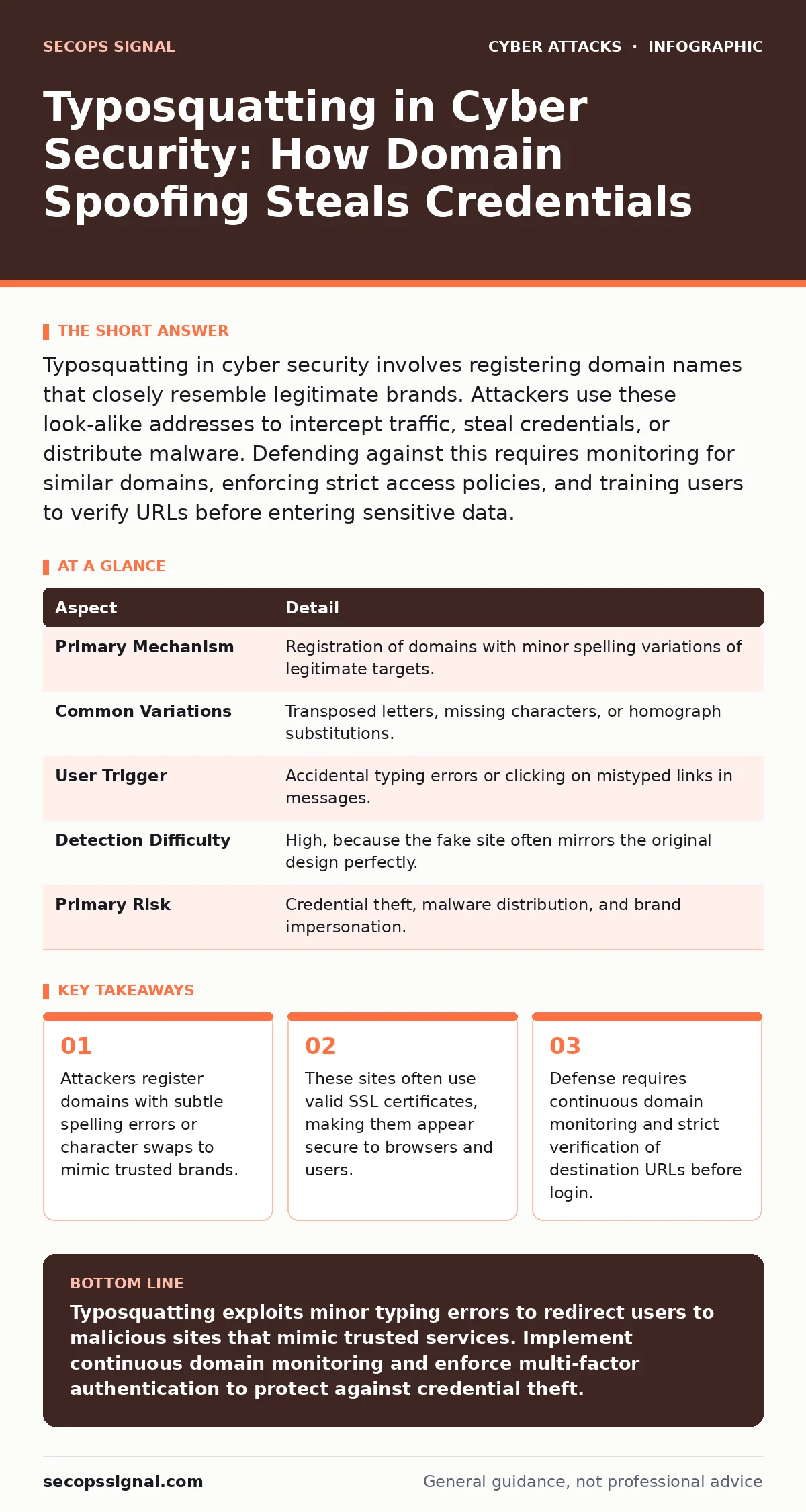
Typosquatting in cyber security involves registering domain names that closely resemble legitimate brands. Attackers use these look-alike addresses to intercept traffic, steal credentials, or distribute malware. Defending against this requires monitoring for similar domains, enforcing strict access policies, and training users to verify URLs before entering sensitive data.
The Mechanics of Domain Spoofing
Imagine typing your bank’s website address into a browser. Your fingers move automatically, guided by muscle memory. Now suppose a single key slips. You type paypa1.com instead of paypal.com. The browser loads a page that looks identical to the real site. This is typosquatting. It is a form of domain spoofing where attackers register internet addresses that are visually or phonetically similar to legitimate ones. The goal is to capture traffic from users who make minor typing errors.
The technique relies on the predictability of human error. People often transpose adjacent keys, miss a letter, or substitute a visually similar character. Attackers anticipate these mistakes. They register the resulting misspellings before anyone else can. When a user accidentally visits the fake site, the attacker controls the experience. The site may request login credentials, install malware, or display fraudulent advertisements.
| Aspect | Detail |
|---|---|
| Primary Mechanism | Registration of domains with minor spelling variations of legitimate targets. |
| Common Variations | Transposed letters, missing characters, or homograph substitutions. |
| User Trigger | Accidental typing errors or clicking on mistyped links in messages. |
| Detection Difficulty | High, because the fake site often mirrors the original design perfectly. |
| Primary Risk | Credential theft, malware distribution, and brand impersonation. |
How Attackers Exploit Visual Similarity
Attackers do not just rely on simple spelling mistakes. They use homograph attacks to exploit how browsers render text. Different languages use characters that look identical to Latin letters. For example, a Cyrillic character might look exactly like a Latin "a". When a browser displays the domain, it shows the familiar letter. The underlying code, however, points to a completely different server. This bypasses casual visual inspection.
Another technique involves adding subdomains or changing the top-level domain. A user expecting secure-login.com might type secure-login.org or login.secure-login.com. Both are valid domains that the attacker can own. The visual difference is subtle enough that a hurried user rarely notices. The attacker then hosts a phishing page that requests sensitive information. The data sent to this page goes directly to the attacker, not the legitimate service.
Who Bears the Risk
Typosquatting affects anyone who accesses services via typed URLs. Small businesses are particularly vulnerable because they often lack the resources to monitor every possible variation of their brand name. However, individual users are also at risk. Attackers target high-value accounts, such as those with financial data or administrative privileges. If an attacker steals the credentials of a system administrator, they can gain deep access to an organization’s network.
The risk extends beyond direct financial loss. A compromised account can be used to launch further attacks. An attacker might send phishing emails from the stolen account to colleagues or clients. This lends credibility to the scam because the message appears to come from a trusted source. This technique often overlaps with email filtering evasion, as the message originates from a legitimate-looking domain. The damage multiplies as the attacker moves laterally through the organization.
What People Usually Get Wrong
Many users believe that seeing a padlock icon in the browser means the site is safe. This is a misconception. The padlock only indicates that the connection is encrypted. It does not verify the legitimacy of the website. Attackers can obtain valid SSL certificates for their typosquatted domains. The encryption protects the data in transit, but it sends that protected data to the wrong destination. Trusting the padlock alone leaves users exposed to credential theft.
Another common error is assuming that search engines protect users from these domains. While search engines try to demote malicious sites, they cannot catch every new registration. Attackers register thousands of domains daily. They may keep a domain inactive for months to avoid detection, then activate it only when a target is identified. This dormancy makes it difficult for automated systems to flag the site as malicious before the first victim arrives.
Defending Against Domain Impersonation
Defense requires a combination of technical controls and user behavior changes. Technical teams should monitor for new domain registrations that resemble their brand. This process, known as domain monitoring, alerts the organization when a similar domain is created. Early detection allows for legal action or takedown requests before the domain is used for malicious purposes. This is similar to protecting against invoice fraud, where attackers register look-alike domains to trick vendors into paying false bills.
Users must verify the URL before entering any credentials. This means reading the domain name character by character. Tools like password managers can help. A password manager will only autofill credentials for the exact domain it recognizes. If the user types a typosquatted address, the password manager will not offer to fill the form. This silent failure serves as a warning sign. It stops the user from submitting data to an unknown site.
Integrating Security Awareness Training
Technical controls are not enough. Users must understand the threat. Security awareness training should include specific examples of typosquatting. Training should show how subtle the differences can be. It should teach users to pause and verify the URL before logging in. Regular reminders keep the threat top of mind. This is especially important for remote workers who may access services from unfamiliar devices or networks.
Organizations should also enforce multi-factor authentication. Even if an attacker steals a password via a typosquatted site, they cannot access the account without the second factor. This adds a layer of protection that mitigates the impact of credential theft. It does not prevent the theft, but it prevents the attacker from using the stolen data. This approach aligns with defenses against tech support scams, where attackers often try to bypass security by social engineering.
Monitoring and Response Strategies
Continuous monitoring is critical. Organizations should use tools that scan for new domain registrations daily. These tools compare new registrations against a list of protected brand names. They flag any matches or close variations. When a match is found, the organization can investigate. If the domain is malicious, the organization can request takedown through the domain registrar or hosting provider. This proactive approach reduces the window of opportunity for attackers.
Response plans should be in place for when typosquatting occurs. The plan should include steps for notifying affected users, resetting compromised credentials, and investigating further access. It should also include communication strategies to inform customers about the threat. Transparency helps maintain trust. It shows that the organization is aware of the risk and is taking action to mitigate it. This is similar to handling supply chain attacks, where visibility and rapid response are key to minimizing damage.
The Hidden Cost of Inaction
The cost of typosquatting extends beyond immediate financial loss. It damages brand reputation. Customers who fall for a scam may lose trust in the organization. They may believe the organization failed to protect them. This erosion of trust can lead to lost business and reduced customer loyalty. Rebuilding trust is difficult and expensive. It requires consistent, transparent communication and demonstrable improvements in security practices.
Additionally, the time spent investigating and responding to typosquatting incidents diverts resources from other priorities. Security teams must investigate the breach, reset credentials, and monitor for further activity. This operational burden reduces the team’s ability to focus on proactive security measures. The cumulative effect of these costs makes prevention a high priority. Investing in monitoring and training reduces the likelihood of incidents and the associated costs.
Key takeaways
- Attackers register domains with subtle spelling errors or character swaps to mimic trusted brands.
- These sites often use valid SSL certificates, making them appear secure to browsers and users.
- Defense requires continuous domain monitoring and strict verification of destination URLs before login.
Typosquatting exploits minor typing errors to redirect users to malicious sites that mimic trusted services. Implement continuous domain monitoring and enforce multi-factor authentication to protect against credential theft.
Frequently asked questions
How do I know if a website is a typosquatting site?
Check the domain name carefully for misspellings, extra characters, or different top-level domains. If the password manager does not autofill credentials, treat the site as suspicious.
Can SSL certificates prevent typosquatting?
No, SSL certificates only encrypt data. Attackers can obtain valid certificates for fake domains, making the connection secure but the destination fraudulent.
What is the difference between typosquatting and phishing?
Typosquatting involves registering a look-alike domain name. Phishing is the act of tricking users into revealing information, often using those typosquatted domains.
How can small businesses afford domain monitoring?
Many security platforms include domain monitoring as a standard feature. Prioritize monitoring for your primary brand names and critical service domains to manage costs.
How this guide was produced: written by the SecOps Signal editorial team with AI assistance, checked against the public references listed below, and reviewed when the facts change. See our editorial policy or report an error.