Password Rotation Explained: Why Changing Passwords Rarely Stops Hackers
Regularly changing passwords often encourages weaker security habits and fails to stop attackers who already have access to your accounts.

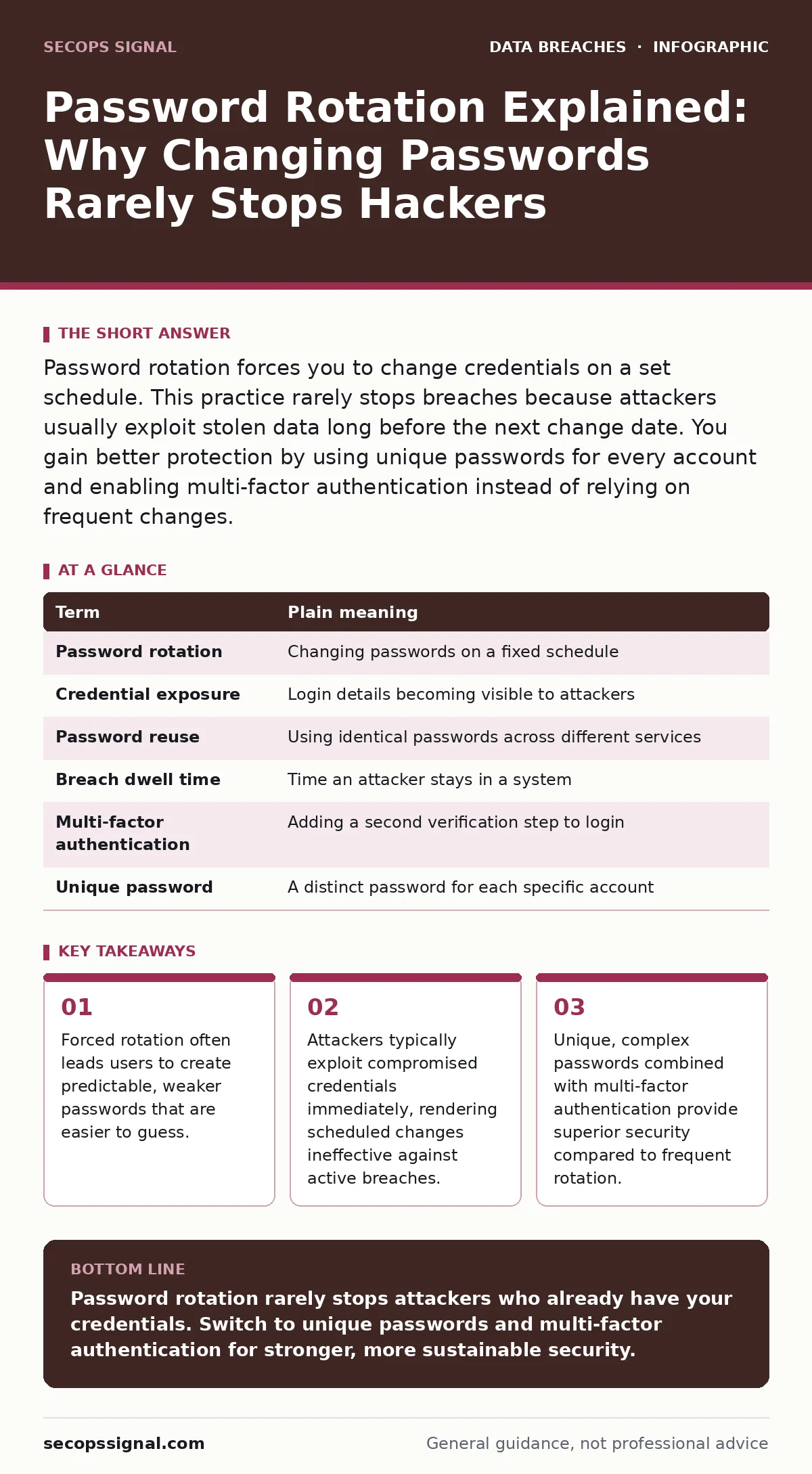
Password rotation forces you to change credentials on a set schedule. This practice rarely stops breaches because attackers usually exploit stolen data long before the next change date. You gain better protection by using unique passwords for every account and enabling multi-factor authentication instead of relying on frequent changes.
The House Key Analogy
Imagine you rent out a house. You give the tenant a key. If the tenant loses the key, you might change the locks. But if the tenant gives a copy of the key to a friend who breaks in, changing the locks next Tuesday does not stop the current burglary. The intruder is already inside. Password rotation works like changing the locks on a schedule, regardless of whether the key has been stolen. This analogy helps explain why timing matters less than control. You cannot secure a house by changing locks if you do not know who holds the keys.
Defining the Core Terms
Understanding the mechanics requires clear definitions. Password rotation is the periodic changing of passwords. Credential exposure occurs when login details are leaked or stolen. Password reuse is using the same password for multiple sites. Breach dwell time is the period an attacker remains undetected in a system. These concepts interact in specific ways that affect your security posture. Knowing these terms helps you evaluate advice you encounter online.
| Term | Plain meaning |
|---|---|
| Password rotation | Changing passwords on a fixed schedule |
| Credential exposure | Login details becoming visible to attackers |
| Password reuse | Using identical passwords across different services |
| Breach dwell time | Time an attacker stays in a system |
| Multi-factor authentication | Adding a second verification step to login |
| Unique password | A distinct password for each specific account |
The Hidden Cost of Rotation
Forced rotation creates a hidden cost for your security. When you must change a password frequently, you subconsciously seek patterns to remember them. You might change "Password123" to "Password124". This pattern is predictable. Attackers use algorithms that guess these incremental changes. You trade the effort of remembering for the risk of predictability. This is a non-obvious consequence of well-meaning security policies. You feel more secure because you followed the rule, but you actually made your account easier to compromise. The cognitive load of managing many complex, rotating passwords leads to poor choices.
Why Rotation Fails Against Active Threats
Suppose an attacker steals your password from a data breach. They do not wait for your next scheduled change. They log in immediately. Most systems do not alert you to this login. The attacker accesses your data, copies files, or makes purchases. By the time your policy forces you to change the password weeks later, the damage is done. The rotation did not prevent the breach; it only changed the key after the house was robbed. This highlights the limitation of rotation as a primary defense. It does not detect unauthorized access. It only resets the credential state.
The Better Alternative: Unique Credentials
Instead of rotating passwords, focus on uniqueness. A unique password for every account ensures that one breach does not compromise your other accounts. If one site suffers credential exposure, your email and bank remain safe. You do not need to change these passwords unless there is evidence of a compromise. This approach aligns with the principles of the CIA triad, specifically confidentiality and integrity. You protect the data by limiting the blast radius of any single failure. This strategy reduces the need for constant changes while increasing overall resilience.
| Security Practice | Effectiveness Against Stolen Credentials |
|---|---|
| Frequent Rotation | Low; does not stop immediate access |
| Password Reuse | None; amplifies damage from one breach |
| Unique Passwords | High; contains breach to one account |
| Multi-Factor Authentication | Very High; blocks access even with password |
See also: User Access Provisioning Mistakes and How to Fix Them
Implementing Multi-Factor Authentication
Multi-factor authentication adds a second layer of verification. Even if an attacker has your password, they cannot log in without the second factor. This could be a code from an app or a physical security key. This measure directly addresses the failure of rotation. It stops the intruder at the door, regardless of when you last changed the lock. You should enable this on every account that supports it. It is more effective than rotation because it verifies identity at the moment of login. This reduces the impact of breach dwell time significantly.
Try This Now
- Identify three critical accounts, such as email, banking, and social media.
- Ensure each has a unique, complex password that you do not use elsewhere.
- Enable multi-factor authentication on these accounts using an authenticator app.
Reviewing Your Access
Regularly review who has access to your systems. This is part of user access provisioning. Remove access for employees who have left or changed roles. Check for inactive accounts that might be vulnerable. This administrative task is often overlooked but is vital for security. It complements your password strategy by ensuring that only authorized users can attempt to log in. Combining strong credentials with strict access controls creates a layered defense. This approach is more sustainable than relying on frequent password changes.
Key takeaways
- Forced rotation often leads users to create predictable, weaker passwords that are easier to guess.
- Attackers typically exploit compromised credentials immediately, rendering scheduled changes ineffective against active breaches.
- Unique, complex passwords combined with multi-factor authentication provide superior security compared to frequent rotation.
Password rotation rarely stops attackers who already have your credentials. Switch to unique passwords and multi-factor authentication for stronger, more sustainable security.
Frequently asked questions
How often should I change my password if not regularly?
Change your password only if you suspect it has been compromised or if a service reports a breach. Otherwise, keep a strong, unique password indefinitely.
Is password rotation useless?
It is not useless, but it is inefficient. It provides a false sense of security and often leads to weaker passwords. Other measures offer better protection per effort spent.
What if my company forces password rotation?
Follow the policy to remain compliant, but ensure your passwords are unique and complex. Enable multi-factor authentication if allowed to add a stronger layer of defense.
Does multi-factor authentication replace the need for passwords?
No, it complements them. A strong password is still the first line of defense. Multi-factor authentication adds a second check that stops attackers who have stolen your password.
How this guide was produced: written by the SecOps Signal editorial team with AI assistance, checked against the public references listed below, and reviewed when the facts change. See our editorial policy or report an error.