Hard-Coded Credentials Prevention Checklist for Secure Software
Hard-coded credentials survive source code rotation and deployment cycles, creating a persistent backdoor that automated scanners often miss until an attacker exploits the static secret.
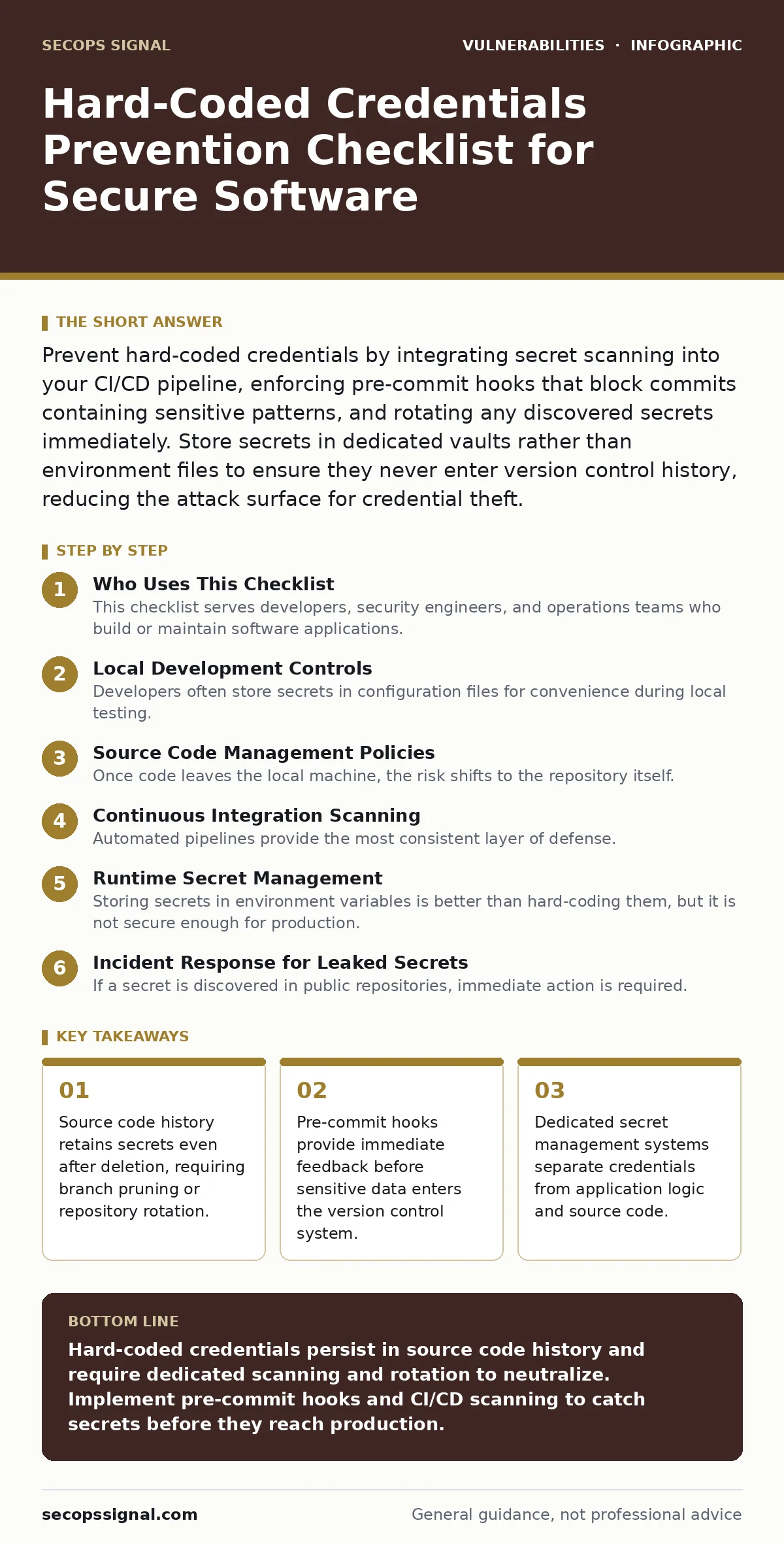
Prevent hard-coded credentials by integrating secret scanning into your CI/CD pipeline, enforcing pre-commit hooks that block commits containing sensitive patterns, and rotating any discovered secrets immediately. Store secrets in dedicated vaults rather than environment files to ensure they never enter version control history, reducing the attack surface for credential theft.
Who Uses This Checklist
This checklist serves developers, security engineers, and operations teams who build or maintain software applications. You use this list to audit your current development lifecycle and identify gaps where secrets might leak into source control. Each item represents a specific control you can implement to prevent hard-coded credentials from reaching production. The checklist groups items by development phase, from local coding to continuous integration and deployment. You should review these controls quarterly to ensure new team members follow the same strict standards.
Local Development Controls
Developers often store secrets in configuration files for convenience during local testing. These files frequently get committed accidentally. You must enforce local safeguards to prevent this common mistake.
- Install pre-commit hooks: Hooks scan files before they are added to the repository, blocking commits that contain patterns resembling API keys or passwords.
- Configure IDE secret detection: Modern integrated development environments can highlight potential secrets in real-time, alerting you before you save the file.
- Use local vault agents: Local agents fetch secrets from a remote vault at runtime, ensuring no secret exists on the developer’s disk in plain text.
- Define secret patterns explicitly: Generic regex patterns create false positives; define specific patterns for your organization’s key formats to reduce noise.
Source Code Management Policies
Once code leaves the local machine, the risk shifts to the repository itself. Git history is immutable by design, meaning deleted secrets remain accessible to anyone with read access. You must manage the repository as a sensitive asset.
- Enable branch protection rules: Require status checks to pass before merging, ensuring automated scans run on every pull request.
- Restrict write access: Limit who can merge code to trusted maintainers who understand the security implications of configuration changes.
- Audit repository history: Regularly scan historical commits for leaked secrets, as current scans only check the latest state of the code.
- Implement mandatory code reviews: Human reviewers catch context-specific secrets that automated tools might miss, such as obfuscated keys.
Continuous Integration Scanning
Automated pipelines provide the most consistent layer of defense. You configure these scans to fail the build if any secret is detected, preventing vulnerable code from reaching staging or production. This approach aligns with the principles of mitigations and workarounds by stopping the issue at the source.
- Integrate static application security testing: SAST tools analyze source code for known insecure patterns, including hard-coded credentials, before compilation.
- Use dedicated secret scanning tools: Tools specifically designed for secret detection have higher accuracy than generic linting rules.
- Fail builds on detection: Configure your CI/CD pipeline to stop immediately when a secret is found, forcing remediation before deployment.
- Scan dependencies as well: Third-party libraries may contain embedded secrets; scanning only your code leaves supply chain risks unaddressed.
Runtime Secret Management
Storing secrets in environment variables is better than hard-coding them, but it is not secure enough for production. Environment variables are visible in process lists and crash dumps. You should use dedicated secret management systems.
- Adopt a secrets vault: Vaults store credentials encrypted at rest and provide audit logs for every access attempt.
- Use short-lived tokens: Instead of long-lived API keys, generate temporary tokens that expire quickly, limiting the window for misuse.
- Implement least-privilege access: Applications should only receive the specific secrets they need, reducing the impact of a compromised service.
- Separate secrets from configuration: Keep non-sensitive configuration in code and sensitive data in the vault, ensuring clear boundaries.
Incident Response for Leaked Secrets
If a secret is discovered in public repositories, immediate action is required. You cannot simply delete the commit; the secret remains in the git history and may have been cached by search engines. This scenario relates to responsible disclosure if the leak occurs in an open-source project.
- Rotate the compromised secret immediately: Assume the secret is stolen; generate a new one and update all systems using it.
- Prune repository history: Use tools like BFG Repo-Cleaner to remove the secret from all historical commits, forcing clones to re-fetch.
- Monitor for misuse: Check for unauthorized usage of the compromised credential through audit logs and external threat intelligence.
- Update access policies: Review who had access to the secret and restrict future access to reduce the risk of repeat incidents.
Maintenance and Review
Security controls degrade over time as teams change and tools update. You must regularly review your secret management strategy to ensure it remains effective. This ongoing process supports risk-based vulnerability management by prioritizing the most critical assets.
- Schedule quarterly audits: Review secret scanning configurations and ensure they cover all new languages and frameworks your team uses.
- Train developers regularly: Education reduces accidental leaks; train new hires on why hard-coding secrets is dangerous and how to use vaults.
- Update secret patterns: As new services are adopted, add their specific key formats to your scanning rules to maintain coverage.
- Review access logs: Analyze vault access logs for unusual patterns that might indicate insider threats or compromised service accounts.
Key takeaways
- Source code history retains secrets even after deletion, requiring branch pruning or repository rotation.
- Pre-commit hooks provide immediate feedback before sensitive data enters the version control system.
- Dedicated secret management systems separate credentials from application logic and source code.
Hard-coded credentials persist in source code history and require dedicated scanning and rotation to neutralize. Implement pre-commit hooks and CI/CD scanning to catch secrets before they reach production.
Frequently asked questions
Can I use environment variables instead of hard-coding secrets?
Environment variables are better than hard-coding but still expose secrets to process lists and memory dumps. Use a dedicated secrets vault for production environments to ensure encryption and access control.
How do I remove a secret that was already committed?
You must rotate the secret immediately and use a history rewriting tool to remove it from all commits. Simply deleting the file does not remove it from the repository’s history.
Do static analysis tools catch all hard-coded credentials?
No static analysis tool catches every variant. You must combine SAST with dedicated secret scanning tools and pre-commit hooks to achieve comprehensive coverage.
Should I scan third-party libraries for secrets?
Yes, third-party libraries may contain embedded credentials. Scan dependencies as part of your CI/CD pipeline to prevent supply chain attacks.
How this guide was produced: written by the SecOps Signal editorial team with AI assistance, checked against the public references listed below, and reviewed when the facts change. See our editorial policy or report an error.