Risk-Based Vulnerability Management: 7 Mistakes That Waste Your Time
Treating all software flaws as equal threats creates false urgency and leaves the most dangerous entry points exposed to exploitation.

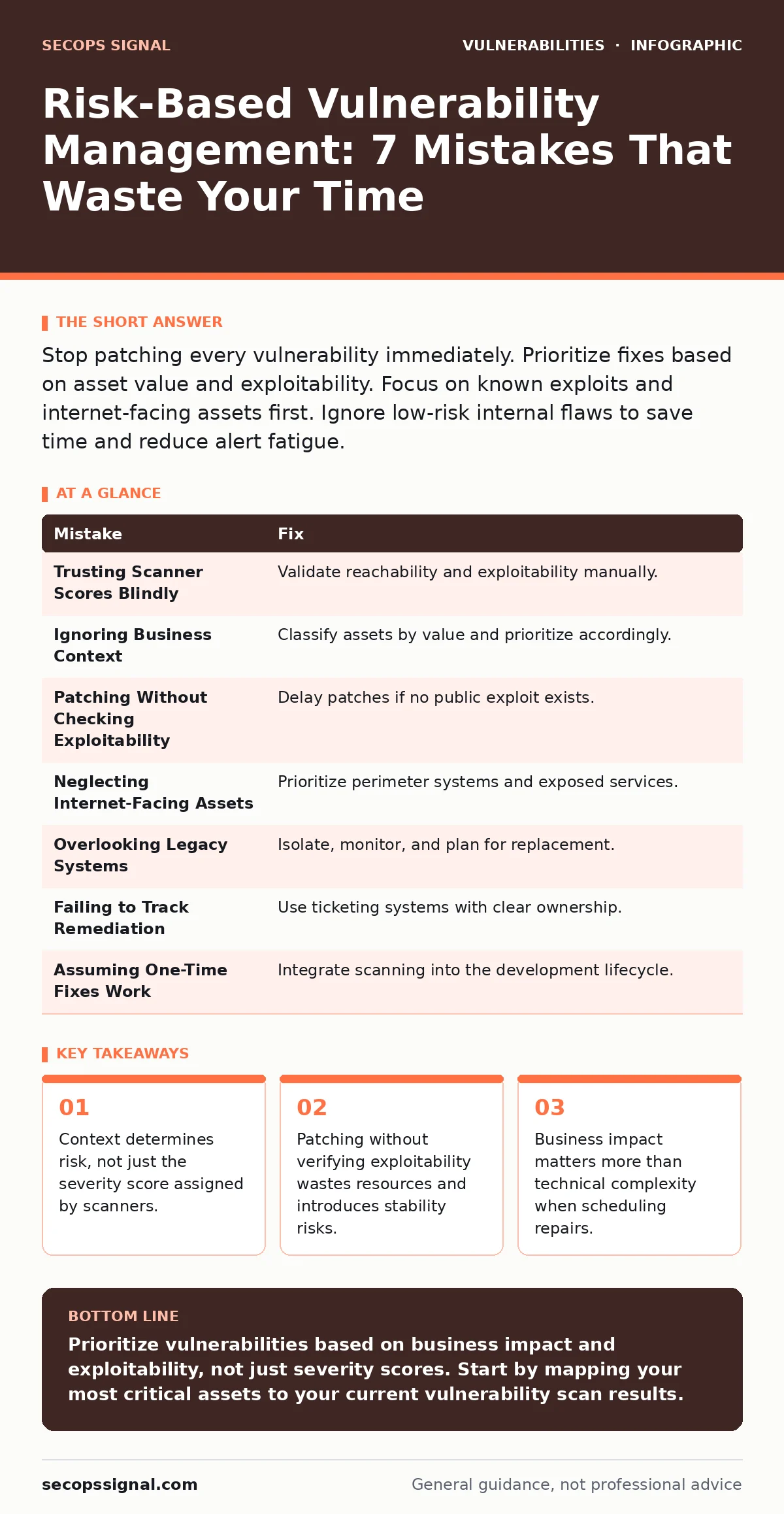
Stop patching every vulnerability immediately. Prioritize fixes based on asset value and exploitability. Focus on known exploits and internet-facing assets first. Ignore low-risk internal flaws to save time and reduce alert fatigue.
Mistake 1: Trusting Scanner Scores Blindly
Automated tools assign a numerical score to every flaw they find. You might assume a high score means immediate danger. This assumption ignores whether the vulnerable code is actually reachable by an attacker. A flaw in a disabled feature is not a threat.
Why it hurts: You waste staff hours fixing issues that cannot be exploited. Meanwhile, lower-scored flaws with known exploits remain open. This creates a false sense of security while real risks accumulate.
The fix: Validate every finding manually or with active testing. Check if the vulnerable service is running and accessible. If the code is unreachable, mark the finding as false positive or accepted risk. For deeper analysis, consult our guide on vulnerability prioritization to understand context beyond the score.
Mistake 2: Ignoring Business Context
Not all servers hold the same value. A public-facing web server holds customer data. An internal printer server holds little. Treating them equally dilutes your security efforts. You spread your team thin trying to protect everything at once.
Why it hurts: Critical assets remain vulnerable because the team is busy patching low-value systems. Attackers target high-value targets first. You leave the crown jewels exposed while polishing the fences.
The fix: Classify assets by business value and data sensitivity. Map vulnerabilities to these assets. Prioritize fixes for systems that handle payments, personal data, or core operations. This aligns security work with business continuity goals.
Mistake 3: Patching Without Checking Exploitability
Vendors release updates for every reported flaw. Some flaws are theoretical. Others have active exploits in the wild. Applying every patch immediately introduces change risk. You might break a stable system to fix a non-existent threat.
Why it hurts: Unnecessary patches cause system downtime and configuration drift. You increase the attack surface by introducing new code without verifying the benefit. Stability suffers, and trust in the security team erodes.
The fix: Check for public exploits before patching. Use threat intelligence feeds to see if attackers are actively using the flaw. If no exploit exists and the asset is internal, delay the patch until the next maintenance window. This reduces change management overhead significantly.
Mistake 4: Neglecting Internet-Facing Assets
Internal networks are generally safer. Internet-facing systems are constantly probed by automated bots. They are the first line of defense. Ignoring them to focus on internal issues is a strategic error.
Why it hurts: Attackers gain initial access through exposed services. Once inside, they move laterally to internal systems. Your perimeter becomes a sieve, allowing easy entry for malware and ransomware.
The fix: Prioritize internet-facing systems above all others. Ensure they are patched quickly. Use web application firewalls to add an extra layer of protection. Regularly review exposed ports and services to minimize the attack surface. For specific risks, see our guide on subdomain takeover.
Mistake 5: Overlooking Legacy Systems
Older systems often lack support for modern security protocols. They run outdated operating systems and applications. You might ignore them because they are "stable" or "hard to replace." This is a dangerous gamble.
Why it hurts: Legacy systems have unpatched vulnerabilities. Attackers target them because defenders neglect them. A breach in a legacy system can compromise the entire network. The cost of replacement is often less than the cost of a breach.
The fix: Inventory all legacy systems. Isolate them from the main network using strict access controls. Plan for replacement or upgrade. If replacement is impossible, use compensating controls like network segmentation and enhanced monitoring.
See also: Mitigations and Workarounds: Practical Steps for Small Teams · WordPress Plugin Update Policies: Benefits, Limits, and When to Automate
Mistake 6: Failing to Track Remediation
Finding vulnerabilities is only half the battle. Tracking the fix process is equally important. Without a clear workflow, tasks get lost. Deadlines are missed, and progress is invisible.
Why it hurts: Vulnerabilities remain open for months. The risk exposure grows with time. You cannot measure the effectiveness of your security program. Leadership loses confidence in the security team's ability to manage risk.
The fix: Use a ticketing system to track every finding. Assign owners and deadlines based on risk. Monitor progress regularly. Close tickets only after verification. This creates accountability and ensures timely remediation. For technical specifics, review our guide on vulnerability scanning.
Mistake 7: Assuming One-Time Fixes Work
Vulnerabilities appear regularly. New code introduces new flaws. A one-time cleanup is not a strategy. You need a continuous process. Security is not a project; it is an ongoing practice.
Why it hurts: You fall behind as soon as the initial effort ends. Technical debt accumulates again. The organization becomes vulnerable to new threats. You react to crises instead of preventing them.
The fix: Integrate vulnerability management into your development lifecycle. Scan code before deployment. Perform regular scans of production environments. Review and update your risk criteria periodically. This ensures consistent protection against emerging threats. Consider backported security fixes for critical infrastructure that cannot be restarted frequently.
| Mistake | Fix |
|---|---|
| Trusting Scanner Scores Blindly | Validate reachability and exploitability manually. |
| Ignoring Business Context | Classify assets by value and prioritize accordingly. |
| Patching Without Checking Exploitability | Delay patches if no public exploit exists. |
| Neglecting Internet-Facing Assets | Prioritize perimeter systems and exposed services. |
| Overlooking Legacy Systems | Isolate, monitor, and plan for replacement. |
| Failing to Track Remediation | Use ticketing systems with clear ownership. |
| Assuming One-Time Fixes Work | Integrate scanning into the development lifecycle. |
Implementation Checklist
Use this checklist to audit your current process.
- Asset inventory is up to date and includes business value ratings.
- Vulnerability scanner results are validated for reachability.
- Prioritization logic includes exploit availability and asset criticality.
- Internet-facing systems are patched within defined SLAs.
- Legacy systems are isolated and monitored.
- Remediation tasks are tracked in a central ticketing system.
- Development teams scan code before deployment.
Key takeaways
- Context determines risk, not just the severity score assigned by scanners.
- Patching without verifying exploitability wastes resources and introduces stability risks.
- Business impact matters more than technical complexity when scheduling repairs.
Prioritize vulnerabilities based on business impact and exploitability, not just severity scores. Start by mapping your most critical assets to your current vulnerability scan results.
Frequently asked questions
How often should I scan for vulnerabilities?
Scan internet-facing assets daily or weekly. Scan internal assets monthly or after major changes. Continuous scanning is ideal for high-risk environments.
What is the difference between vulnerability management and risk management?
Vulnerability management identifies and fixes flaws. Risk management evaluates the business impact of those flaws and decides which to fix first. One is technical; the other is strategic.
Can I use automated tools to prioritize vulnerabilities?
Yes, but configure them with your specific asset data and business rules. Automated tools use generic data. Your context makes the prioritization accurate.
How do I handle zero-day vulnerabilities?
Isolate affected systems immediately. Apply mitigations like firewall rules. Monitor for activity. Wait for official patches or workarounds from vendors.
How this guide was produced: written by the SecOps Signal editorial team with AI assistance, checked against the public references listed below, and reviewed when the facts change. See our editorial policy or report an error.