Why Memory Forensics Is Crucial in Certain Investigations
Volatile memory holds active encryption keys and hidden processes that disk scans miss, revealing the true state of a compromised system before it disappears.

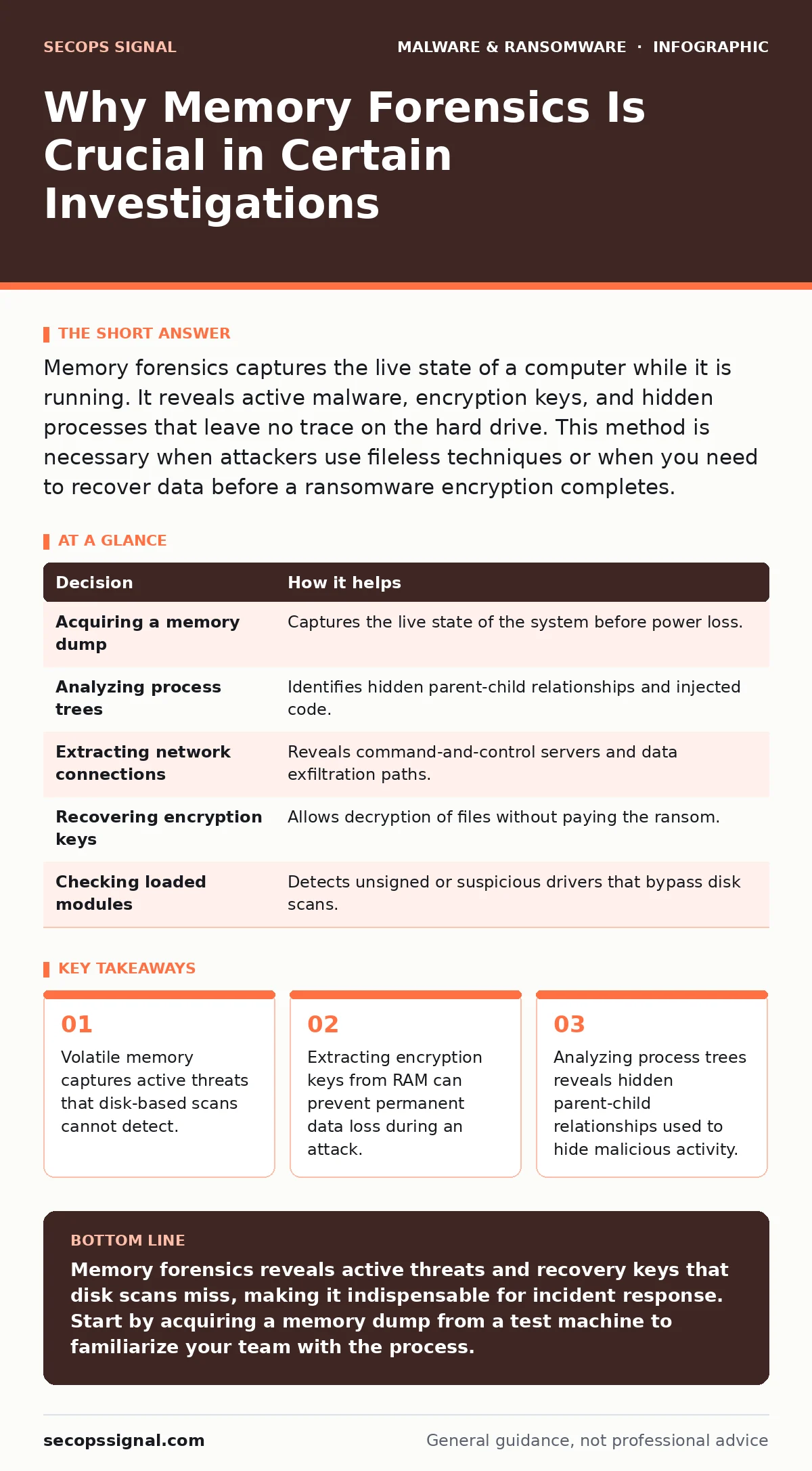
Memory forensics captures the live state of a computer while it is running. It reveals active malware, encryption keys, and hidden processes that leave no trace on the hard drive. This method is necessary when attackers use fileless techniques or when you need to recover data before a ransomware encryption completes.
The Invisible Layer of System Security
Most security tools scan the hard drive for known file signatures. This approach misses threats that live only in Random Access Memory. RAM is volatile storage that loses its contents when power is cut. Attackers know this and design tools to avoid writing files to disk. They execute code directly in memory. This technique leaves no forensic trail on the storage medium. A standard antivirus scan sees nothing because there is nothing to scan. The system appears clean, but the compromise is active and ongoing.
Imagine a scenario where a hacker injects code into a legitimate process. The operating system believes the code is part of the trusted application. Disk scanners ignore it. Only by examining the memory space can you see the injected code executing. This is why memory forensics is crucial in certain investigations. It provides visibility into the active state of the system, not just the static files stored on the drive. You gain access to the truth of what is happening right now.
Why Memory Forensics Is Crucial in Certain Investigations
The primary reason to use this technique is the detection of fileless malware. These programs do not exist as files on your disk. They run entirely in memory. Without memory analysis, you are blind to these threats. The second reason is the recovery of cryptographic keys. When ransomware encrypts your data, the key exists in memory before it is sent to the attacker. Extracting this key can decrypt your files without paying. The third reason is understanding the attack timeline. Memory contains timestamps and process creation records that show exactly when the intrusion began.
Disk forensics shows what happened in the past. Memory forensics shows what is happening now. The combination of both methods gives you a complete picture. Relying on disk scans alone creates a dangerous gap in your defense. You might believe a system is clean while an attacker maintains persistent access. This false sense of security allows the breach to deepen. You lose the opportunity to contain the threat early.
The Mechanics of Volatile Analysis
Memory forensics involves creating a snapshot of the system’s RAM. This snapshot is called a memory dump. You analyze this dump using specialized software. The software parses the raw data to identify processes, network connections, and loaded modules. It reconstructs the state of the operating system at the moment of capture. This allows you to see every program that was running. You can identify which processes are legitimate and which are malicious.
The analysis reveals details that are impossible to find elsewhere. You can see the command-line arguments used to launch a program. You can identify the user accounts that were active. You can detect if a process is masquerading as a system service. This level of detail is critical for understanding the scope of an attack. It helps you determine if the attacker moved laterally to other machines. It also helps you verify if the threat has been fully removed.
What Goes Wrong Without Memory Analysis
Ignoring memory forensics leads to incomplete investigations. You might remove a visible file, but the attacker’s backdoor remains in memory. The system is still compromised. The attacker can re-infect the machine as soon as it reboots. This creates a cycle of reinfection that wastes time and resources. You also miss the opportunity to recover encrypted data. If you format the drive to remove ransomware, you destroy the encryption keys that were in memory. Your data is lost forever.
Another risk is the failure to identify the initial vector. Without memory analysis, you cannot see how the malware entered the system. You might assume it was an email attachment, but it could have been a supply chain compromise. This misunderstanding leads to ineffective remediation. You patch the wrong vulnerability. The attacker returns through the same door. Your security posture remains weak. You continue to operate under the illusion that the problem is solved.
| Decision | How it helps |
|---|---|
| Acquiring a memory dump | Captures the live state of the system before power loss. |
| Analyzing process trees | Identifies hidden parent-child relationships and injected code. |
| Extracting network connections | Reveals command-and-control servers and data exfiltration paths. |
| Recovering encryption keys | Allows decryption of files without paying the ransom. |
| Checking loaded modules | Detects unsigned or suspicious drivers that bypass disk scans. |
Practical Steps for Small Operations
You do not need a large security team to perform memory forensics. Basic tools are available for small businesses. The first step is to acquire the memory dump safely. Do not shut down the computer. Use a tool that can capture RAM from an external device. This ensures the data is preserved. The second step is to analyze the dump. Look for processes that do not belong to known applications. Check for unusual network connections.
The third step is to correlate findings with disk evidence. If memory shows a malicious process, check the disk for any related files. This helps you understand the full scope of the attack. The fourth step is to document your findings. Record the process names, memory addresses, and network connections. This documentation is vital for improving your defenses. It helps you identify gaps in your security policy.
Integrating with Other Security Measures
Memory forensics works best when combined with other security practices. It complements ransomware backups by helping you recover data when backups are unavailable. It supports software restriction policies by identifying unauthorized code execution. It enhances macro security settings by detecting the aftermath of malicious macro execution. These measures work together to create a layered defense.
You should also consider bootkits that load before the operating system. These threats are difficult to detect with standard tools. Memory forensics can reveal signs of bootkit activity. Additionally, understanding packers and crypters helps you identify obfuscated code in memory. These tools compress or encrypt malware to avoid detection. Analyzing memory allows you to unpack and analyze this code.
The Hidden Costs of Ignorance
The cost of ignoring memory forensics is not just technical. It is financial and reputational. A prolonged breach leads to significant downtime. You lose productivity and customer trust. The cost of data recovery can exceed the ransom demand. Regulatory fines may apply if personal data is exposed. These costs accumulate quickly. They can threaten the viability of your business.
Investing in memory forensics capabilities reduces these risks. It allows you to respond faster and more effectively. You minimize the damage and restore operations sooner. You also gain valuable insights into your security posture. You identify weaknesses before they are exploited. This proactive approach saves money in the long run. It protects your assets and your reputation.
Moving Forward with Confidence
Memory forensics is not a magic bullet. It does not prevent all attacks. It is a tool for detection and response. You must use it as part of a broader security strategy. Combine it with regular updates, strong access controls, and employee training. Monitor your systems for unusual activity. Respond quickly to any signs of compromise.
Stay informed about new threats and techniques. The landscape of cyberattacks is constantly evolving. Attackers develop new methods to hide in memory. You must adapt your defenses accordingly. Keep your tools updated. Practice your incident response plans. Ensure your team knows how to acquire and analyze memory dumps. Preparation is key to effective response.
Key takeaways
- Volatile memory captures active threats that disk-based scans cannot detect.
- Extracting encryption keys from RAM can prevent permanent data loss during an attack.
- Analyzing process trees reveals hidden parent-child relationships used to hide malicious activity.
Memory forensics reveals active threats and recovery keys that disk scans miss, making it indispensable for incident response. Start by acquiring a memory dump from a test machine to familiarize your team with the process.
Frequently asked questions
Can I perform memory forensics on a server?
Yes, but you must use tools designed for server operating systems. Ensure the tool supports the specific kernel version to avoid crashes.
Is memory forensics legal?
It is generally legal for your own systems. Ensure you have proper authorization before analyzing any device. Consult legal counsel if unsure.
How long does memory analysis take?
It depends on the size of the memory and the complexity of the attack. Simple analysis can take minutes. Deep investigation may take hours.
Do I need special hardware?
You need a machine with enough RAM to hold the dump file. A standard laptop is often sufficient for small business systems.
How this guide was produced: written by the SecOps Signal editorial team with AI assistance, checked against the public references listed below, and reviewed when the facts change. See our editorial policy or report an error.