Packers and Crypters: Distinguishing Tools from Threats
Packers compress legitimate code to save space, while crypters encrypt payloads to hide malicious intent, yet both bypass signature-based detection.

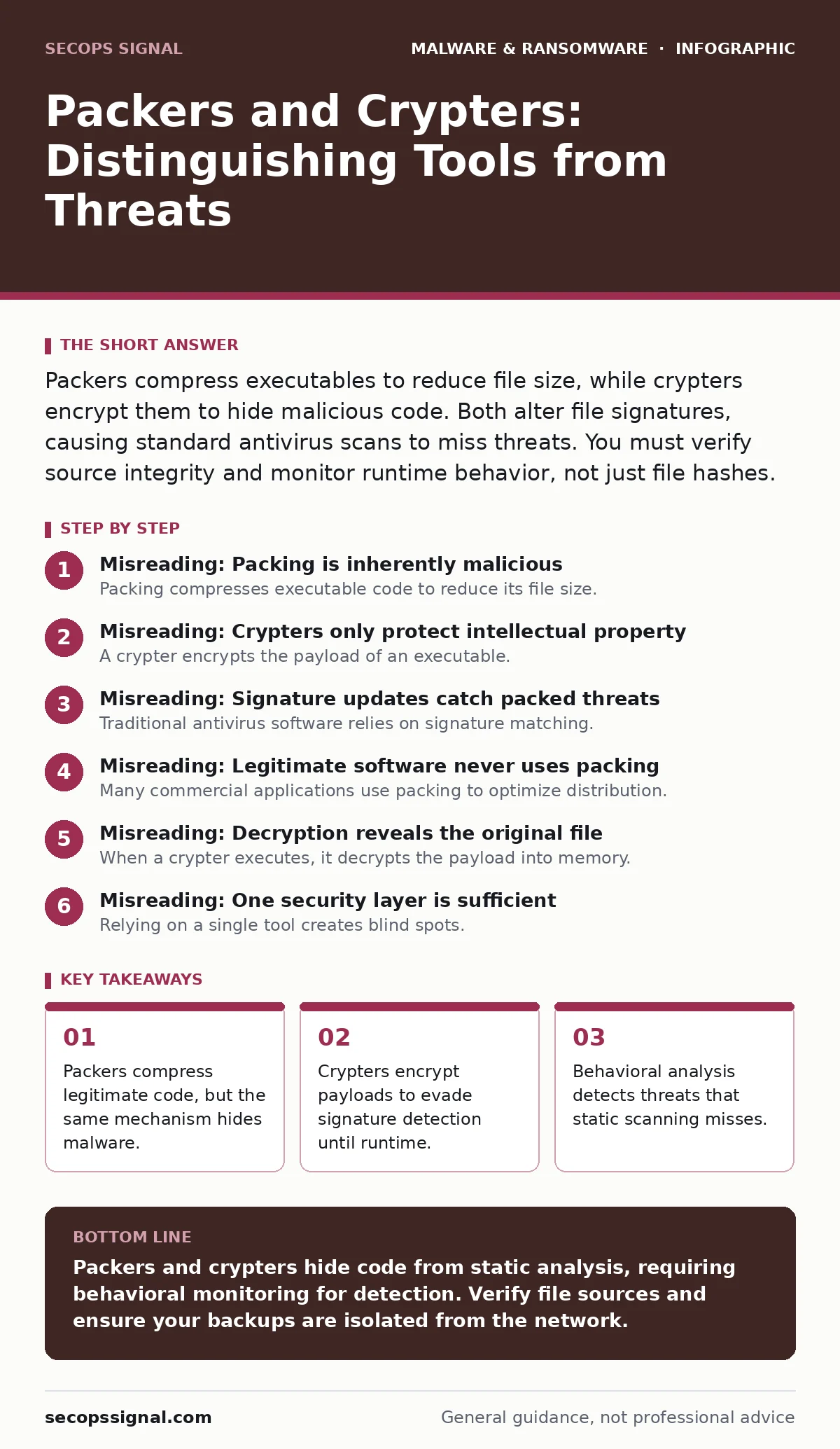
Packers compress executables to reduce file size, while crypters encrypt them to hide malicious code. Both alter file signatures, causing standard antivirus scans to miss threats. You must verify source integrity and monitor runtime behavior, not just file hashes.
Misreading: Packing is inherently malicious
Packing compresses executable code to reduce its file size. Developers use this technique to minimize download times and storage requirements for legitimate applications. The mechanism works by wrapping the original code in a decompression stub. When you run the program, the stub unpacks the code in memory before execution.
Correct reading: Packing itself is a neutral engineering practice. The malicious intent lies in the content, not the compression method. However, attackers exploit this neutrality. They pack malware to change its appearance. This prevents antivirus engines from matching the file against known threat databases. You must treat packed files with suspicion, regardless of their origin.
Misreading: Crypters only protect intellectual property
A crypter encrypts the payload of an executable. Unlike packing, which compresses data, crypting scrambles it so it cannot be read without a decryption key. Some developers use crypters to prevent reverse engineering of proprietary algorithms. This protects trade secrets from competitors who might analyze the binary structure.
Correct reading: Malware authors use crypters to hide the true nature of their code. The encryption layer stops static analysis tools from reading the malicious instructions. The crypter includes a small decryption routine that runs in memory. This routine reveals the malicious payload only when the software is actively executing. By the time the code is visible, the damage may already be underway.
Misreading: Signature updates catch packed threats
Traditional antivirus software relies on signature matching. It compares file hashes and code patterns against a database of known threats. When a file is packed or crypted, its signature changes completely. The compressed or encrypted version does not match the original malicious code in the database. This renders signature-based detection ineffective against these techniques.
Correct reading: You need behavioral monitoring to catch these threats. Security tools must watch what the program does, not just what it looks like. If a packed calculator application tries to access the registry or network, that is an anomaly. Integrating managed detection and response (MDR) services helps identify these runtime behaviors. These services analyze process trees and system calls in real time.
Misreading: Legitimate software never uses packing
Many commercial applications use packing to optimize distribution. Game installers, media players, and utility tools often arrive in compressed formats. Security scanners may flag these legitimate programs as threats because their structure resembles malware. This occurs because the packing algorithm used by the developer is identical to one used by attackers.
Correct reading: False positives are a common side effect of packing. You must verify the source of the software before dismissing an alert. If you downloaded the file from an official vendor site, the risk is low. If the file arrived via email or a suspicious link, the risk is high. Understanding the context of the file helps you distinguish between nuisance and threat.
Misreading: Decryption reveals the original file
When a crypter executes, it decrypts the payload into memory. It does not necessarily write the decrypted code to the hard drive. This technique, known as fileless execution, leaves no trace on the disk. Security tools that only scan files on the hard drive will see nothing. The malicious code exists only as active processes in the computer's RAM.
Correct reading: Memory inspection is required to detect fileless threats. You need tools that can snapshot and analyze running processes. These tools look for suspicious patterns in memory, such as injected code or unusual API calls. Combining this with email attachment scanning reduces the chance of initial infection. The goal is to catch the decryption routine before it fully executes.
Misreading: One security layer is sufficient
Relying on a single tool creates blind spots. A firewall may block network traffic, but it cannot inspect packed files inside encrypted downloads. Antivirus may miss crypters due to signature changes. You need a layered defense strategy that addresses multiple stages of the attack. This includes preventing execution, monitoring behavior, and securing data.
Correct reading: Defense in depth mitigates the risk of bypassed controls. Implement strict macro security settings to prevent document-based attacks. Ensure your offline backups are disconnected from the network to survive ransomware. If a crypter evades detection and encrypts your files, backups allow recovery. Regular testing of these backups ensures they function when needed.
Misreading: Users can visually identify threats
Malicious files often masquerade as common document types. An attacker may name a crypter "Invoice.pdf.exe" to trick you. The file icon might mimic a PDF document, hiding the executable extension. Visual cues are easily spoofed by modern malware authors. Relying on appearance leads to accidental execution.
Correct reading: Configure your system to show file extensions. This reveals the true nature of the file. You will see that "Invoice.pdf.exe" is an executable, not a document. Additionally, verify the sender and context of any unexpected file. If a file arrives unexpectedly, contact the sender through a separate channel. Do not rely on the file's appearance or the email's subject line.
Key takeaways
- Packers compress legitimate code, but the same mechanism hides malware.
- Crypters encrypt payloads to evade signature detection until runtime.
- Behavioral analysis detects threats that static scanning misses.
- Legitimate software often uses packing, creating false positives.
Packers and crypters hide code from static analysis, requiring behavioral monitoring for detection. Verify file sources and ensure your backups are isolated from the network.
Frequently asked questions
How do I know if a file is packed?
Security tools often flag packed files during installation or scanning. You can also use specialized analysis tools to inspect the binary structure for compression stubs.
Can antivirus software remove a crypter?
Standard antivirus may fail if the payload is encrypted. Behavioral detection is needed to identify and stop the decryption process in memory before damage occurs.
Do all packed files contain malware?
No. Many legitimate applications use packing for efficiency. The risk depends on the source and the runtime behavior of the application, not the packing method itself.
How does packing relate to trojanized software?
Attackers may pack trojanized software to hide malicious code within legitimate applications. This makes it harder for users and scanners to detect the embedded threat.
How this guide was produced: written by the SecOps Signal editorial team with AI assistance, checked against the public references listed below, and reviewed when the facts change. See our editorial policy or report an error.