Linux Kernel Privilege Escalation Response and Recovery Steps
A compromised kernel bypasses all user-space security controls, requiring immediate network isolation and forensic imaging before any remediation attempts begin.

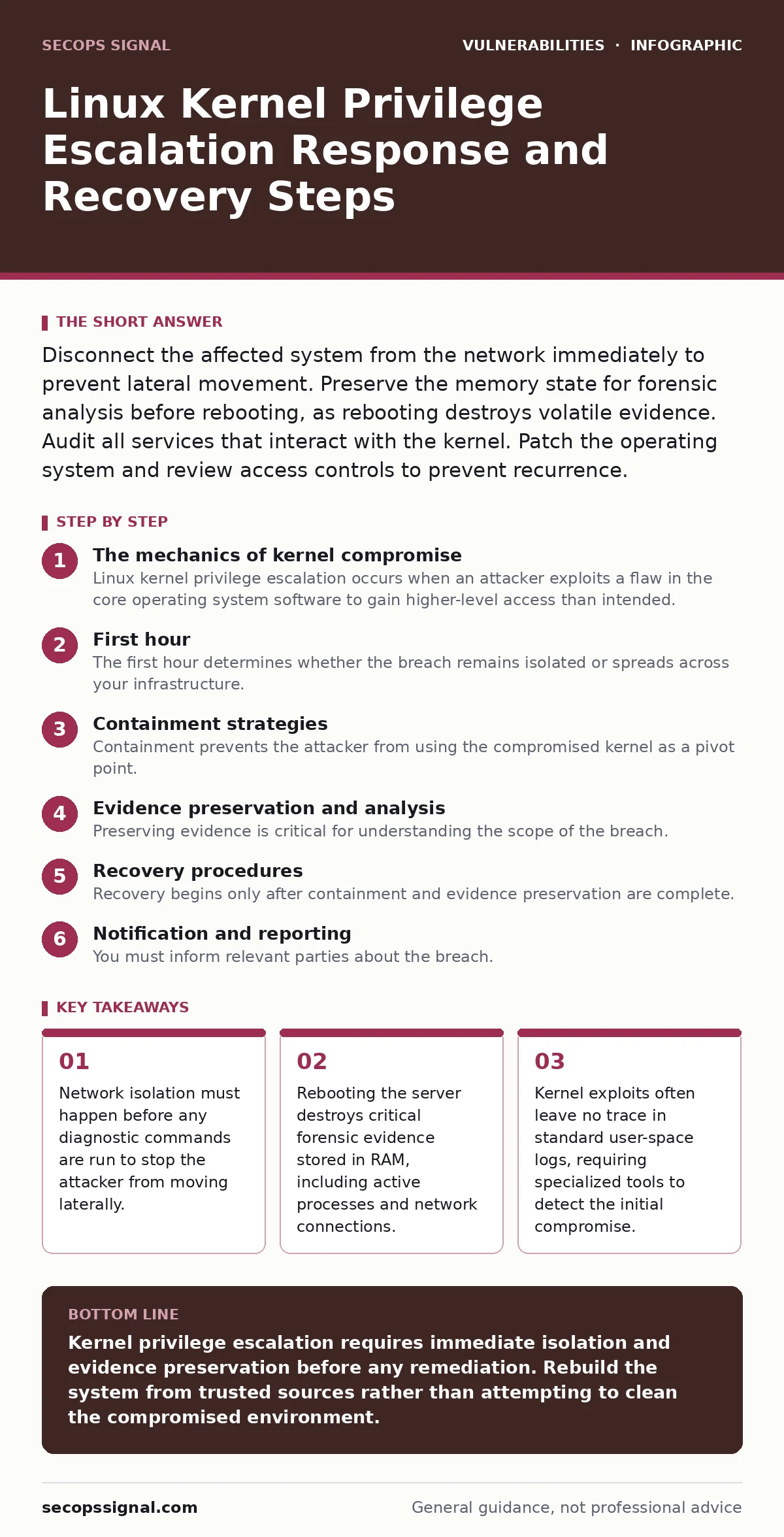
Disconnect the affected system from the network immediately to prevent lateral movement. Preserve the memory state for forensic analysis before rebooting, as rebooting destroys volatile evidence. Audit all services that interact with the kernel. Patch the operating system and review access controls to prevent recurrence.
The mechanics of kernel compromise
Linux kernel privilege escalation occurs when an attacker exploits a flaw in the core operating system software to gain higher-level access than intended. The kernel manages hardware resources and enforces security boundaries between processes. When this boundary is breached, the attacker gains root access, which overrides all user-space security controls. This type of compromise is particularly dangerous because it renders standard security tools ineffective. The attacker can hide processes, modify logs, and install persistent backdoors that survive reboots. Understanding the depth of this breach helps you prioritize the correct response actions.
First hour
The first hour determines whether the breach remains isolated or spreads across your infrastructure. Speed and precision matter more than thoroughness at this stage. Your goal is to stop the bleeding and preserve evidence. Do not attempt to fix the vulnerability yet. Focus entirely on containment and documentation.
- Disconnect the server from the network physically or via firewall rules.
- Document the current time and your actions for the incident timeline.
- Capture a memory dump if specialized forensic tools are available.
- Identify all users and processes currently active on the system.
- Check for new network connections or listening ports that were not previously authorized.
Containment strategies
Containment prevents the attacker from using the compromised kernel as a pivot point. The kernel controls network interfaces, file systems, and process execution. An attacker with kernel-level access can intercept traffic, modify disk contents, and spawn hidden processes. You must assume the attacker has full control of the system. Do not trust any data on the compromised machine. Isolate the system from all other networks, including management interfaces. If the server hosts critical services, switch traffic to a standby system if one exists. This ensures business continuity while you investigate the breach.
Evidence preservation and analysis
Preserving evidence is critical for understanding the scope of the breach. Standard log files may have been tampered with or deleted by the attacker. You need to capture the state of the system before it changes. Memory dumps contain information about running processes, open files, and network connections. Disk images preserve the file system state. Use write-blockers to prevent accidental modification of the disk during imaging. Analyze the memory dump for suspicious kernel modules or unusual process behavior. Look for indicators of compromise that do not appear in standard logs. This analysis helps you determine how the attacker entered the system and what they accessed.
Recovery procedures
Recovery begins only after containment and evidence preservation are complete. You cannot simply patch the vulnerability and restart services. The attacker may have installed persistent backdoors or modified system binaries. The safest approach is to rebuild the server from a known-good image. Restore data from backups that were created before the breach. Verify the integrity of the restored data. If rebuilding is not possible, perform a thorough manual audit of all system files and configurations. Compare file hashes against known-good values. Remove any unauthorized kernel modules or services. Update the operating system to the latest version to fix the exploited vulnerability.
Notification and reporting
You must inform relevant parties about the breach. Internal stakeholders need to understand the impact on business operations. Customers may need to be notified if their data was accessed. Regulatory bodies may require reporting depending on the type of data involved. Be transparent and factual. Avoid speculation. Provide a clear timeline of events and the steps taken to contain and recover from the breach. Consult with legal counsel to ensure compliance with data protection laws. Proper notification builds trust and minimizes legal liability.
Preventing recurrence
Preventing future kernel privilege escalation requires a multi-layered defense strategy. Keep the operating system and all software up to date. Apply security patches as soon as they are released. Minimize the attack surface by disabling unnecessary services and ports. Use strict access controls to limit who can interact with the kernel. Implement security monitoring tools that detect suspicious kernel behavior. Regularly audit system configurations and user privileges. Educate staff about the risks of running untrusted software. While you cannot eliminate all risks, these measures significantly reduce the likelihood of a successful breach.
Related security considerations
Kernel vulnerabilities often interact with other security issues. For example, sudo vulnerabilities can provide an alternative path to privilege escalation if the kernel is secure. Understanding these adjacent risks helps you build a more resilient defense. Similarly, container image scanning can prevent the deployment of vulnerable base images that might contain kernel flaws. By addressing these related areas, you create a deeper security posture that is harder for attackers to breach.
Checklist for the first hour
Use this checklist to ensure you do not miss critical steps during the initial response. Each item is designed to stabilize the situation and preserve evidence.
- Isolate the system from the network.
- Document the incident timeline.
- Capture memory and disk images.
- Identify active processes and network connections.
- Disable remote access to the server.
- Notify the incident response team.
- Preserve all logs and audit trails.
Long-term security improvements
Beyond immediate recovery, consider long-term improvements to your security architecture. Implement kernel hardening techniques such as enabling kernel patching without reboots. Use security-enhanced Linux modules to enforce strict access controls. Regularly test your incident response plan through simulations. Review and update your security policies to reflect new threats. Engage with the security community to stay informed about emerging vulnerabilities. A proactive approach to security reduces the impact of future breaches.
Key takeaways
- Network isolation must happen before any diagnostic commands are run to stop the attacker from moving laterally.
- Rebooting the server destroys critical forensic evidence stored in RAM, including active processes and network connections.
- Kernel exploits often leave no trace in standard user-space logs, requiring specialized tools to detect the initial compromise.
Kernel privilege escalation requires immediate isolation and evidence preservation before any remediation. Rebuild the system from trusted sources rather than attempting to clean the compromised environment.
Frequently asked questions
Can I just patch the kernel and restart the server?
No, patching does not remove backdoors or modified files the attacker may have installed. You must rebuild the system or perform a thorough manual audit to ensure complete removal of malicious components.
How do I know if my kernel is vulnerable?
Regularly check for security advisories from your operating system vendor. Use vulnerability scanning tools to identify known flaws. Keep your system updated with the latest security patches.
What is the difference between user-space and kernel-space exploits?
User-space exploits affect applications running above the kernel, while kernel-space exploits affect the core operating system. Kernel exploits are more severe because they bypass all user-space security controls.
Should I use a firewall to stop kernel exploits?
Firewalls can block network-based attacks but cannot prevent local privilege escalation. You must combine network security with host-based protections and regular patching.
How this guide was produced: written by the SecOps Signal editorial team with AI assistance, checked against the public references listed below, and reviewed when the facts change. See our editorial policy or report an error.