What Is SEO Poisoning: How Search Manipulation Targets Your Business
SEO poisoning redirects users from legitimate search results to malware-hosting pages, bypassing browser warnings through trusted search engine referrals.

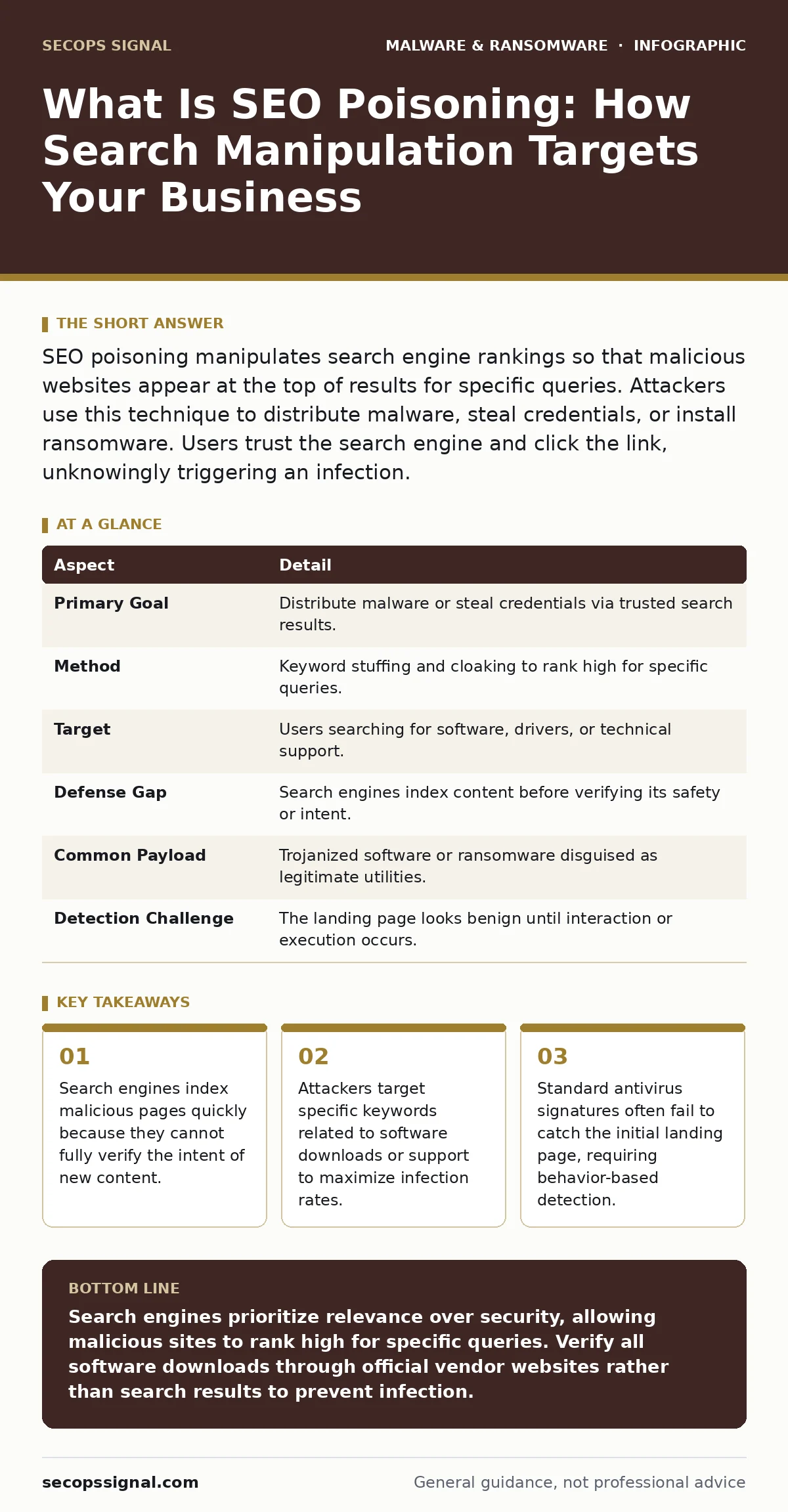
SEO poisoning manipulates search engine rankings so that malicious websites appear at the top of results for specific queries. Attackers use this technique to distribute malware, steal credentials, or install ransomware. Users trust the search engine and click the link, unknowingly triggering an infection.
Everyday Analogy for Search Manipulation
Imagine a library where librarians recommend books based on popularity. A malicious actor prints fake bestsellers and places them on the front table. Readers trust the librarian’s placement and pick up the fake book. Inside, the pages contain instructions to dismantle the library. The trust in the librarian masks the danger of the content.
Search engines act as librarians. They rank pages by relevance and popularity. Attackers exploit this ranking system. They create pages that look legitimate and optimize them for specific search terms. When users search for those terms, the malicious page appears first. The user trusts the search result, not realizing the destination is hostile.
At a Glance: SEO Poisoning Mechanics
| Aspect | Detail |
|---|---|
| Primary Goal | Distribute malware or steal credentials via trusted search results. |
| Method | Keyword stuffing and cloaking to rank high for specific queries. |
| Target | Users searching for software, drivers, or technical support. |
| Defense Gap | Search engines index content before verifying its safety or intent. |
| Common Payload | Trojanized software or ransomware disguised as legitimate utilities. |
| Detection Challenge | The landing page looks benign until interaction or execution occurs. |
What Is SEO Poisoning and How It Works
SEO poisoning is the deliberate manipulation of search engine optimization techniques to make malicious websites appear as top results for specific queries. Attackers identify high-value keywords that users frequently search. These keywords often relate to software downloads, plugin updates, or technical troubleshooting. The attacker creates a website that mirrors the look and feel of legitimate support sites or download portals.
The technical execution relies on cloaking. Cloaking is a technique where the server shows different content to search engine crawlers than to human users. The crawler sees a page filled with relevant keywords and clean code. The human user sees a page that prompts a download or asks for login credentials. This discrepancy allows the malicious page to rank highly while hiding its true purpose from automated scanners.
Attackers also use keyword stuffing. This involves loading a page with repetitive variations of the target search term. Search algorithms may initially boost the page due to perceived relevance. Once the page gains traction, the attacker uses social engineering to drive traffic. They may post links on forums or social media to accelerate indexing and ranking. The speed of search engine indexing works against the victim. The malicious page appears before any reputation checks can flag it.
Who It Affects and Why Trust Fails
Any organization that relies on web searches for software or support is vulnerable. Small businesses are particularly at risk because they often lack dedicated security teams to verify downloads. Employees search for solutions to immediate problems. They see a result that matches their query exactly. They assume the search engine has vetted the destination. This assumption is the core vulnerability.
Search engines prioritize relevance and user engagement over security verification. A new site can rank high if it matches keywords perfectly and loads quickly. The search engine does not know if the file hosted on that site contains malware. The trust transfer is implicit. Users transfer their trust in the search engine to the linked website. Attackers exploit this psychological shortcut.
The impact extends beyond initial infection. Once malware is installed, it can move laterally across the network. It may establish persistence or exfiltrate data. The initial entry point was a trusted search result, which complicates incident response. Investigators may overlook the search log as a vector, focusing instead on email or network traffic.
Common Misconceptions About Search Safety
Many people believe that search engines filter out malicious content effectively. This belief is incorrect. Search engines index billions of pages. They cannot manually verify every page. They rely on algorithms that measure relevance, speed, and backlinks. Malicious actors manipulate these signals. A page can be technically optimized while hosting harmful payloads.
Another misconception is that antivirus software will block all downloads from the web. Signature-based detection relies on known patterns of malware. New or obfuscated malware may not match existing signatures. Attackers often use packers and crypters to hide the true code structure. These tools compress or encrypt the malware payload, making it look like legitimate software to basic scanners. The malware only decrypts when executed, at which point it is too late for signature checks.
Some users think that HTTPS guarantees safety. HTTPS encrypts the connection between the browser and the server. It does not verify the content of the website. A malicious site can have a valid SSL certificate. The padlock icon indicates encryption, not trustworthiness. Users see the padlock and assume the site is safe from attacks. This visual cue provides a false sense of security.
Defending Against Search Result Attacks
Defense requires shifting trust from the source to the verification process. You must verify software downloads through official channels, not search results. Bookmark vendor websites directly. Use these bookmarks to navigate to download pages. This bypasses the search engine entirely. It eliminates the risk of clicking a poisoned result.
Implement behavior-based detection on your endpoints. This security method monitors how programs act rather than what they look like. It can detect suspicious behavior such as rapid file encryption or unauthorized network connections. This approach catches zero-day malware that signature scanners miss. It provides a layer of protection even if the initial download slips through.
Educate users on the risks of search-based downloads. Training should emphasize that search results are not security-vetted. Users should check the URL carefully. They should look for slight variations in domain names. Phishing sites often use typosquatting, where they mimic legitimate domains with minor spelling errors. A single missing character can indicate a hostile site.
Integrating Broader Security Controls
Search poisoning is often part of a broader attack campaign. Attackers may combine it with other techniques to maximize impact. They might use remote access tool abuse to maintain control after the initial infection. This allows them to bypass local security controls and move freely within the network. Understanding these connections helps in building a holistic defense.
You should also review your macro security settings. Some downloaded documents contain macros that execute malicious code. If a user downloads a "technical guide" from a search result, it may be a PDF or Word document with embedded scripts. Tightening macro settings prevents these scripts from running. This reduces the attack surface for document-based malware.
Regular offline backups are critical for recovery. If ransomware executes from a poisoned download, it may encrypt available data. Offline backups remain inaccessible to the malware. They allow you to restore data without paying a ransom. This strategy mitigates the financial impact of an attack. It ensures business continuity even after a successful intrusion.
Monitoring and Incident Response
Monitor network traffic for unusual outbound connections. Malware often communicates with command and control servers. These connections may look like normal web traffic. Analyzing traffic patterns can reveal suspicious activity. Look for connections to new or unknown domains. Investigate any device that attempts to contact external servers unexpectedly.
When an infection occurs, isolate the affected device immediately. Disconnect it from the network to prevent lateral movement. Preserve logs for forensic analysis. Determine how the malware entered the system. Was it a download from a search result? Identify the keyword used. This helps in understanding the attacker’s targeting strategy. It also helps in blocking similar future attempts.
Update your security policies to reflect these risks. Include procedures for verifying software sources. Require dual verification for critical downloads. Encourage users to report suspicious search results. A culture of skepticism strengthens your overall security posture. It turns users into active defenders against social engineering and search manipulation.
Key takeaways
- Search engines index malicious pages quickly because they cannot fully verify the intent of new content.
- Attackers target specific keywords related to software downloads or support to maximize infection rates.
- Standard antivirus signatures often fail to catch the initial landing page, requiring behavior-based detection.
Search engines prioritize relevance over security, allowing malicious sites to rank high for specific queries. Verify all software downloads through official vendor websites rather than search results to prevent infection.
Frequently asked questions
Can search engines detect SEO poisoning automatically?
Search engines use automated filters to remove spam, but they cannot fully verify the safety of every page. Malicious sites can bypass these filters by mimicking legitimate content and using cloaking techniques.
Is clicking a search result ever safe?
Clicking search results is common, but you must verify the destination. Look for official domain names and HTTPS encryption. Avoid downloading software from any site not directly bookmarked from the vendor’s official site.
How does SEO poisoning differ from phishing?
Phishing typically involves deceptive emails or messages tricking users into clicking links. SEO poisoning manipulates search engine rankings to make malicious sites appear legitimate and trusted in search results.
Do firewalls stop SEO poisoning attacks?
Firewalls block unauthorized network access but do not inspect the content of allowed web traffic. They may not stop downloads from malicious sites if the traffic appears as standard web browsing.
How this guide was produced: written by the SecOps Signal editorial team with AI assistance, checked against the public references listed below, and reviewed when the facts change. See our editorial policy or report an error.