PowerShell Abuse Myths: What Security Teams Get Wrong
PowerShell is not inherently malicious, and blocking it entirely breaks legitimate administration while leaving advanced threats undetected by basic signature scanners.
Blocking PowerShell is impossible without breaking IT operations. The real risk lies in obfuscated scripts and default logging gaps. You must enable Module and Script Block logging to catch malicious activity that bypasses standard antivirus and firewall rules.
Myth: Blocking PowerShell Stops the Attack
Reality: You cannot block PowerShell without breaking your own infrastructure. Modern operating systems rely on this scripting language for routine maintenance, software updates, and configuration management. When you attempt to disable it via Group Policy, you often break legitimate administrative tools that depend on it to function. Attackers do not need to bring their own tools because the environment already contains a powerful, built-in command-line interface.
Imagine a scenario where an IT administrator tries to disable PowerShell to secure a server. The result is a system that cannot apply security patches or run diagnostic scripts. The attacker, meanwhile, may have already established persistence before the block was applied. Blocking the tool creates a false sense of security while introducing operational fragility. The focus must shift from prevention of execution to detection of malicious behavior during execution.
Myth: Antivirus Detects All Malicious Scripts
Reality: Traditional antivirus solutions struggle with PowerShell because the scripts are often short, dynamic, and unique to each attack. Signature-based detection relies on recognizing known patterns of malicious code. If an attacker changes a few variable names or restructures the logic, the signature no longer matches. This allows malicious scripts to slip through defenses that are tuned for static file types like executables.
Behavioral analysis helps, but it is not perfect. PowerShell scripts can perform legitimate actions in a malicious sequence. For example, a script might download a harmless image file and then use that image to encrypt data. The individual actions look normal, but the combination is destructive. This is why visibility into the script content is more valuable than scanning the file hash. You need to see what the script is doing, not just what it looks like.
Myth: Obfuscation Is Always Complex Code
Reality: Obfuscation does not require sophisticated encryption or complex algorithms. It often involves simple techniques like encoding strings in Base64 or breaking commands into smaller, unreadable fragments. These methods hide the true intent of the script from casual inspection and simple text searches. An attacker can hide a command to download a payload inside a string that looks like random noise.
Suppose an attacker uses a simple encoding method to hide a command. A basic log review might show a long string of characters that appears benign. Without decoding that string, you miss the malicious instruction. This is why logging solutions must be capable of capturing the decoded content of script blocks. Without this capability, your logs contain clues that you cannot read. The complexity of the attack is often in the hiding, not the action.
Myth: Default Logging Is Sufficient for Detection
Reality: Default PowerShell logging records that a script ran, but it does not record the content of the script. This means you know something happened, but you do not know what it did. Attackers exploit this gap by using legitimate commands in malicious ways. For example, they might use a standard command to query the network, but the output is used to exfiltrate data.
To close this gap, you must enable Module Logging and Script Block Logging. These features capture the actual code that is executed, including decoded content. This allows you to see the true intent of the script. Without these settings, your logs are incomplete. You are watching a movie with the audio turned off. You see the actors moving, but you do not hear what they are saying. This lack of context makes it nearly impossible to distinguish between normal administration and malicious activity.
Myth: PowerShell Is Only Used by External Hackers
Reality: Insider threats and compromised accounts frequently use PowerShell for lateral movement and privilege escalation. Once an attacker has a foothold on one machine, they use PowerShell to move to other systems. This is because PowerShell provides a consistent interface across different operating systems within a network. It allows attackers to automate tasks that would otherwise take hours to perform manually.
Imagine an employee whose credentials are stolen via phishing. The attacker uses those credentials to log in and run PowerShell commands. To the system, this looks like a legitimate user performing administrative tasks. The difference is intent. Without proper user and entity behavior analytics, this activity blends in with normal operations. This is why monitoring for unusual command patterns is critical. You must look for actions that deviate from the user's normal behavior, not just for known malicious signatures.
See also: SIEM Benefits and Limitations: When Security Monitoring Pays Off · Deception Technology Explained: How Fake Assets Trap Attackers
Myth: Disabling Execution Policy Stops Abuse
Reality: The Execution Policy only restricts the loading of configuration files and scripts from the file system. It does not prevent the execution of commands entered directly into the console or passed via the -Command parameter. Attackers easily bypass this by using the -EncodedCommand parameter or by piping commands directly into the PowerShell engine. This policy is a safety feature for users, not a security control for threats.
Suppose you set the Execution Policy to "Restricted". An attacker can still run malicious code by typing it directly into the command line. The policy does not stop this because no file is being loaded. This misconception leads organizations to believe they are protected when they are not. The Execution Policy should not be relied upon as a defense mechanism. Instead, focus on logging and monitoring all PowerShell activity, regardless of how it is invoked.
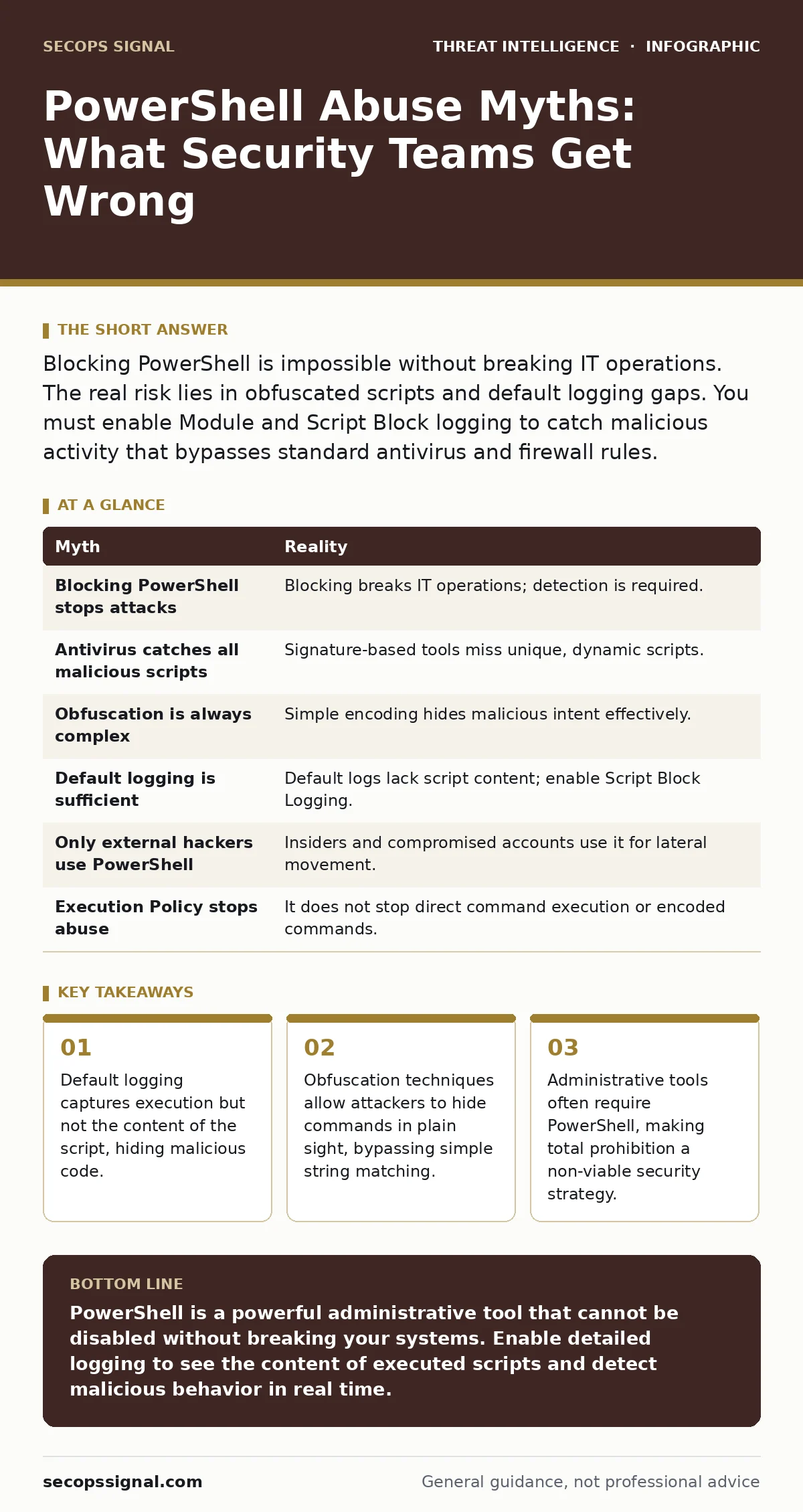
Summary of Myths and Realities
| Myth | Reality |
|---|---|
| Blocking PowerShell stops attacks | Blocking breaks IT operations; detection is required. |
| Antivirus catches all malicious scripts | Signature-based tools miss unique, dynamic scripts. |
| Obfuscation is always complex | Simple encoding hides malicious intent effectively. |
| Default logging is sufficient | Default logs lack script content; enable Script Block Logging. |
| Only external hackers use PowerShell | Insiders and compromised accounts use it for lateral movement. |
| Execution Policy stops abuse | It does not stop direct command execution or encoded commands. |
Key takeaways
- Default logging captures execution but not the content of the script, hiding malicious code.
- Obfuscation techniques allow attackers to hide commands in plain sight, bypassing simple string matching.
- Administrative tools often require PowerShell, making total prohibition a non-viable security strategy.
PowerShell is a powerful administrative tool that cannot be disabled without breaking your systems. Enable detailed logging to see the content of executed scripts and detect malicious behavior in real time.
Frequently asked questions
How do I enable Script Block Logging?
You can enable it via Group Policy by navigating to Administrative Templates, Windows Components, Windows PowerShell, and turning on Turn On Script Block Logging.
Does PowerShell logging impact system performance?
Yes, detailed logging increases disk I/O and storage requirements. Balance the level of detail with your storage capacity and retention policies.
Can I use PowerShell for security automation?
Yes, PowerShell is widely used for security tasks. Just ensure that your security scripts are also logged and monitored for anomalies.
How do I detect obfuscated PowerShell commands?
Use a SIEM solution that can decode and analyze script blocks in real time. Look for patterns that indicate decoding or unusual command structures.
How this guide was produced: written by the SecOps Signal editorial team with AI assistance, checked against the public references listed below, and reviewed when the facts change. See our editorial policy or report an error.