How SOAR Works: The Mechanics of Automated Threat Response
SOAR systems do not just alert you to threats; they execute predefined playbooks to contain incidents before human analysts can review the data.
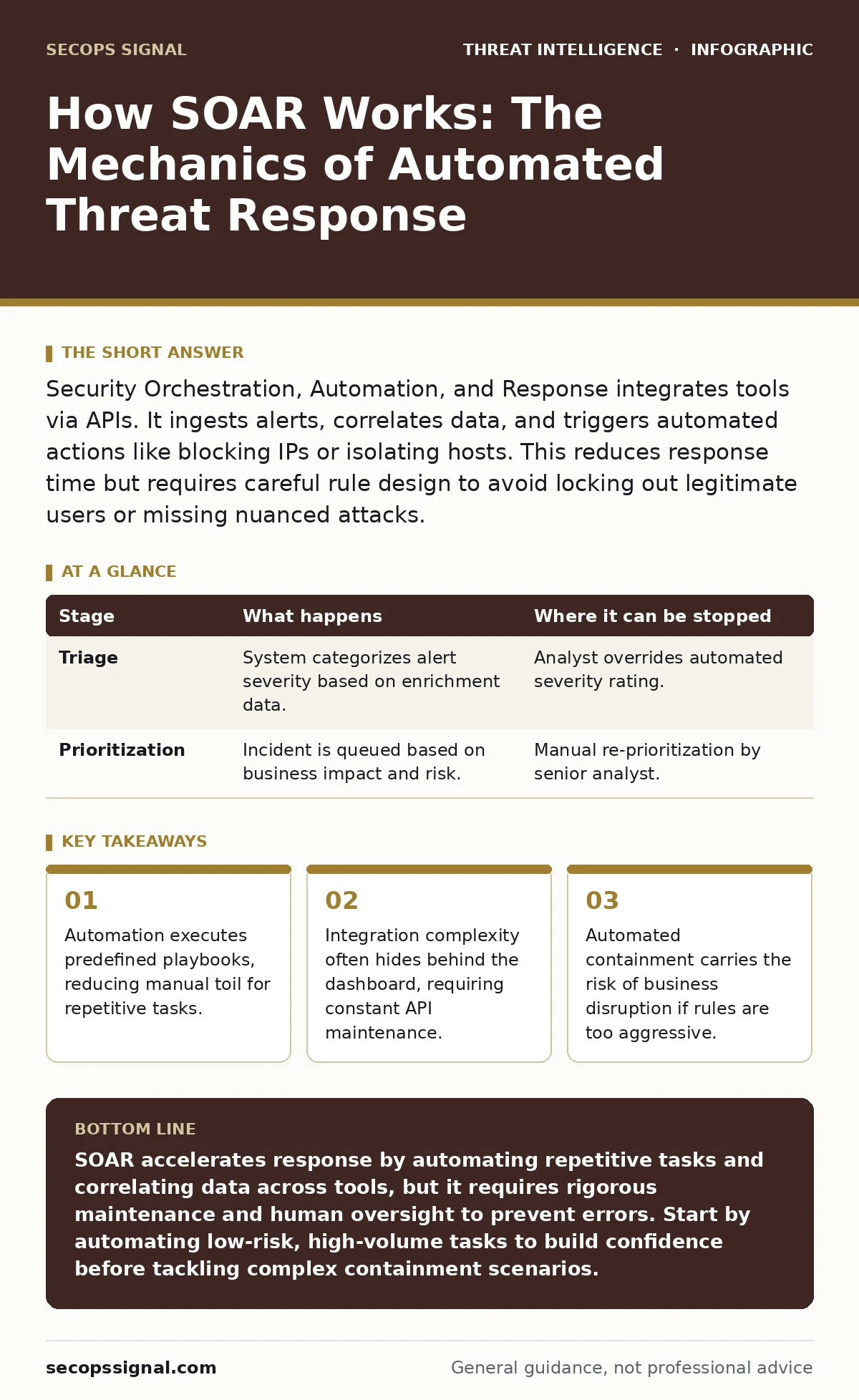
Security Orchestration, Automation, and Response integrates tools via APIs. It ingests alerts, correlates data, and triggers automated actions like blocking IPs or isolating hosts. This reduces response time but requires careful rule design to avoid locking out legitimate users or missing nuanced attacks.
The Integration Layer
Security tools rarely speak the same language. A firewall logs connections, an endpoint detects malware, and an email gateway flags suspicious attachments. SOAR (Security Orchestration, Automation, and Response) sits between these disparate systems. It connects to them using APIs (Application Programming Interfaces), which are standardized rules that allow different software applications to communicate.
You configure connectors for each tool. These connectors translate the unique data format of a firewall into a standard schema the SOAR platform understands. This translation is the first hurdle. If the API changes or the vendor updates their data structure, the connector breaks. You lose visibility until the connector is patched. This hidden maintenance cost is often underestimated during deployment.
Alert Ingestion and Normalization
When a security event occurs, the source tool sends an alert to the SOAR platform. The platform does not immediately act. First, it ingests the raw data. This data is rarely clean. It may contain free-text fields, inconsistent timestamps, or missing context. The system normalizes this data into a common format. This process, called normalization, ensures that an IP address from a firewall looks the same as an IP address from a web proxy.
Without normalization, correlation fails. The system cannot link a login failure on a server to a malicious email received by the same user if the user identifier is formatted differently in each log. You must define mapping rules to align fields across all connected tools. This step is tedious but necessary. It creates a single source of truth for the incident.
Context Enrichment
A raw alert lacks context. An IP address flagged as malicious might be a legitimate customer using a compromised router. The SOAR platform enriches the alert by querying external and internal sources. It checks threat intelligence feeds, internal asset databases, and historical logs. This process adds layers of information to the initial alert.
For example, the system might determine that the flagged IP belongs to a critical vendor. It might also check if the user associated with the alert is currently on approved leave. This context determines the severity of the incident. It prevents the system from treating a high-profile vendor connection as a simple blockable threat. You rely on accurate internal data here. If your asset database is outdated, the enrichment adds noise rather than clarity.
Playbook Execution
Once the alert is enriched, the SOAR engine evaluates it against a playbook. A playbook is a sequence of automated actions defined by security teams. It maps specific conditions to specific responses. If the condition matches, the system executes the steps. This is the core of automation. It replaces manual copy-pasting of data between tools with a single, triggered workflow.
Playbooks can range from simple tasks, like updating a ticketing system, to complex containment strategies. They often reference the MITRE ATT&CK framework to categorize the technique being used. This standardization helps analysts understand the adversary's behavior. However, playbooks are rigid. They follow the path you designed. If the attack deviates from the expected pattern, the playbook may not trigger or may execute incorrectly.
Stage 1: Triage and Prioritization
| Stage | What happens | Where it can be stopped |
|---|---|---|
| Triage | System categorizes alert severity based on enrichment data. | Analyst overrides automated severity rating. |
| Prioritization | Incident is queued based on business impact and risk. | Manual re-prioritization by senior analyst. |
Automated Containment
If the playbook determines a high-confidence threat, it initiates containment. This might involve isolating a host from the network, disabling a user account, or blocking an IP address at the firewall. The SOAR platform sends commands to the respective tools to execute these actions. This happens in seconds, far faster than human intervention.
This speed is a double-edged sword. An incorrect rule can isolate a critical server or lock out a key employee. The system does not understand business context; it only follows logic. You must design containment steps with safety checks. For instance, the system should never disable an account if the user is currently logged in via a remote session that cannot be terminated gracefully.
Stage 2: Containment and Action
| Stage | What happens | Where it can be stopped |
|---|---|---|
| Containment | System executes isolation or blocking commands. | Manual cancellation before command execution. |
| Action | Tools apply changes (e.g., firewall rule added). | Tool failure or API error prevents action. |
See also: Endpoint Telemetry Explained: The Hidden Signals That Reveal Threats · How Tactical Threat Intelligence Works: From Data to Defense
Human-in-the-Loop Review
Not every incident should be fully automated. For low-confidence alerts or actions with high business impact, the SOAR platform pauses and requests human approval. This is known as human-in-the-loop automation. The system presents the enriched data and the proposed action to an analyst. The analyst reviews the context and approves or rejects the action.
This step balances speed with safety. It prevents automated errors from causing outages. However, it introduces latency. If the analyst is unavailable, the incident remains uncontained. You must define clear thresholds for when automation takes over and when human judgment is required. This balance shifts as your team gains confidence in the system's accuracy.
Stage 3: Human Review and Decision
| Stage | What happens | Where it can be stopped |
|---|---|---|
| Review | Analyst examines enriched data and proposed actions. | Analyst rejects automated recommendation. |
| Decision | Analyst approves or modifies the containment step. | Analyst chooses a different containment method. |
Post-Incident Documentation
After the incident is resolved, the SOAR platform generates a report. This report includes all actions taken, timestamps, and the rationale for each decision. It integrates with digital forensics and incident response processes to provide a clear audit trail. This documentation is vital for compliance and for improving future playbooks.
The system also updates its own rules based on the outcome. If an alert was a false positive, the system can learn to suppress similar alerts in the future. This continuous improvement reduces noise over time. However, you must monitor this learning process. Automated tuning can inadvertently suppress legitimate threats if the feedback loop is not carefully managed.
Limits of Automation
SOAR is not a silver bullet. It automates known processes but cannot handle novel threats that fall outside predefined playbooks. It relies on the quality of its inputs. If your SIEM (Security Information and Event Management) system misses an event, the SOAR platform never sees it. Garbage in, garbage out.
Furthermore, automation can create a false sense of security. Teams may become complacent, assuming the system handles everything. This leads to a lack of manual skill development. When the automation fails, the team may not have the skills to respond manually. You must maintain manual response capabilities alongside your automated workflows.
Key takeaways
- Automation executes predefined playbooks, reducing manual toil for repetitive tasks.
- Integration complexity often hides behind the dashboard, requiring constant API maintenance.
- Automated containment carries the risk of business disruption if rules are too aggressive.
SOAR accelerates response by automating repetitive tasks and correlating data across tools, but it requires rigorous maintenance and human oversight to prevent errors. Start by automating low-risk, high-volume tasks to build confidence before tackling complex containment scenarios.
Frequently asked questions
Does SOAR replace a SIEM?
No, SOAR complements a SIEM. The SIEM collects and correlates logs, while SOAR acts on the alerts generated by the SIEM and other tools.
How long does it take to deploy SOAR?
Deployment varies based on the number of integrations and playbook complexity. Initial setup can take weeks, but full maturity takes months of tuning.
How this guide was produced: written by the SecOps Signal editorial team with AI assistance, checked against the public references listed below, and reviewed when the facts change. See our editorial policy or report an error.