Data Masking Best Practices to Protect Sensitive Records
Proper data masking replaces sensitive values with realistic fakes, allowing teams to test systems without exposing actual customer information to risk.

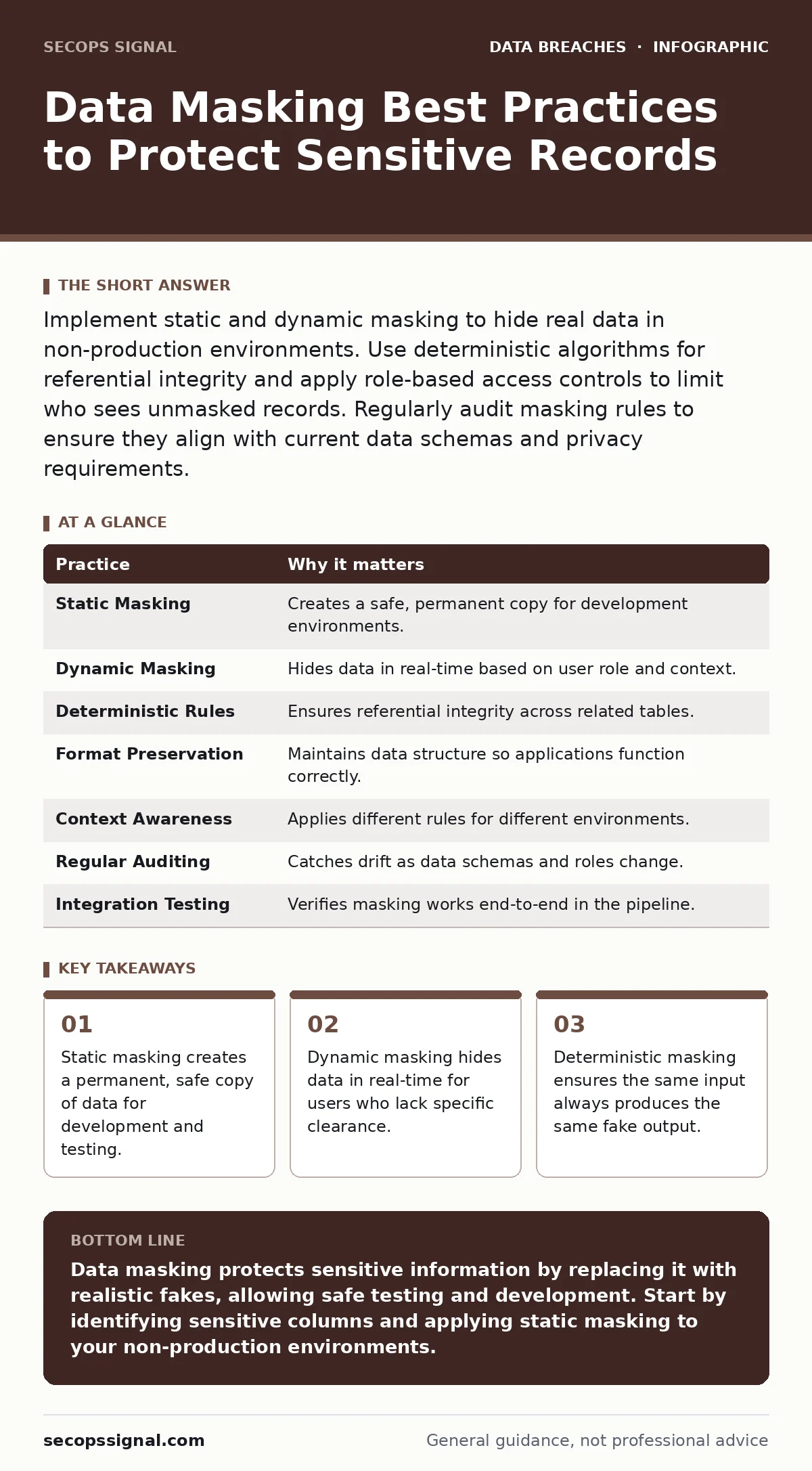
Implement static and dynamic masking to hide real data in non-production environments. Use deterministic algorithms for referential integrity and apply role-based access controls to limit who sees unmasked records. Regularly audit masking rules to ensure they align with current data schemas and privacy requirements.
Defining the Masking Boundary
Data masking is the process of obscuring specific data within a database to protect sensitive information. It differs from encryption because the masked data is not intended to be reversed. Instead, it replaces real values with realistic but fictitious substitutes. This allows developers and testers to work with data that behaves like the real thing without risking exposure.
You must decide which data requires masking before you begin. Not every field needs protection. Identifying sensitive columns early prevents accidental exposure in logs or backups. This decision directly impacts how you configure your database security policies.
| Practice | Why it matters |
|---|---|
| Static Masking | Creates a safe, permanent copy for development environments. |
| Dynamic Masking | Hides data in real-time based on user role and context. |
| Deterministic Rules | Ensures referential integrity across related tables. |
| Format Preservation | Maintains data structure so applications function correctly. |
| Context Awareness | Applies different rules for different environments. |
| Regular Auditing | Catches drift as data schemas and roles change. |
| Integration Testing | Verifies masking works end-to-end in the pipeline. |
1. Apply Static Masking for Non-Production Data
Static masking involves transforming data at rest. You take a copy of production data, run it through a masking engine, and store the result. This is the standard for development and testing environments. The original data remains secure in production, while teams use the sanitized copy.
The reasoning here is isolation. Developers do not need real customer names to test a login feature. They need data that follows the same patterns. Using static masking reduces the attack surface significantly. If a developer’s machine is compromised, the attacker finds only fake data.
Tip: Schedule static masking jobs to run automatically after each production backup. This ensures your test environments are always current without manual intervention.
2. Use Dynamic Masking for Live Queries
Dynamic masking hides data in real-time. When a user queries a database, the system checks their permissions. If they lack clearance, the system returns masked values. If they have clearance, they see the real data. This happens instantly, without creating a separate copy.
This approach is vital for shared environments. Suppose a support agent needs to verify an account number but should not see the full credit card number. Dynamic masking allows them to see the last four digits while hiding the rest. It balances usability with security.
Tip: Configure dynamic masking rules at the column level. This granular control ensures that only specific sensitive fields are hidden, leaving non-sensitive data accessible for troubleshooting.
3. Enforce Deterministic Masking for Referential Integrity
Deterministic masking ensures that the same input always produces the same output. If "John Doe" is masked as "Jane Smith" in one table, it must appear as "Jane Smith" in all related tables. Without this, your data loses its relational structure.
This is critical for testing complex queries. If foreign keys do not match, joins will fail. Your tests will produce false negatives. Deterministic algorithms solve this by mapping real values to specific fake values consistently.
Tip: Use a lookup table or a hashing function with a fixed salt for deterministic masking. This guarantees consistency across multiple runs and tables.
4. Preserve Data Format and Length
The masked data must look like the real data. If a phone number field expects ten digits, the masked value must also have ten digits. If an application validates email formats, the fake email must contain an "@" symbol and a valid domain structure.
Failure to preserve format breaks applications. Developers will spend hours debugging code that is actually functioning correctly, only to find the issue is invalid test data. This wastes time and frustrates teams.
Tip: Use format-preserving encryption or specialized masking libraries that understand data types. These tools automatically adjust the fake data to match the original schema constraints.
See also: How Parameterized Queries Stop SQL Injection Attacks · Medical Identity Theft Warning Signs and Response Steps
5. Align Masking with User Access Provisioning
Masking rules should reflect your access control policies. Not every user needs the same level of visibility. A junior analyst might see fully masked data, while a senior auditor sees partially masked data.
This integration reduces the risk of insider threats. Even if an account is compromised, the attacker inherits the masking rules of that role. They cannot see more data than the legitimate user could. This ties directly into how you manage user access provisioning.
Tip: Review masking policies whenever you create or modify user roles. Ensure that the masking level matches the sensitivity of the data the role is supposed to access.
6. Audit Masking Rules Regularly
Data schemas change. New columns are added. Old columns are deprecated. If your masking rules are static, they may stop covering new sensitive data. This creates blind spots where real data appears in test environments.
Regular audits catch these drifts. You check the masking configuration against the current database schema. You verify that all sensitive columns are covered. This prevents accidental exposure due to oversight.
Tip: Integrate masking audits into your change management process. Before any schema update goes live, verify that the masking engine is configured to handle the new fields.
7. Test Masking in the Full Pipeline
Masking does not happen in a vacuum. Data moves through ETL jobs, APIs, and reporting tools. You must test that masking survives these transitions. If a report pulls data from a masked database, the report must display masked values.
Failure to test the full pipeline leads to leaks. A developer might mask the database but forget to mask the API response. The data is safe in the source but exposed in transit. This is a common gap in credential exposure scenarios where tokens are misconfigured.
Tip: Create automated tests that query the masked data through your application layer. Verify that the output matches the expected masked format.
8. Consider Data Extortion Risks
Masked data is not a silver bullet. If your production database is encrypted and you lose the keys, you face data extortion. Attackers may threaten to publish your data unless you pay. Masking does not help here if the production data is exposed.
However, masking reduces the value of stolen non-production data. If attackers breach your test environment, they find only fake records. This limits the damage and reduces the incentive for further attacks.
Tip: Ensure your backup strategy includes both masked and unmasked copies, stored in separate, secure locations. This provides recovery options without compromising security.
9. Document Masking Policies for Compliance
Regulations often require proof that you protect sensitive data. Documentation is your evidence. You must record which data is masked, how it is masked, and who can access unmasked data.
This documentation helps during audits. It shows that you have a systematic approach to data protection. It also helps new team members understand the security model.
Tip: Store masking policies in your version control system. This allows you to track changes over time and revert to previous configurations if needed.
Key takeaways
- Static masking creates a permanent, safe copy of data for development and testing.
- Dynamic masking hides data in real-time for users who lack specific clearance.
- Deterministic masking ensures the same input always produces the same fake output.
Data masking protects sensitive information by replacing it with realistic fakes, allowing safe testing and development. Start by identifying sensitive columns and applying static masking to your non-production environments.
Frequently asked questions
What is the difference between data masking and data encryption?
Encryption transforms data into ciphertext that can be reversed with a key. Masking replaces data with fake values that cannot be reversed. Encryption protects data at rest and in transit. Masking protects data from users who should not see it.
Can I use data masking for production environments?
Yes, dynamic masking is designed for production. It hides data in real-time for users without clearance. Static masking is not suitable for production because it creates a separate copy of the data.
Does data masking protect against SQL injection?
No. Data masking does not prevent SQL injection attacks. It only obscures the data if an attacker successfully extracts it. You must use parameterized queries and input validation to prevent SQL injection.
How do I choose between static and dynamic masking?
Use static masking for development and testing environments where data does not change frequently. Use dynamic masking for production environments where data changes in real-time and different users need different levels of access.
How this guide was produced: written by the SecOps Signal editorial team with AI assistance, checked against the public references listed below, and reviewed when the facts change. See our editorial policy or report an error.