Video Conferencing Phishing Invites: Spotting Real Threats
Calendar invitations from video conferencing platforms carry hidden risks that bypass standard defenses when trusted corporate names are spoofed.

Video meeting phishing relies on fake calendar invites that mimic authentic scheduling tools. Attackers exploit user trust in notifications from conferencing platforms to deliver malicious links. Standard defenses often miss these attacks because the payloads hide inside legitimate calendar formats.
Myth: Only email attachments carry malware
Reality: Calendar invitations deliver malicious payloads directly through embedded hyperlinks inside meeting descriptions rather than relying on dangerous file attachments. Attackers know users inspect email attachments with suspicion while automatically trusting calendar links designed to join active sessions. This dynamic bypasses basic email filtering rules designed to catch executable files before they reach corporate endpoints.
Meeting platforms require external URLs for remote participation, which normalizes the presence of outside links inside standard calendar entries. Employees click these links without hesitation because joining a scheduled discussion represents a daily operational habit. Malicious actors weaponize this exact behavioral routine by pointing legitimate-looking buttons toward credential-harvesting pages designed to steal user data.
Defenders frequently misallocate resources by focusing exclusively on file scanners while ignoring the plain text fields where calendar links reside. Threat actors exploit this blind spot by ensuring the payload exists entirely within the web domain ecosystem. Recognizing this vector requires changing how security tools analyze calendar metadata and user interaction patterns across systems.
Myth: Calendar notifications are inherently safe
Reality: Scheduling systems accept incoming invitations from external domains by default, treating every notification as a legitimate request for collaboration. Open scheduling protocols prioritize frictionless communication over rigorous sender verification, allowing unauthenticated third parties to inject items straight into corporate calendars. This architectural openness turns standard productivity tools into direct delivery vectors for social engineering.
Calendar applications automatically display incoming invites and often pre-load images or remote content without direct user consent. Attackers exploit this auto-processing behavior to confirm active email addresses and gather system metadata before the recipient ever interacts with the notification. Securing these channels requires adjusting default calendar sharing parameters across the entire organization.
Administrative oversight often misses calendar configurations because these tools are viewed purely as administrative conveniences rather than communication channels. Organizations must audit default settings to ensure external users cannot populate employee schedules without prior authorization. Closing this gap prevents attackers from leveraging calendar visibility for reconnaissance.
Myth: Official platform branding guarantees safety
Reality: Visual branding elements such as corporate logos and familiar interface layouts are trivial to copy and paste into custom calendar invitations. Attackers routinely harvest high-resolution graphics from public web pages to construct pixel-perfect replicas of standard meeting notifications. Visual familiarity disarms critical thinking long enough for a victim to interact with a dangerous interface.
Domain mismatch provides the only reliable indicator of fraud when visual branding mimics a trusted tool. Users must inspect the actual hosting domain behind the join button rather than relying on recognizable icons or color schemes. Effective security awareness training teaches personnel to look past polished graphic design and examine underlying technical routing.
Visual deception works because human brains process recognizable images faster than text-based URL strings. Attackers rely on this cognitive shortcut to bypass intuitive caution during busy workdays. Training teams to verify destination addresses breaks this cycle of automatic trust.
Myth: External meeting requests are always obvious
Reality: Sophisticated phishing campaigns integrate contextually relevant project names and internal terminology into meeting descriptions to appear completely routine. Attackers often research organizational structures or public business filings to construct believable scenarios involving partnerships, client reviews, or urgent operational syncs. Contextual precision turns an unsolicited invitation into a compelling task that demands immediate attention.
Hidden indicators such as subtle typosquatting within the organizer address often represent the sole clue that an invitation is fraudulent. Recipients busy rushing between daily tasks rarely pause to analyze the exact spelling of external domains sending calendar updates. Establishing a verification protocol for unexpected meetings prevents accidental credential exposure during high-tempo workdays.
Contextual awareness attacks succeed by blending seamlessly into normal business operations. When an invite matches current projects, suspicion drops significantly. Teams must treat unexpected operational urgency as a signal for independent verification rather than immediate compliance.
Myth: Multi-factor authentication stops invite attacks
Reality: Phishing sites linked from malicious meeting invites frequently employ real-time proxy techniques to intercept multi-factor authentication codes during the login process. Traditional security tokens fail when an attacker sits transparently between the user and the legitimate service, capturing session cookies immediately after successful verification. Security measures requiring secondary codes cannot protect credentials once an active session is hijacked.
Token theft grants malicious actors unrestricted access to corporate resources without triggering standard administrative alerts or login warnings. Organizations must implement modern authentication protocols that bind sessions to specific hardware devices to neutralize the effectiveness of interception proxies. Relying solely on basic verification prompts leaves systems exposed to dynamic phishing architectures.
Session hijacking bypasses the protective intent of verification codes by reusing authenticated access in real time. Attackers collect these tokens instantly upon entry. Defending against this technique requires architectural controls that detect anomalous session behavior rather than just checking login credentials.
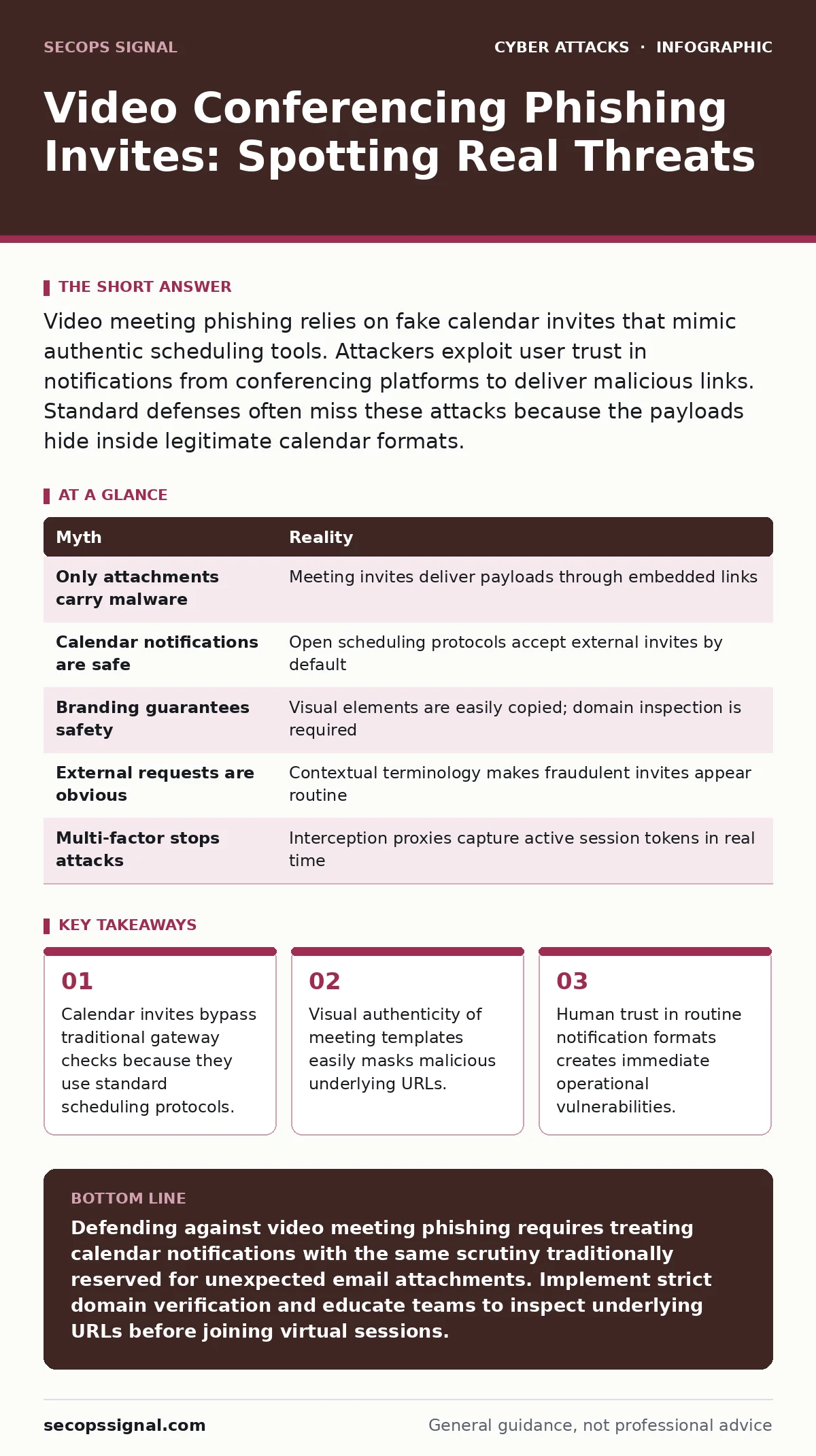
| Myth | Reality |
|---|---|
| Only attachments carry malware | Meeting invites deliver payloads through embedded links |
| Calendar notifications are safe | Open scheduling protocols accept external invites by default |
| Branding guarantees safety | Visual elements are easily copied; domain inspection is required |
| External requests are obvious | Contextual terminology makes fraudulent invites appear routine |
| Multi-factor stops attacks | Interception proxies capture active session tokens in real time |
Key takeaways
- Calendar invites bypass traditional gateway checks because they use standard scheduling protocols.
- Visual authenticity of meeting templates easily masks malicious underlying URLs.
- Human trust in routine notification formats creates immediate operational vulnerabilities.
Defending against video meeting phishing requires treating calendar notifications with the same scrutiny traditionally reserved for unexpected email attachments. Implement strict domain verification and educate teams to inspect underlying URLs before joining virtual sessions.
Frequently asked questions
Can hackers inject malware directly through a video conferencing link?
Video conferencing links typically lead to credential-harvesting web pages or browser exploits rather than direct malware downloads.
Why do calendar invites bypass standard security gateways?
Calendar invites use open scheduling standards that prioritize delivery over strict cryptographic validation.
How can employees spot a fraudulent meeting invitation?
Employees should check the actual hosting domain of the join button rather than trusting familiar logos or interface designs.
Do calendar applications automatically accept incoming meeting requests?
Many calendar systems automatically add external invites and load remote content unless configured otherwise by administrators.
How this guide was produced: written by the SecOps Signal editorial team with AI assistance, checked against the public references listed below, and reviewed when the facts change. See our editorial policy or report an error.