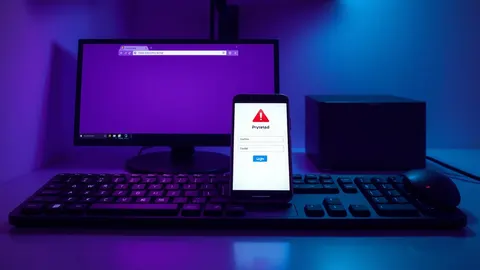
Keeper Security Adds AI Phishing Protection to Browser Extension
Keeper Security introduces a local AI engine in its browser extension to detect spoofed login pages and prevent credential theft from fraudulent sites.

Key points
- Keeper Security launched a new phishing protection feature within its browser extension.
- The tool uses a local AI engine to identify look-alike domains and brand impersonation.
- The capability aims to stop users from entering credentials on fraudulent websites.
Keeper Security has released a new phishing protection capability designed to safeguard user credentials from theft via fraudulent websites. According to IT Security Guru, this feature is available through the Keeper Browser Extension and utilizes a local AI engine for detection. The system identifies suspicious login pages directly in the browser environment. This addition targets the prevention of credential entry on spoofed sites, look-alike domains, and brand impersonation attempts.
The risk
Phishing attacks often rely on convincing visual replicas of legitimate login portals to trick users into surrendering authentication data. Traditional defenses may miss sophisticated brand impersonation efforts that closely mimic trusted services. Keeper Security’s new feature addresses this by employing artificial intelligence to analyze the context and appearance of login pages in real time. The local AI engine processes this information to flag discrepancies that indicate a fraudulent site. This approach aims to intervene before a user submits sensitive information to an attacker-controlled domain.
Who is exposed
Users who rely on the Keeper Browser Extension for password management are the primary audience for this new protective measure. According to IT Security Guru, the feature is built into the extension itself, meaning it applies to individuals and organizations already using Keeper for credential storage. Any environment where employees access web-based applications through a browser is potentially exposed to phishing attempts. The protection is specifically designed for these web-based interactions, offering a layer of defense against credential theft during login sequences.
Cost and compliance
The source material does not provide specific details regarding the financial cost of this feature or its impact on compliance frameworks. IT Security Guru reports the launch of the capability but does not mention pricing tiers, subscription changes, or regulatory implications. Organizations should review their current Keeper Security agreements to determine if this feature is included in their existing plans or requires an upgrade. No specific compliance standards are cited in the available reporting.
What to watch
Security teams should monitor for any changes in how the Keeper Browser Extension behaves during login workflows. Verify that the local AI engine is active and functioning as described by the vendor. Watch for user reports of legitimate sites being flagged incorrectly, which could indicate tuning issues with the new detection logic. Ensure that extension updates are deployed consistently across all managed endpoints to maintain uniform protection levels against emerging phishing tactics.
Signals worth monitoring
Teams usually review browser extension logs for unexpected blocking events or false positives. Check whether the local AI engine is generating alerts for known internal domains that might resemble external threats. Monitor for user complaints about login friction, which can signal aggressive detection settings. Look for patterns in blocked URLs to identify new phishing campaigns targeting your organization. Verify that the extension remains updated to benefit from the latest AI model improvements. Ensure that security policies allow the extension to function without interference from other browser security tools.
What to do and how to stay safe: Keeper Security
- Ensure all employees have the latest version of the Keeper Browser Extension installed to access the new AI features.
- Configure browser security settings to allow the Keeper extension to run without restrictions that might disable its scanning capabilities.
- Train users to recognize the visual indicators that the extension uses to warn them about potential phishing sites.
- Monitor extension logs for any false positives that could disrupt legitimate business workflows and adjust settings accordingly.
Step-by-step guide: Security Awareness Training: 6 Misunderstandings That Waste Your Budget
General security guidance from the SecOps Signal newsroom. It is not confirmed advice from the organisations named in this story.
Frequently asked questions
How does Keeper Security's new feature detect phishing attempts?
According to IT Security Guru, it uses a local AI engine to identify look-alike domains, spoofed websites, and brand impersonation attempts.
Is this feature available for all Keeper Security users?
The feature is available through the Keeper Browser Extension, as reported by IT Security Guru. Specific subscription requirements are not detailed in the source.
What types of threats does this protection target?
It is designed to prevent users from entering credentials on fraudulent websites, including those using look-alike domains and brand impersonation.