Zero-Click Exploit Prevention Checklist for Secure Systems
Zero-click exploits bypass user interaction by exploiting memory corruption flaws, requiring strict isolation and minimal attack surfaces to mitigate risk.

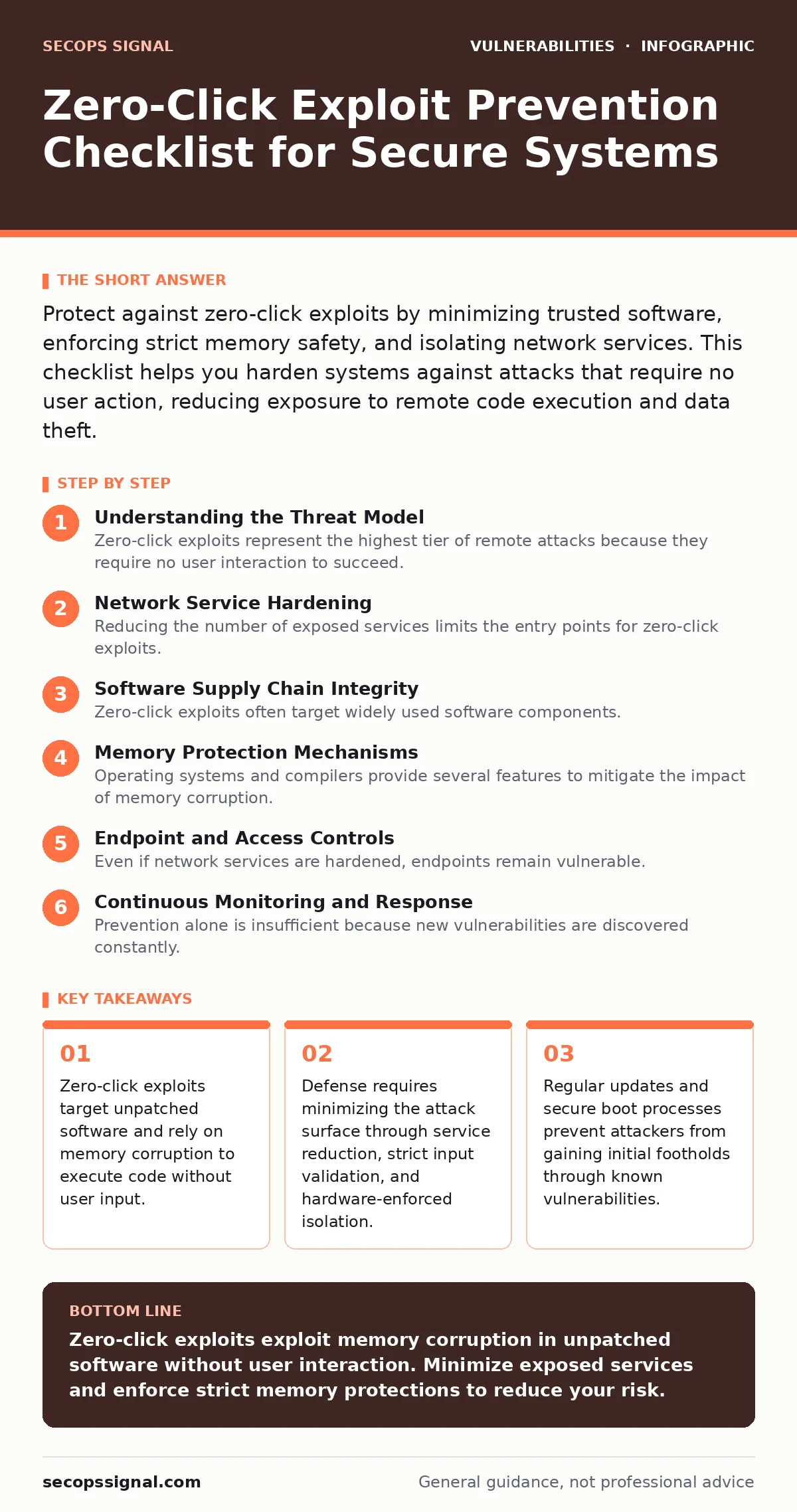
Protect against zero-click exploits by minimizing trusted software, enforcing strict memory safety, and isolating network services. This checklist helps you harden systems against attacks that require no user action, reducing exposure to remote code execution and data theft.
Understanding the Threat Model
Zero-click exploits represent the highest tier of remote attacks because they require no user interaction to succeed. These attacks exploit software vulnerabilities to execute arbitrary code or steal data while the system runs normally. The danger lies in the silent execution; no click, no open attachment, and no visited page triggers the compromise. Attackers target services that accept external input, such as mail servers, web servers, or messaging applications.
The core mechanism usually involves buffer overflows or use-after-free errors. A buffer overflow occurs when software writes more data to a memory block than it can hold, overwriting adjacent memory. Use-after-free happens when code accesses memory after it has been freed, allowing an attacker to redirect execution. These flaws allow an attacker to take control of the system process.
Network Service Hardening
Reducing the number of exposed services limits the entry points for zero-click exploits. Every open port represents a potential target for remote exploitation. You must audit your network architecture to identify services that do not need to communicate with external networks. Disabling unnecessary services removes the code paths that attackers can exploit.
- Disable unused network services: Removing services eliminates the code that processes external input, reducing the chance of a remote exploit.
- Restrict inbound traffic to necessary ports: Limiting access ensures that only authorized clients can attempt to interact with your services.
- Implement network segmentation: Isolating critical systems prevents lateral movement if an external service is compromised.
- Use firewalls to block unauthorized protocols: Filtering traffic stops malformed packets from reaching vulnerable applications before they can cause harm.
Software Supply Chain Integrity
Zero-click exploits often target widely used software components. If a library or framework contains a vulnerability, every application using it becomes a target. You must verify the integrity of all software before installation. This includes checking digital signatures and ensuring that updates come from trusted sources. Compromised updates can introduce backdoors that bypass standard security controls.
- Verify software signatures before installation: Confirming cryptographic signatures ensures that the code has not been tampered with by a third party.
- Update all dependencies regularly: Patching known vulnerabilities prevents attackers from using published exploits to gain initial access.
- Scan container images for known flaws: Checking images before deployment ensures that you do not run vulnerable code in your infrastructure.
- Review third-party plugin policies: Understanding how plugins are vetted helps you avoid components with poor security standards.
See our guide on WordPress plugin update policies for details on managing external code dependencies in web applications.
Memory Protection Mechanisms
Operating systems and compilers provide several features to mitigate the impact of memory corruption. These mechanisms do not prevent the initial vulnerability but make it significantly harder for an attacker to execute arbitrary code. You must ensure that these protections are enabled on all systems. Disabling them for compatibility reasons increases the risk of successful exploitation.
- Enable Address Space Layout Randomization: Randomizing memory locations prevents attackers from predicting where to inject malicious code.
- Enforce Data Execution Prevention: Marking data regions as non-executable stops attackers from running code stored in memory buffers.
- Use stack canaries to detect overflows: Placing known values on the stack allows the system to detect and abort execution if they are overwritten.
- Compile with security hardening flags: Enabling compiler protections adds layers of defense against common memory corruption techniques.
Refer to the section on speculative execution vulnerabilities to understand how CPU-level optimizations can leak sensitive data despite these protections.
Endpoint and Access Controls
Even if network services are hardened, endpoints remain vulnerable. Zero-click exploits can target local services or applications that process data from untrusted sources. You must enforce strict access controls and monitor system behavior. Limiting user privileges ensures that even if an exploit succeeds, the damage is contained.
- Enforce least privilege access: Restricting user rights limits the scope of damage if an application is compromised.
- Monitor for unusual process behavior: Detecting unexpected network connections or file changes helps identify active exploitation attempts.
- Use application whitelisting: Allowing only approved applications to run prevents unauthorized code from executing on the system.
- Regularly audit user accounts: Removing unused accounts reduces the number of potential entry points for attackers.
Continuous Monitoring and Response
Prevention alone is insufficient because new vulnerabilities are discovered constantly. You must establish processes to detect and respond to exploitation attempts. This includes logging all system events and analyzing them for signs of compromise. Rapid response limits the time an attacker has to operate within your network.
- Enable comprehensive logging: Recording system events provides the data needed to detect and investigate suspicious activity.
- Set up alerts for critical errors: Notifying administrators of unusual failures helps identify potential exploitation attempts early.
- Test incident response plans: Practicing response procedures ensures that your team can act quickly when a breach occurs.
- Review logs for signs of memory corruption: Analyzing crash dumps can reveal attempts to exploit buffer overflow vulnerabilities.
See the guide on responsible disclosure to learn how to handle vulnerabilities you discover in your own systems.
Key takeaways
- Zero-click exploits target unpatched software and rely on memory corruption to execute code without user input.
- Defense requires minimizing the attack surface through service reduction, strict input validation, and hardware-enforced isolation.
- Regular updates and secure boot processes prevent attackers from gaining initial footholds through known vulnerabilities.
Zero-click exploits exploit memory corruption in unpatched software without user interaction. Minimize exposed services and enforce strict memory protections to reduce your risk.
Frequently asked questions
Can antivirus software detect zero-click exploits?
Traditional antivirus relies on known signatures and often misses zero-click exploits because they are unique and do not leave traditional malware traces.
How do I know if I have been targeted?
Look for unusual system behavior, unexpected network connections, or crashes in services that process external input.
Are mobile devices vulnerable to zero-click exploits?
Yes, mobile operating systems can be targeted through messaging apps or image processing libraries that handle untrusted data.
Does disabling JavaScript prevent these attacks?
No, zero-click exploits often target system services or apps that do not rely on JavaScript, such as mail servers or media players.
How this guide was produced: written by the SecOps Signal editorial team with AI assistance, checked against the public references listed below, and reviewed when the facts change. See our editorial policy or report an error.