Stop File Upload Vulnerabilities with Server-Side Controls
Client-side validation disappears when an attacker sends a request directly to your server, making backend verification the only reliable defense.

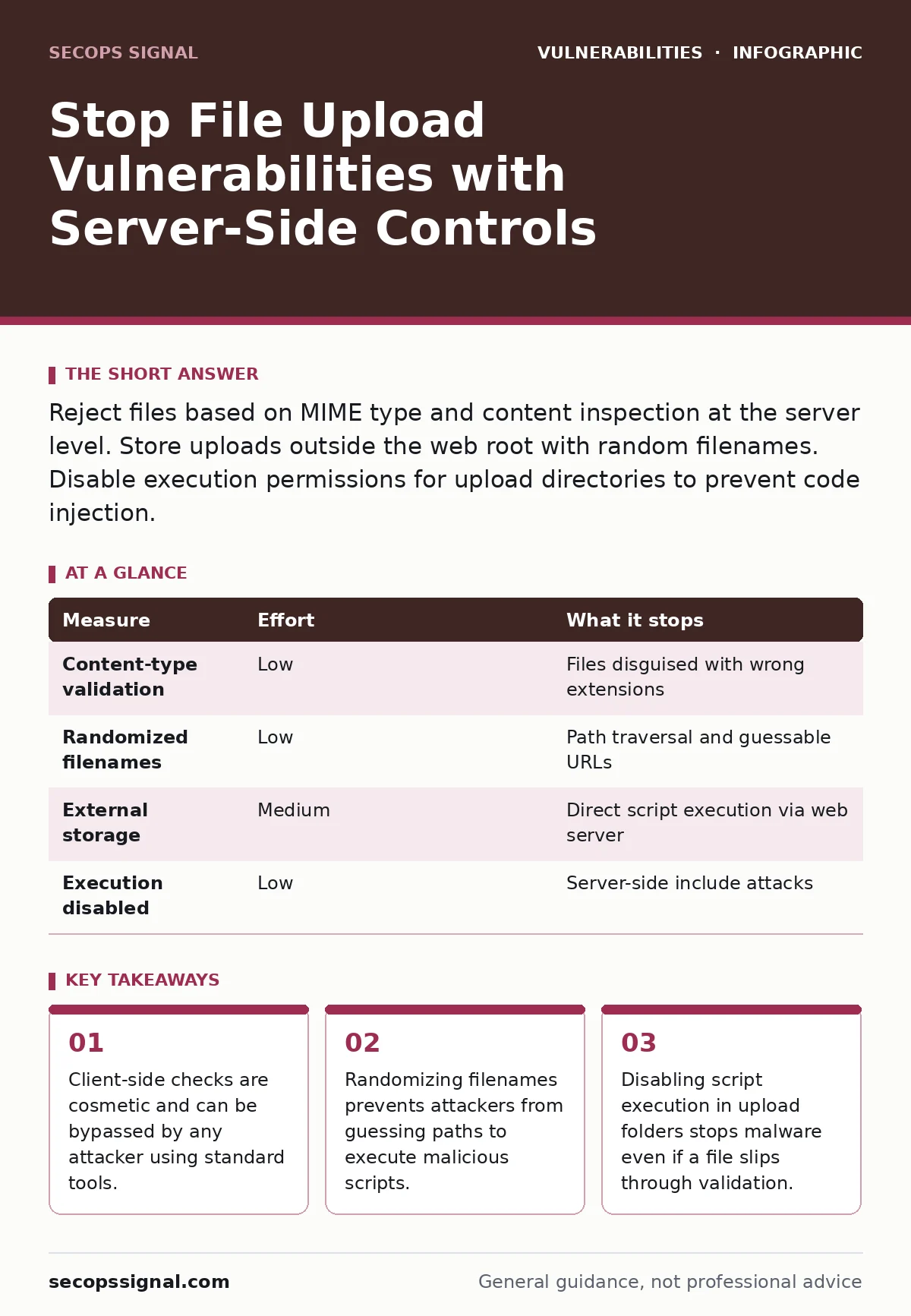
Reject files based on MIME type and content inspection at the server level. Store uploads outside the web root with random filenames. Disable execution permissions for upload directories to prevent code injection.
The Illusion of Client-Side Safety
You likely assume that checking a file extension in the browser protects your users. It does not. A browser check is a convenience feature, not a security control. An attacker can use a simple command-line tool to send a request to your server, bypassing the browser entirely. This request carries the file payload directly to your upload endpoint.
Imagine you restrict uploads to .jpg files. You add a dropdown in your form that only allows .jpg. An attacker ignores the dropdown. They construct a raw HTTP request with a .php file attached. Your server receives it. If your backend trusts the client’s claim about the file type, you have already lost.
This failure mode is common because developers often stop at the front end. They see the user experience is clean and assume the backend is safe. It is not. The server is the only place where you can enforce policy. Every other layer is optional for an attacker.
Validate Content, Not Just Names
Relying on file extensions is insufficient. Modern operating systems and browsers often ignore the extension when determining how to handle a file. They look at the magic bytes. These are the first few bytes of the file that identify its format. A JPEG file starts with specific hexadecimal values. A PHP script starts with a different sequence.
Your server must read these headers. It must verify that the content matches the expected type. If an attacker renames a .php script to .jpg, the magic bytes will still reveal it as executable code. Your server should reject this mismatch immediately.
This process requires reading the file stream. Do not trust the Content-Type header sent in the HTTP request. That header is user-controlled input. An attacker can claim any file is a JPEG. You must inspect the actual data. This adds a small processing cost. It removes a massive attack surface.
Isolate Uploads from Execution
Even with perfect validation, mistakes happen. A new file format emerges. A library has a bug. You need a second layer of defense. This layer is structural. It ensures that even if a malicious file lands on your server, it cannot run.
Store uploaded files in a directory outside the web root. The web root is the folder from which your web server serves files. If a file is outside this root, the web server cannot execute it as a script. It can only serve it as a static asset, if at all.
If you must store files within the web root, you must disable script execution for that directory. Configuration files for web servers allow this. You tell the server to treat that folder as static content only. No PHP, no Python, no ASP. Just images and documents.
This measure handles the edge case where validation fails. It turns a remote code execution vulnerability into a simple file storage issue. The attacker gets to store a file. They do not get to run it. This distinction changes the risk profile entirely.
| Measure | Effort | What it stops |
|---|---|---|
| Content-type validation | Low | Files disguised with wrong extensions |
| Randomized filenames | Low | Path traversal and guessable URLs |
| External storage | Medium | Direct script execution via web server |
| Execution disabled | Low | Server-side include attacks |
Sanitize Storage Paths
Attackers often try to escape the upload directory. They name a file ../etc/passwd. The goal is to overwrite system files or read sensitive data. This is a path traversal attack. Your server must strip these sequences.
Never use user-provided filenames directly. Generate a random string for the filename. Keep the original extension only if you need it for MIME type association, and validate that extension strictly. Store the mapping between the original name and the random name in a database.
This approach breaks the link between user input and filesystem structure. It also prevents collisions. If two users upload a file named report.pdf, the second one would overwrite the first if you use the original name. Randomization solves this data integrity issue alongside the security one.
Monitor for Anomalous Patterns
Technical controls are primary. Monitoring is secondary but necessary. You cannot catch every variant of a malicious file. You need to detect when something unusual happens.
Watch for large files. Watch for files with unexpected extensions. Watch for multiple failed upload attempts from a single IP. These patterns indicate automated scanning or manual probing. Alert your operations team when these thresholds are crossed.
This ties into broader risk-based vulnerability management. You cannot fix everything at once. You need to know where the pressure is. Upload endpoints are high-value targets. They require closer scrutiny than static pages.
What Does Not Work
Some measures give a false sense of security. Blacklisting file extensions is fragile. New extensions appear constantly. You will miss one. Whitelisting is better, but only if combined with content validation.
Relying on antivirus scanners on the server is also flawed. These scanners lag behind new threats. They are resource-intensive. They do not replace structural defenses. They are a nice-to-have, not a foundation.
Checklist for Today
You do not need to rebuild your architecture today. You need to close the widest gaps first. Use this list to prioritize your immediate actions.
- Disable script execution in your upload directory via web server configuration.
- Implement server-side MIME validation that checks magic bytes, not just extensions.
- Randomize filenames upon storage to prevent path traversal and guessing.
These three steps remove the most common and dangerous vectors. They are standard practices for a reason. They work across different technologies. They remain effective as new file formats emerge.
Your application may also be vulnerable to parameterized queries if it stores metadata about uploads. Ensure you use prepared statements for all database interactions. Additionally, review your HTTP security headers to prevent clickjacking or MIME sniffing attacks that could exploit uploaded content.
Final Verification
Before you deploy changes, test them. Use a simple tool to send a PHP file with a .jpg extension. Verify your server rejects it. Send a file with ../ in the name. Verify it is sanitized.
Security is not a product you install. It is a series of constraints you enforce. Each constraint removes a possibility for the attacker. The goal is to make the cost of attacking you higher than the reward. By validating content, isolating storage, and randomizing names, you raise that cost significantly.
Key takeaways
- Client-side checks are cosmetic and can be bypassed by any attacker using standard tools.
- Randomizing filenames prevents attackers from guessing paths to execute malicious scripts.
- Disabling script execution in upload folders stops malware even if a file slips through validation.
Frequently asked questions
Can I use a cloud storage service to avoid these vulnerabilities?
Cloud services often handle storage and execution isolation for you, but you still need to validate file types on upload to prevent abuse of your account and to protect downstream users.
How do I handle large file uploads without timing out?
Configure your web server and application to allow larger post sizes, and consider using chunked uploads. Ensure your validation logic works on chunks or the final assembled file, depending on your architecture.
Does this apply to mobile app uploads?
Yes. Mobile apps can be reverse-engineered to bypass client-side checks. The server must enforce the same strict validation rules regardless of the client type.
How this guide was produced: written by the SecOps Signal editorial team with AI assistance, checked against the public references listed below, and reviewed when the facts change. See our editorial policy or report an error.