How Tech Support Scams Work: The Step-by-Step Breakdown
These attacks succeed not by exploiting software flaws, but by hijacking your attention through engineered panic and manufactured urgency.

Attackers contact you via pop-ups or calls, claim your device is infected, and demand remote access. They rely on your fear to bypass skepticism. Interrupt the process by refusing remote control and ending the contact immediately.
The Anatomy of Manufactured Panic
Tech support scams do not begin with a code injection or a network breach. They begin with a psychological trigger. The attacker’s goal is to shift you from a state of calm decision-making to a state of urgent compliance. When you are panicked, you stop evaluating evidence and start following instructions. This shift is the foundation of the entire attack.
The scam relies on the assumption that you trust technology enough to fear it, but not enough to understand it. You see an error you do not recognize, or you receive a call from someone claiming to recognize a problem you did not know existed. The attacker fills the gap between your uncertainty and their authority.
Stage 1: The Initial Contact Vector
The attack starts with a notification that demands immediate attention. This often appears as a full-screen browser pop-up that mimics a system alert. The message claims your device is compromised, your data is stolen, or your legal status is at risk. The design is deliberately indistinguishable from genuine operating system warnings.
In other cases, the contact is auditory. You receive a phone call from a number that appears local or belongs to a well-known technology brand. The caller speaks with confidence and uses technical jargon to establish superiority. Whether visual or auditory, the mechanism is the same: create a sense of immediate threat.
This stage exploits the principle of authority bias. You are more likely to trust a message that looks official or a voice that sounds professional. The attacker does not need to hack your computer yet; they only need to make you believe you are already under attack.
Stage 2: Establishing Authority and Urgency
Once the initial alert is triggered, the attacker moves to solidify their role as the savior. They explain the severity of the issue in terms that suggest irreversible damage. They may claim that your banking details are being accessed or that law enforcement is involved. The narrative is designed to raise your heart rate and narrow your focus.
The attacker creates a time constraint. They tell you that you must act within minutes to prevent data loss or legal consequences. This urgency bypasses your critical thinking. You are no longer asking if the problem is real; you are asking how to fix it quickly. The attacker positions themselves as the only solution to the crisis they just described.
This phase relies on the scarcity heuristic. When people believe they are running out of time or resources, they make poorer decisions. The attacker ensures you feel isolated in your problem, with them as the only bridge to safety.
Stage 3: The Remote Access Handoff
The critical technical step is gaining control of your device. The attacker will ask you to download and run a remote access tool. These are legitimate software applications used by IT professionals to help colleagues fix computers. In this context, they are instruments of theft. The attacker provides a download link or asks you to search for a specific program.
You are instructed to enter a code that allows the attacker to connect. Once connected, they can see your screen, move your mouse, and click buttons. They may claim they need this access to "scan" your device or "remove" the fake virus. In reality, they now have the keys to your digital life.
This is where the abstract threat becomes concrete. The attacker does not need to guess your passwords if they can watch you type them. They can navigate to your email, banking, and file storage. The permission you grant is total, or nearly so, depending on the software settings.
Stage 4: Extraction and Concealment
With control established, the attacker begins the extraction process. They may change your passwords, install additional malware, or access financial accounts. To maintain the illusion of help, they might open a fake security program that shows red alerts. They then proceed to "fix" these fake alerts, making you believe they are competent and honest.
The attacker often asks for payment for the "service." They may also ask for credit card details for the remote access software, which they then use for fraudulent charges. If they are not caught, they will continue to harvest data until they are satisfied or until you realize something is wrong.
To conceal their actions, they may clear your browser history or delete evidence of the connection. They might also install a backdoor that allows them to return later. The goal is to leave you with a device that looks normal but is compromised, or to take what they can and leave before you notice.
Interruption Points and Defense
The scam can be stopped at any stage, but earlier intervention is easier. The most effective defense is recognizing that unsolicited help is never legitimate. If you did not request support, no one should be offering it. This rule applies to pop-ups, emails, and phone calls.
When you suspect a scam, the immediate action is to disconnect from the internet. This cuts the attacker’s link if they have remote access. Then, power off the device. Do not try to uninstall anything or check for viruses while connected. A fresh restart with the internet off breaks the session and prevents further data exfiltration.
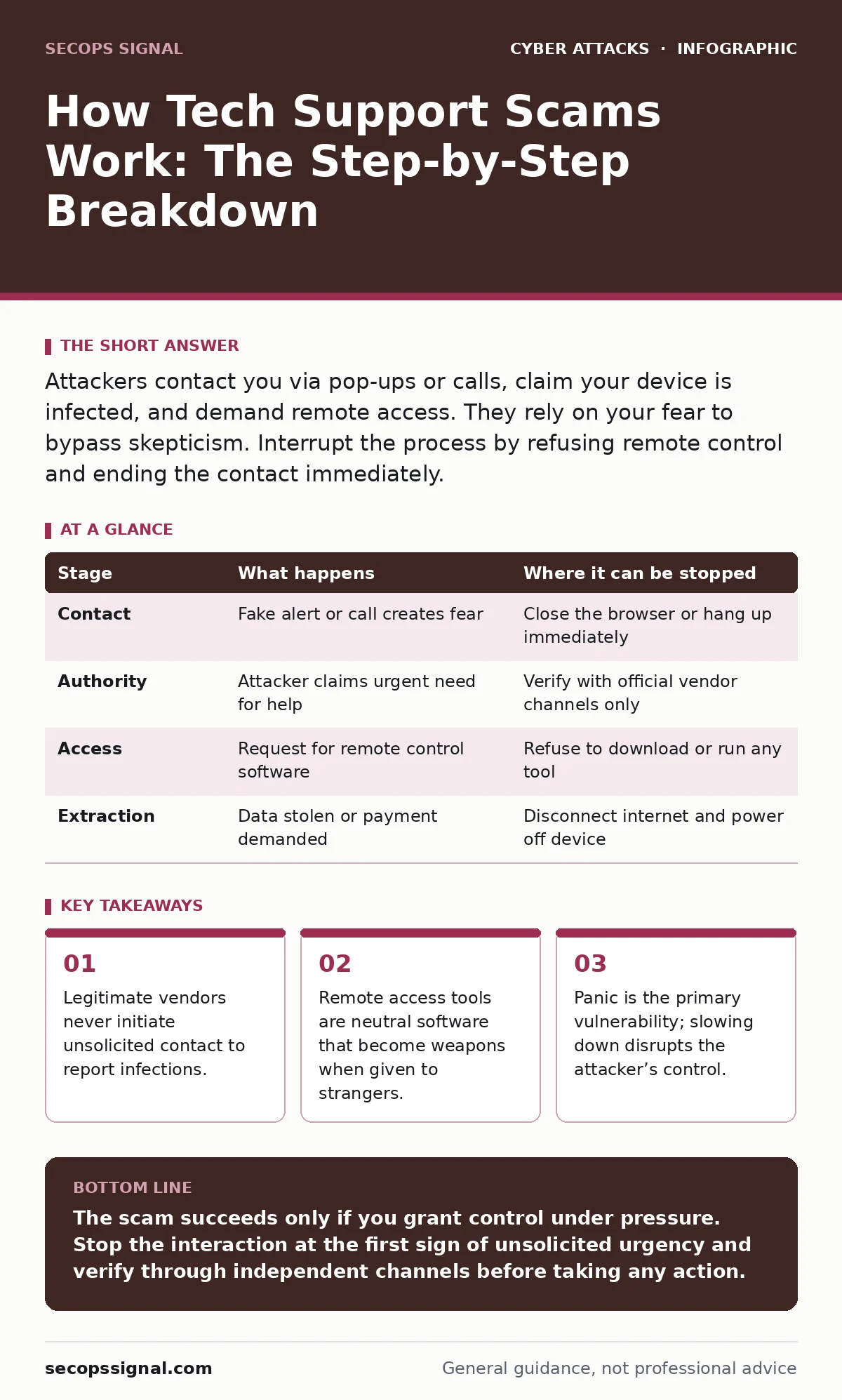
| Stage | What happens | Where it can be stopped |
|---|---|---|
| Contact | Fake alert or call creates fear | Close the browser or hang up immediately |
| Authority | Attacker claims urgent need for help | Verify with official vendor channels only |
| Access | Request for remote control software | Refuse to download or run any tool |
| Extraction | Data stolen or payment demanded | Disconnect internet and power off device |
Long-Term Resilience Strategies
Preventing these scams requires more than just reacting to alerts. You must reduce the surface area for manipulation. Use email filtering to block malicious messages before they reach your inbox. This reduces the chance of clicking a link that leads to a scareware site.
Implement conditional access policies if you manage a small network. These rules can restrict remote access to specific devices or locations, making it harder for an attacker to maintain control even if they trick you. While this is more advanced, it adds a layer of security that does not rely on user vigilance alone.
Be aware of credential stuffing attacks, which use stolen passwords to access your accounts. If an attacker has your password, they may reset your security questions or add their own recovery emails. This makes it harder for you to regain control after a scam. Using a password manager ensures each account has a unique, complex password, limiting the damage of any single breach.
Recognizing the Broader Pattern
Tech support scams are part of a wider ecosystem of social engineering. They share DNA with romance scams, where trust is built over time to extract money. They also overlap with invoice fraud, where urgency is used to bypass financial checks. Understanding these patterns helps you spot the underlying tactic: manipulation of trust and urgency.
While drive-by downloads exploit technical vulnerabilities in browsers, tech support scams exploit human vulnerabilities. The defense is different. You cannot patch your fear, but you can train your response. By expecting the unexpected and verifying the source, you remove the attacker’s leverage.
Key takeaways
- Legitimate vendors never initiate unsolicited contact to report infections.
- Remote access tools are neutral software that become weapons when given to strangers.
- Panic is the primary vulnerability; slowing down disrupts the attacker’s control.
The scam succeeds only if you grant control under pressure. Stop the interaction at the first sign of unsolicited urgency and verify through independent channels before taking any action.
Frequently asked questions
Can a tech support scammer actually install a virus on my computer?
Only if you install the remote access software they request or run a file they send. They cannot infect your device through a phone call or a browser pop-up alone.
What should I do if I already gave them remote access?
Disconnect from the internet immediately and power off your device.
How this guide was produced: written by the SecOps Signal editorial team with AI assistance, checked against the public references listed below, and reviewed when the facts change. See our editorial policy or report an error.